Unlock a world of possibilities! Login now and discover the exclusive benefits awaiting you.

- Qlik Community
- :
- Forums
- :
- Analytics & AI
- :
- Products & Topics
- :
- App Development
- :
- Re: Databricks Connection: Text fields truncated a...
- Subscribe to RSS Feed
- Mark Topic as New
- Mark Topic as Read
- Float this Topic for Current User
- Bookmark
- Subscribe
- Mute
- Printer Friendly Page

 melperso21
- Mark as New
- Bookmark
- Subscribe
- Mute
- Subscribe to RSS Feed
- Permalink
- Report Inappropriate Content
Databricks Connection: Text fields truncated at 255 characters
Hi Community,
I am facing an issue with my Databricks connection in Qlik Sense.
The Problem: I have a table in Databricks that contains text columns with descriptions longer than 255 characters. When I load this data into Qlik, the text is being truncated (cut off) at exactly 255 characters.
Environment:
Source: Databricks (Hive Metastore)
Connection Type: Qlik Databricks Connector (via Qlik Cloud/SaaS)
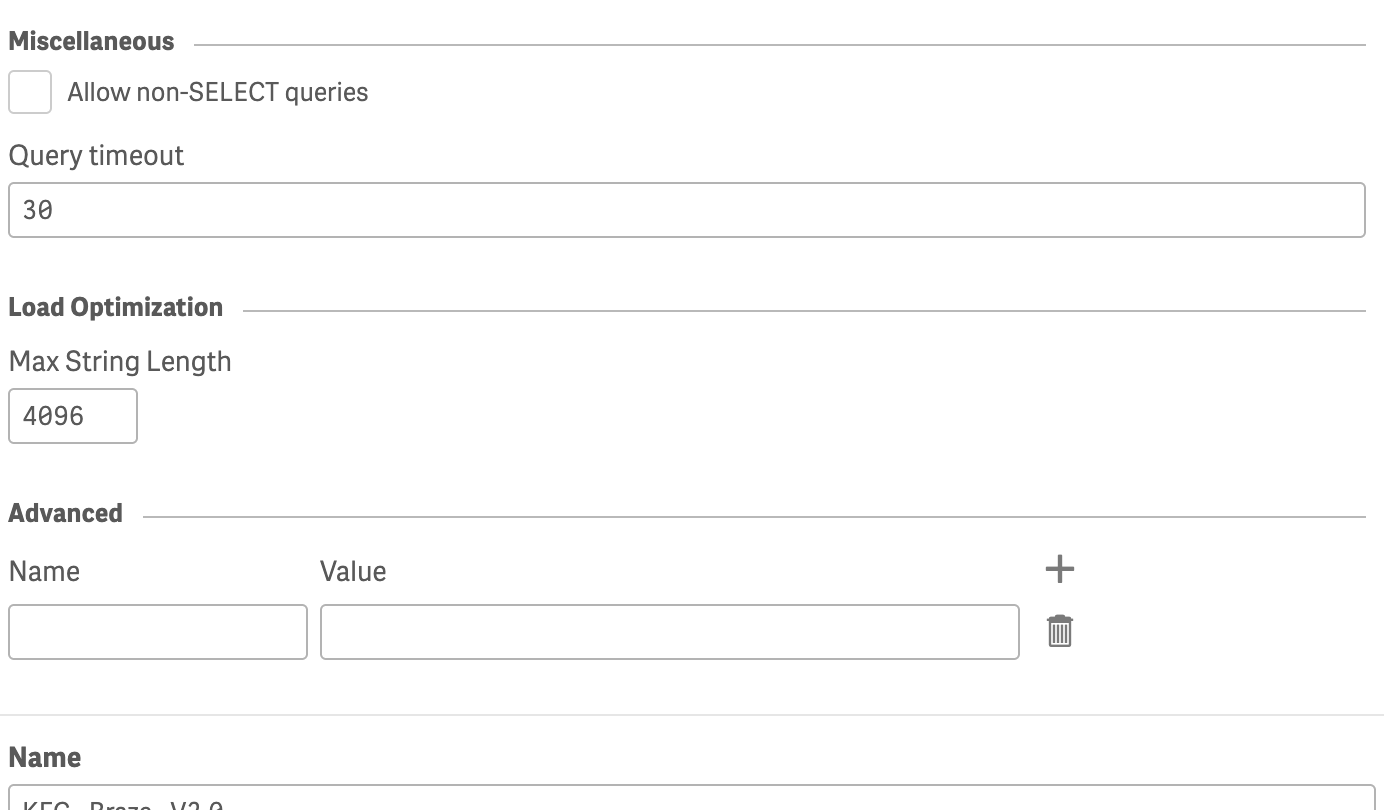
What I have tried: I attempted to adjust the settings in the connection dialog, but I couldn't find a direct option that resolves the truncation issue. I suspect this is related to a default driver limitquation for String/Varchar length.
Question: Is there a specific parameter or "Advanced Property" I need to add to the connection string (e.g., in the Name/Value pairs) to allow strings longer than 255 characters?
Thanks in advance for your help!

 Chanty4u
- Mark as New
- Bookmark
- Subscribe
- Mute
- Subscribe to RSS Feed
- Permalink
- Report Inappropriate Content
Try this.SELECT
CAST(long_description AS VARCHAR(20000)) AS long_description
FROM mytabl
e;
