Unlock a world of possibilities! Login now and discover the exclusive benefits awaiting you.

- Qlik Community
- :
- Forums
- :
- Analytics & AI
- :
- Products & Topics
- :
- App Development
- :
- Re: Prefix in KPI
- Subscribe to RSS Feed
- Mark Topic as New
- Mark Topic as Read
- Float this Topic for Current User
- Bookmark
- Subscribe
- Mute
- Printer Friendly Page

- Mark as New
- Bookmark
- Subscribe
- Mute
- Subscribe to RSS Feed
- Permalink
- Report Inappropriate Content
Prefix in KPI
Hi Experts,
I need to add '$' symbol before my measure. I get the output by using this Expression.
pick(ceil(log10(sum(Sales))/3),
num(sum(Sales),'#,##0.0'),
num(sum(Sales)/1000,'#,##0.0 K'),
num(sum(Sales)/1000000,'#,##0.0 M')
) & ''
- Mark as New
- Bookmark
- Subscribe
- Mute
- Subscribe to RSS Feed
- Permalink
- Report Inappropriate Content
Hi,
Go to Properties--> Dimensions and In the Dimensions tab and In the label type anything you like to display. eg:'$' & 'brand'
thanks

 anushree1
- Mark as New
- Bookmark
- Subscribe
- Mute
- Subscribe to RSS Feed
- Permalink
- Report Inappropriate Content
Try using the Num Format like: num(sum(Sales),'$#,##0.00')
- Mark as New
- Bookmark
- Subscribe
- Mute
- Subscribe to RSS Feed
- Permalink
- Report Inappropriate Content
Hi Anushree,
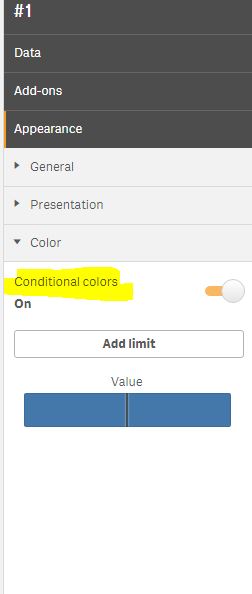
I get the output but i am not able to give conditional Colors
- Mark as New
- Bookmark
- Subscribe
- Mute
- Subscribe to RSS Feed
- Permalink
- Report Inappropriate Content
Hi Prem,
This is not what i am expecting
anushree1
- Mark as New
- Bookmark
- Subscribe
- Mute
- Subscribe to RSS Feed
- Permalink
- Report Inappropriate Content
Hi Dinesh,
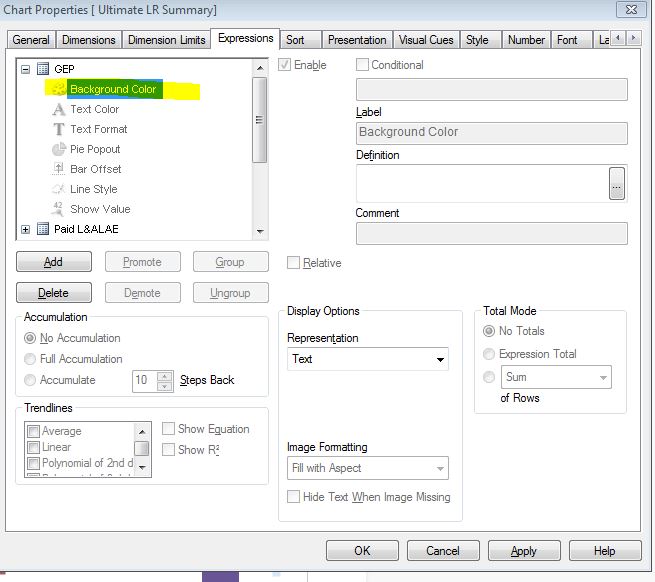
Do you mean conditional Background colors, if yes you could do that in Dimensions/Expressions Tab based on your requirement by Movin to the Background colors section as in the attachment.
It would be better if you could share a sample application if this is not what you are looking for.
- Mark as New
- Bookmark
- Subscribe
- Mute
- Subscribe to RSS Feed
- Permalink
- Report Inappropriate Content
Hi Anu,
My requirement is for qlik sense.In qlik sense KPI can't be colored if string is in your expression. so i am asking Is there any other method for conditional colors???