Unlock a world of possibilities! Login now and discover the exclusive benefits awaiting you.

- Qlik Community
- :
- Forums
- :
- Analytics & AI
- :
- Products & Topics
- :
- App Development
- :
- Re: Sense Desktop not authenticating
- Subscribe to RSS Feed
- Mark Topic as New
- Mark Topic as Read
- Float this Topic for Current User
- Bookmark
- Subscribe
- Mute
- Printer Friendly Page

 johngouws
- Mark as New
- Bookmark
- Subscribe
- Mute
- Subscribe to RSS Feed
- Permalink
- Report Inappropriate Content
Sense Desktop not authenticating
Good afternoon.
I noticed a few days ago, a few times during the day, my desktop authentication 'hangs' at the cloud screen instead of opening my desktop hub. I am on September 2019 version. Normally I close and reopen the session or at worst I need to reboot my machine. Today the problem persists and I cannot get into my local hub.
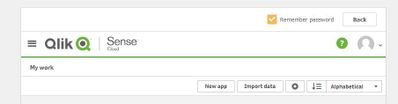
When starting Sense, the authentication screen appears and I enter my credential. Instead of authenticating and showing my local hub, it takes me to the cloud hub, which really has nothing in it.
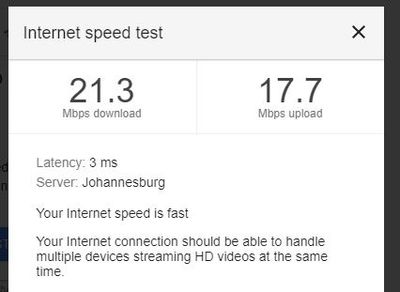
At one stage I thought it may be my network speed, but a speed test shows it should be fine. I am wondering if anyone else has experienced a similar issue and what resolved it?
Thank you.
Accepted Solutions
johngouws
- Mark as New
- Bookmark
- Subscribe
- Mute
- Subscribe to RSS Feed
- Permalink
- Report Inappropriate Content

 Daniele_Purrone
- Mark as New
- Bookmark
- Subscribe
- Mute
- Subscribe to RSS Feed
- Permalink
- Report Inappropriate Content
This is a known issue, R&D is on it.
https://qliksupport.force.com/articles/000059227
If a post helps to resolve your issue, please accept it as a Solution.
 legorburu
- Mark as New
- Bookmark
- Subscribe
- Mute
- Subscribe to RSS Feed
- Permalink
- Report Inappropriate Content
I am currently having the same problem. It takes me to the cloud hub. I have restored and reinstalled the Desktop application, but doesn't work.

 swqlik01
- Mark as New
- Bookmark
- Subscribe
- Mute
- Subscribe to RSS Feed
- Permalink
- Report Inappropriate Content
I had the same issue, switched the laptop to airplane mode to kill internet access & it did the trick.
johngouws
- Mark as New
- Bookmark
- Subscribe
- Mute
- Subscribe to RSS Feed
- Permalink
- Report Inappropriate Content
Daniele_Purrone
- Mark as New
- Bookmark
- Subscribe
- Mute
- Subscribe to RSS Feed
- Permalink
- Report Inappropriate Content
This is a known issue, R&D is on it.
https://qliksupport.force.com/articles/000059227
If a post helps to resolve your issue, please accept it as a Solution.
johngouws
- Mark as New
- Bookmark
- Subscribe
- Mute
- Subscribe to RSS Feed
- Permalink
- Report Inappropriate Content
Thank you Daniele. I will forward this link to some people who I know are experiencing the same problem.
legorburu
- Mark as New
- Bookmark
- Subscribe
- Mute
- Subscribe to RSS Feed
- Permalink
- Report Inappropriate Content
Thanks Daniel, now working.
Daniele_Purrone
- Mark as New
- Bookmark
- Subscribe
- Mute
- Subscribe to RSS Feed
- Permalink
- Report Inappropriate Content
The issue is now fully resolved. Thanks for the patience!
If a post helps to resolve your issue, please accept it as a Solution.
johngouws
- Mark as New
- Bookmark
- Subscribe
- Mute
- Subscribe to RSS Feed
- Permalink
- Report Inappropriate Content
Looks like it. I authenticated for the first time today about 3 hours ago, and it works as it should. Thank you for the update..
