Unlock a world of possibilities! Login now and discover the exclusive benefits awaiting you.

- Qlik Community
- :
- Forums
- :
- Analytics & AI
- :
- Products & Topics
- :
- App Development
- :
- Re: YTD Calculation in Table
- Subscribe to RSS Feed
- Mark Topic as New
- Mark Topic as Read
- Float this Topic for Current User
- Bookmark
- Subscribe
- Mute
- Printer Friendly Page

 ramkrishna86
- Mark as New
- Bookmark
- Subscribe
- Mute
- Subscribe to RSS Feed
- Permalink
- Report Inappropriate Content
YTD Calculation in Table
Hi,
Can anybody please suggest about YTD calculation in table with filter selection on dimension. I am able to write below code which works fine if value are selected in filter but doesn't work if no value are selected.
If(GetSelectedCount(Period)=1,
aggr(rangesum(Below(total sum({<Period=>}Value),0,$(vMonthDiff))),Period),
aggr(rangesum(Below(total sum({<Period=>}Value),0,Right(Period,2))),Period))
Also, Please find attached QVF.
Thanks in Advance!
Accepted Solutions

 sunny_talwar
- Mark as New
- Bookmark
- Subscribe
- Mute
- Subscribe to RSS Feed
- Permalink
- Report Inappropriate Content
Check this
If(GetSelectedCount(Period)=1,
aggr(rangesum(Below(Sum({<Period=>}Value),0,$(vMonthDiff))), AccCls, AccNm, Period),
aggr(rangesum(Below(Sum({<Period=>}Value),0,Right(Period,2))),AccCls, AccNm, Period))
sunny_talwar
- Mark as New
- Bookmark
- Subscribe
- Mute
- Subscribe to RSS Feed
- Permalink
- Report Inappropriate Content
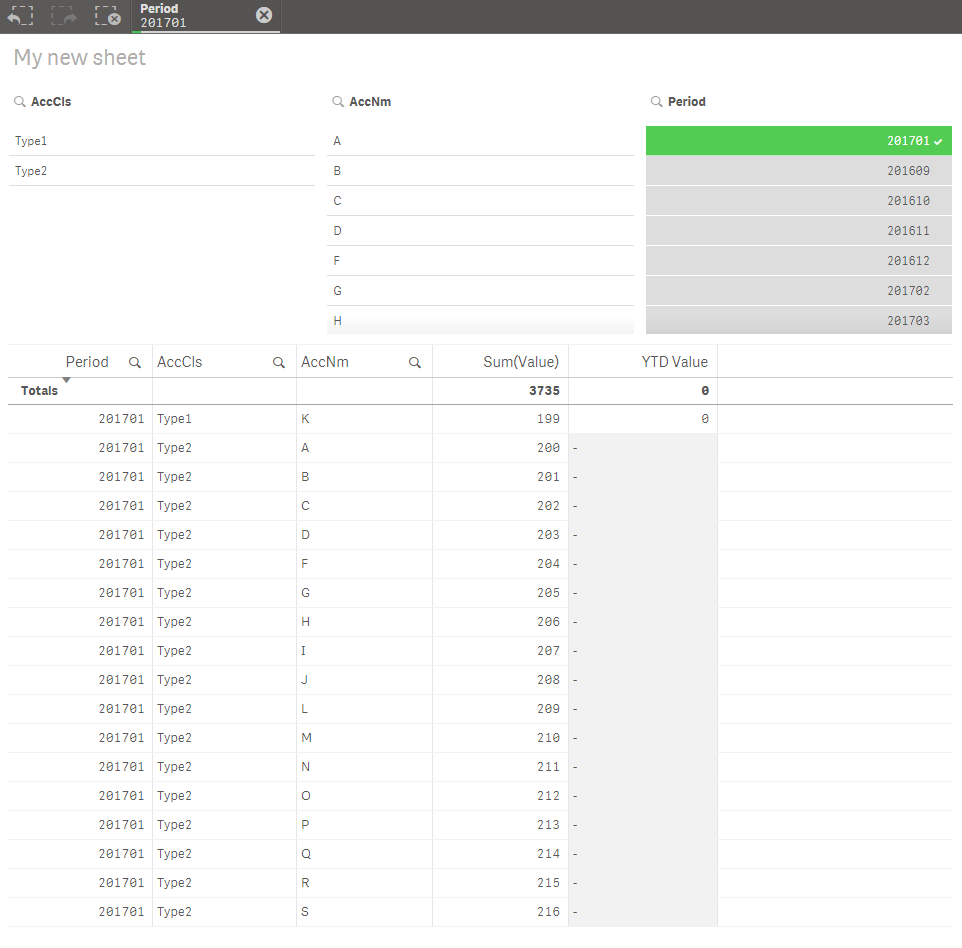
After what selection does this work? I tried selecting Period and it doesn't seem to be working... am I missing something here?
ramkrishna86
- Mark as New
- Bookmark
- Subscribe
- Mute
- Subscribe to RSS Feed
- Permalink
- Report Inappropriate Content
Hi Sunny,
When you also select vaue from AccCls and AccN then it is working.
Please suggest other approach to calculate YTD.
Thanks,
sunny_talwar
- Mark as New
- Bookmark
- Subscribe
- Mute
- Subscribe to RSS Feed
- Permalink
- Report Inappropriate Content
Check this
If(GetSelectedCount(Period)=1,
aggr(rangesum(Below(Sum({<Period=>}Value),0,$(vMonthDiff))), AccCls, AccNm, Period),
aggr(rangesum(Below(Sum({<Period=>}Value),0,Right(Period,2))),AccCls, AccNm, Period))
