Unlock a world of possibilities! Login now and discover the exclusive benefits awaiting you.

- Qlik Community
- :
- Forums
- :
- Analytics & AI
- :
- Products & Topics
- :
- App Development
- :
- datetime offset
- Subscribe to RSS Feed
- Mark Topic as New
- Mark Topic as Read
- Float this Topic for Current User
- Bookmark
- Subscribe
- Mute
- Printer Friendly Page

 barry_stevens
- Mark as New
- Bookmark
- Subscribe
- Mute
- Subscribe to RSS Feed
- Permalink
- Report Inappropriate Content
datetime offset
Hi All,
Firstly apologies if this has been asked before or if asking in the wrong group.
We have a field coming through and seen as as text in the qlik table and I am told this is a datetime offset in the db '2017-06-21 08:37:16.4613064 +12:00' what is the best way to convert this to a datetime in qlik - is it possible in the data manager or is this a must do in the data load script
Regards
Barry

 karthikoffi27se
- Mark as New
- Bookmark
- Subscribe
- Mute
- Subscribe to RSS Feed
- Permalink
- Report Inappropriate Content
Hi Barry,
You can do it in load script
Please use DATE("YOURFIELD",'DD/MMM/YYYY') as YOURFIELD
This will convert all of your field to date format.
Many Thanks
Karthik
barry_stevens
- Mark as New
- Bookmark
- Subscribe
- Mute
- Subscribe to RSS Feed
- Permalink
- Report Inappropriate Content
Thanks, how does this handle the +12 hour offset?
 rahulwankhede
- Mark as New
- Bookmark
- Subscribe
- Mute
- Subscribe to RSS Feed
- Permalink
- Report Inappropriate Content
Hi Barry,
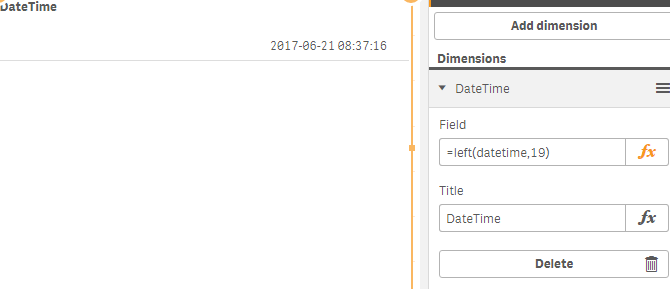
You can try this,
For Datetime
(left(Date,19))
For date
date(left(Date,19))
hope that will help you.

- Mark as New
- Bookmark
- Subscribe
- Mute
- Subscribe to RSS Feed
- Permalink
- Report Inappropriate Content
Maybe something like :
= timestamp(
timestamp#(
left( '2017-06-21 08:37:16.4613064 +12:00' , 19 ) , 'YYYY-MM-DD hh:mm:ss' )
+ num(interval#(right( '2017-06-21 08:37:16.4613064 +12:00' , 5 ) , 'hh:mm' ))
* num(mid( '2017-06-21 08:37:16.4613064 +12:00' , 29 ,1 ) & '1')
, 'YYYY-MM-DD hh:mm:ss' )
But I'd suggest you give this really good test, especially for negative offsets