Unlock a world of possibilities! Login now and discover the exclusive benefits awaiting you.

- Qlik Community
- :
- Forums
- :
- Analytics & AI
- :
- Products & Topics
- :
- App Development
- :
- Re: previous order flag
- Subscribe to RSS Feed
- Mark Topic as New
- Mark Topic as Read
- Float this Topic for Current User
- Bookmark
- Subscribe
- Mute
- Printer Friendly Page

 joeybird
- Mark as New
- Bookmark
- Subscribe
- Mute
- Subscribe to RSS Feed
- Permalink
- Report Inappropriate Content
previous order flag
Hiya
I wish to count customers previous orders items
I need to make an order flag,
I only want to count a customer order if they e.g. ordered a product on a previous date
example customer makes an
count if previous date if DepartmentOrder equals true (this box has free text so it has to count not null)
please help

 reddy-s
- Mark as New
- Bookmark
- Subscribe
- Mute
- Subscribe to RSS Feed
- Permalink
- Report Inappropriate Content
Hi Joanna,
Is it possible to attach a sample QVF so that it would be easy to solve the issue?
joeybird
- Mark as New
- Bookmark
- Subscribe
- Mute
- Subscribe to RSS Feed
- Permalink
- Report Inappropriate Content
Hiya
I cant because of the data
but example table would be
CustID OrderDate DepartmentOrder QTY Change
111 01/01/2015 Catering 1
111 08/08/2015 6 5
111 08/08/2015 6
111 08/08/2015 6
111 15/09/2015 Catering 16
111 20/09/2015 18 2
My total would be 7
I only want to count the total change if the previous date the was a DepartmentOrder is true,(Not null)
please help
reddy-s
- Mark as New
- Bookmark
- Subscribe
- Mute
- Subscribe to RSS Feed
- Permalink
- Report Inappropriate Content
Hi joanna,
Here is the solution:
Script part:
data:
LOAD * INLINE [
Customer, Date, DeptOrder, Qty
111, 01/01/2015,Catering, 1
111, 08/08/2015,Unknown, 6
111, 08/08/2015,Unknown, 6
111, 08/08/2015,Unknown, 6
111, 15/09/2015,Catering, 16
111, 20/09/2015,Unknown, 18
];
transformation:
load *,
if ((Previous(DeptOrder) = 'Unknown'),0, Qty - Previous(Qty)) as Change;
load Customer,
date#(Date,'DD/MM/YYYY') as Date,
DeptOrder,
num(Qty) as Qty
Resident data;
drop table data;
This is the output(The change column you mentioned in the previous post):
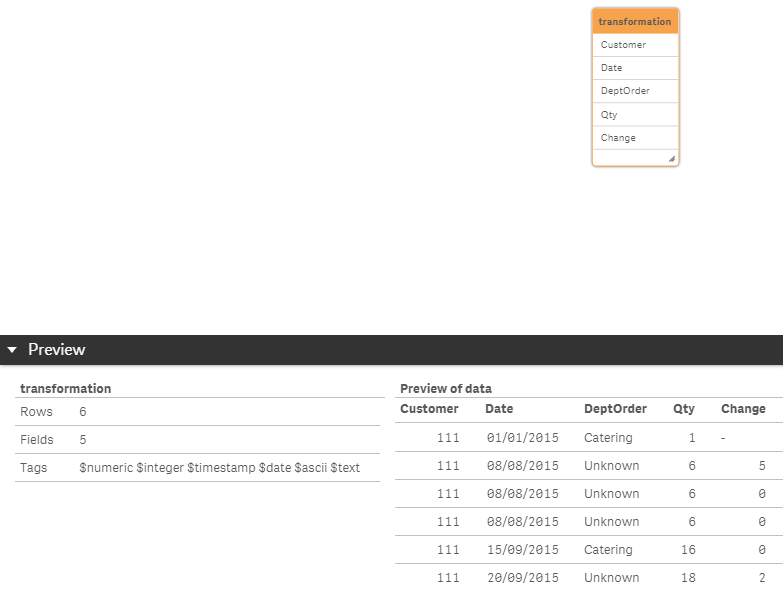
Hope this solves your issue
- Sangram
