Unlock a world of possibilities! Login now and discover the exclusive benefits awaiting you.

- Qlik Community
- :
- Blogs
- :
- Technical
- :
- Design
- :
- Qlik Sense Wordpress Plugin

 Yianni_Ververis
- Subscribe to RSS Feed
- Mark as New
- Mark as Read
- Bookmark
- Subscribe
- Printer Friendly Page
- Report Inappropriate Content
There are a lot of people that use Wordpress as their company's portal. If you are one of these people then, you may find this plugin very useful. You can create a mashup from within wordpress, using the Capabilities API, without writing a single line of code. Just add the settings with the host and the App ID, then the shortcode for the objects that you want and you are done.
Here, I will show you how to do that.
- First go to your wp admin panel, under "Plugins" click on "Add New" and then search for "Qlik"
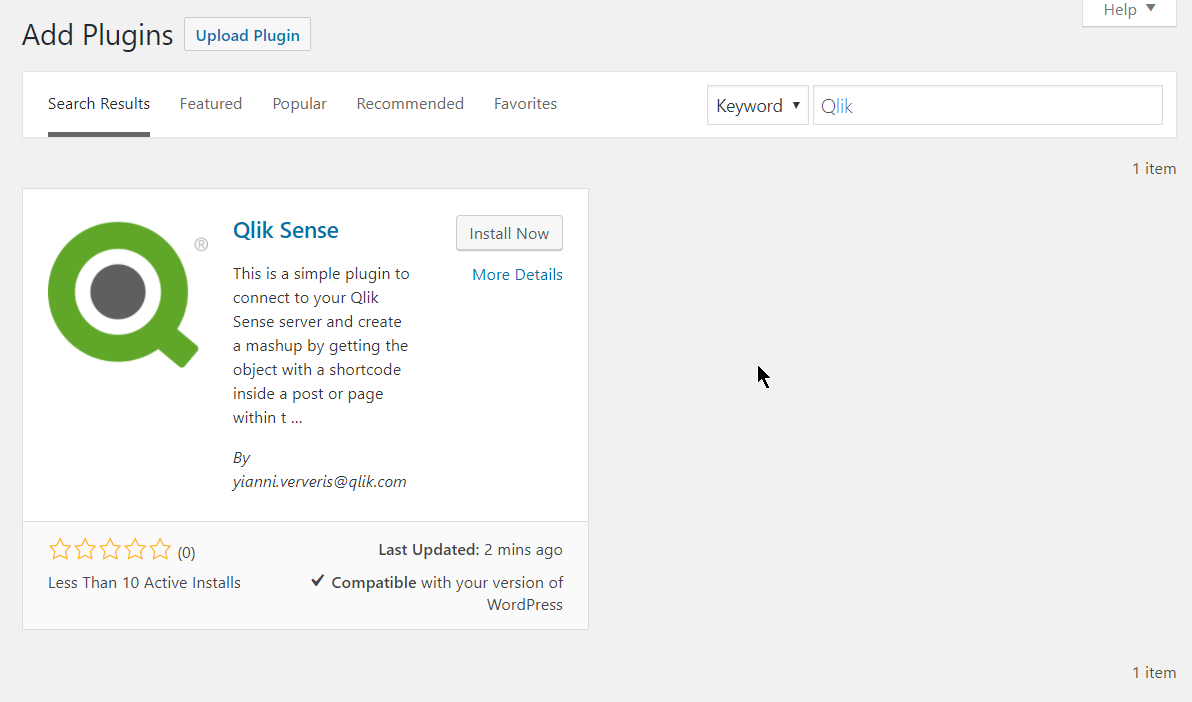
- Click on "Install Now" and then on "Activate"
- This will create a "Qlik Sense" settings page, just open that
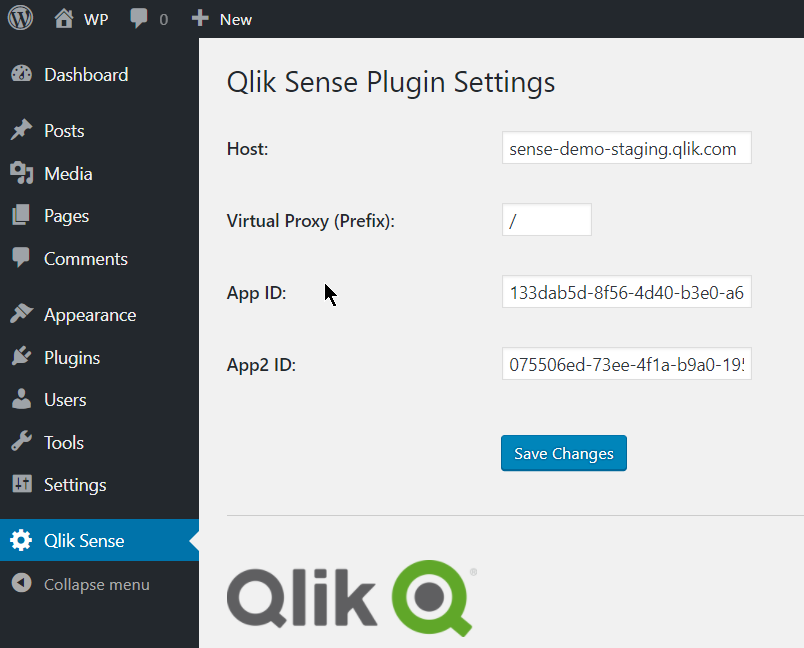
- Here you need to define your host, the Virtual Proxy (prefix) and the App Id, as you would in a regular mashup. If you are planning on using a second app, then add the second app id in "App2 ID".
- Save changes.
- Then add the shortcode into your posts "[qlik-sense-object id="page1-obj2" qvid="nvqpV" height="400" app2="true"]"
- id: is the unique div id. This is needed especially when you want to display the same object in 2 different instances
- qvid: Is the object id as found in the "dev-hub/single-configurator"
- height: The height of the visualization in pixels
- nointeraction: Add this if you want to disable interactions. If you want the objects to have interaction, you can just omit this.
- app2: Add this if your object is coming from the second app that you have specified in the settings
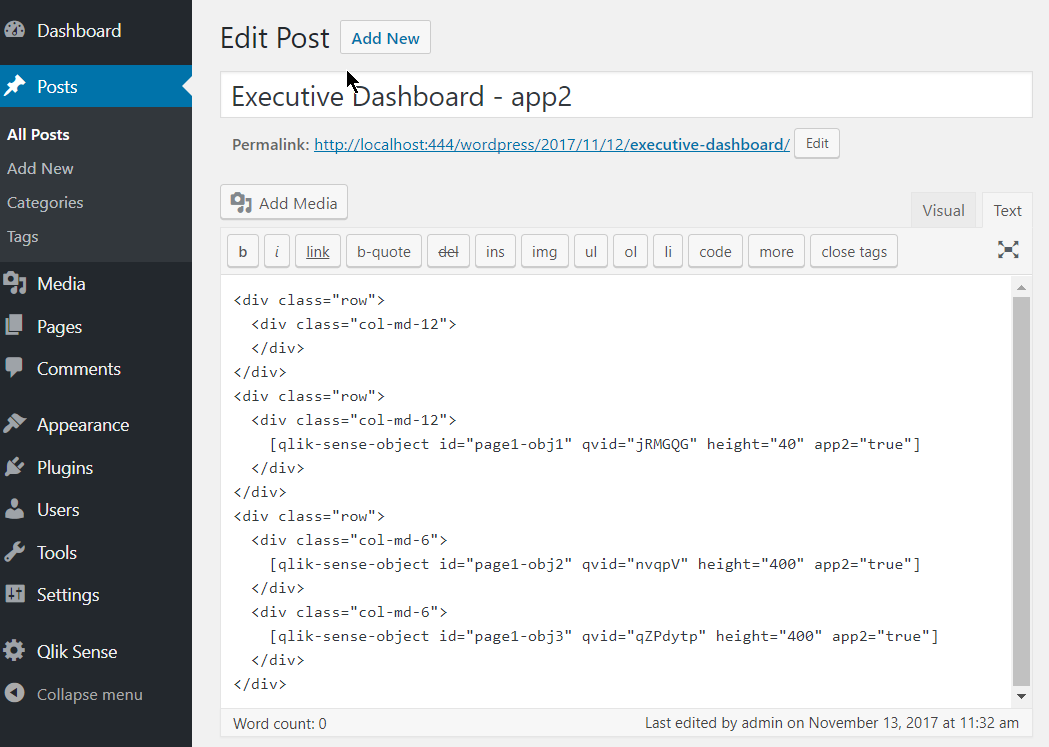
- I have added few objects with a specific height in a bootstrap template for better layout. Now, lets preview the page
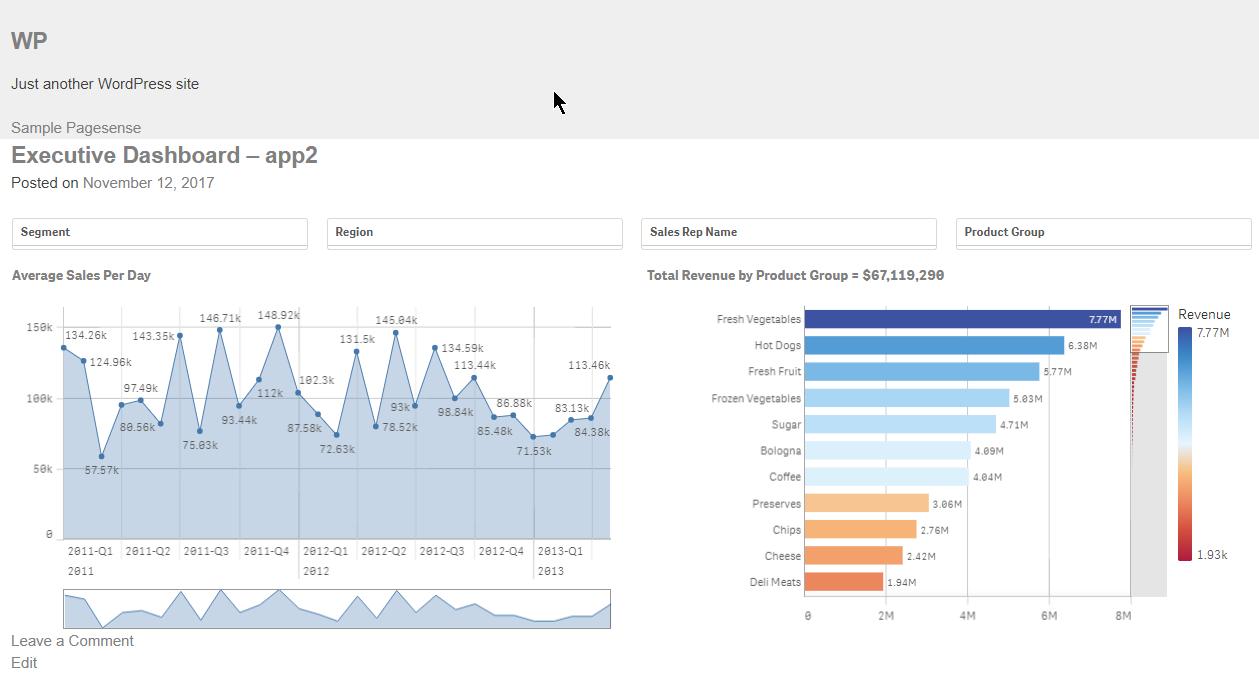
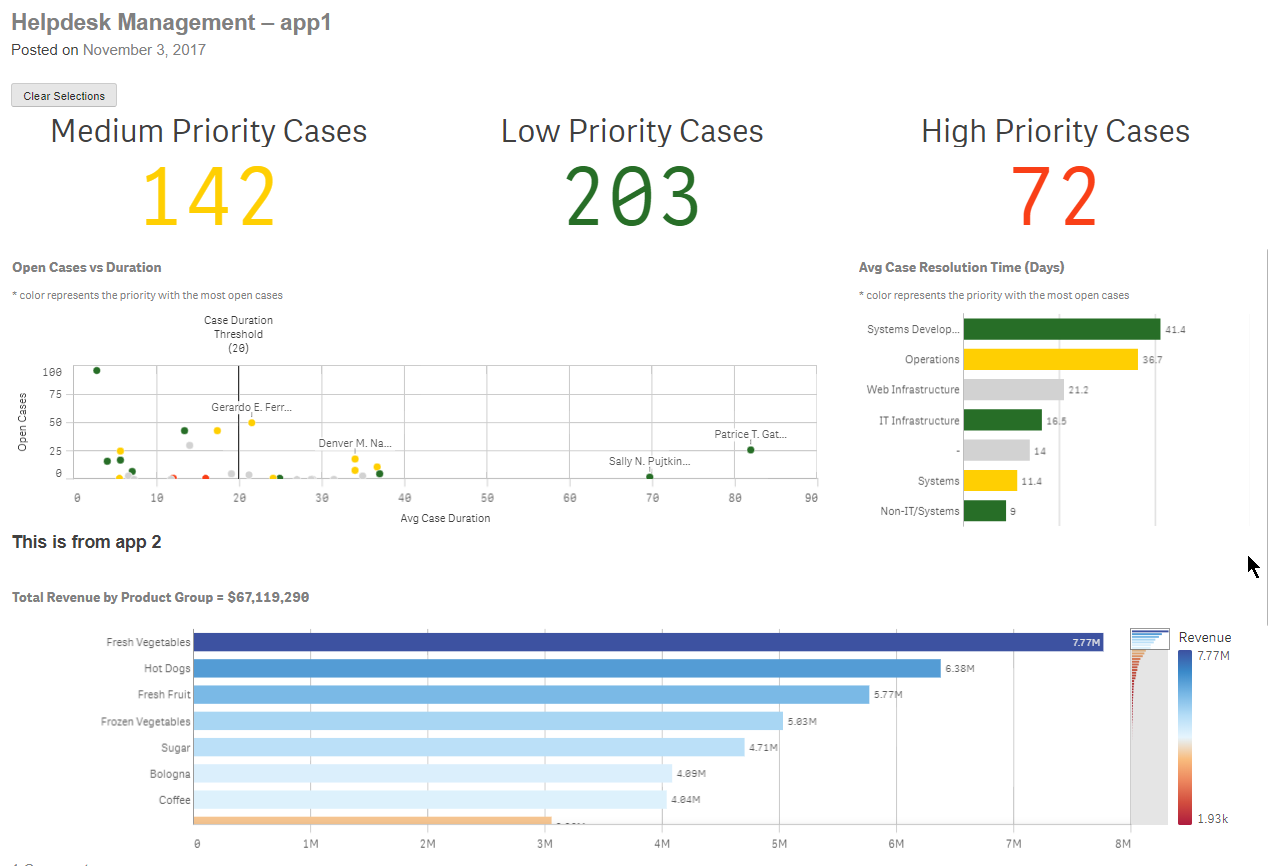
Make sure you whitelist your url in the virtual proxy.
If you use it and like it, please give it a 5 star in Wordpress.
This is it!
Yianni
In Portuguese: Qlik Sense Plugin para Wordpress by cleveranjos. Thank you Clever!
You must be a registered user to add a comment. If you've already registered, sign in. Otherwise, register and sign in.