Unlock a world of possibilities! Login now and discover the exclusive benefits awaiting you.

- Qlik Community
- :
- Blogs
- :
- Technical
- :
- Design
- :
- Yes! It's That Easy - AI-Generated Goal Management...

 Michael_Tarallo
- Subscribe to RSS Feed
- Mark as New
- Mark as Read
- Bookmark
- Subscribe
- Printer Friendly Page
- Report Inappropriate Content
Insight Advisor
Insight Advisor is your AI assistant that provides AI-generated charts and dashboards based on your needs, using capabilities such as:
- Natural language search
- Field point and click exploration
- Pre-configured Analysis Types
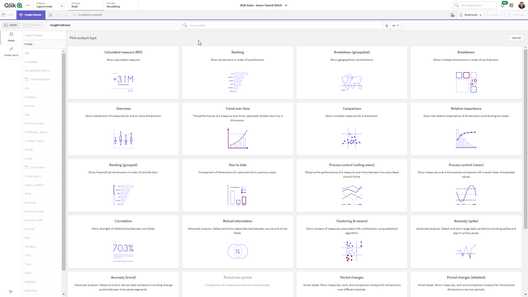
Analysis Types
Analysis Types are displayed as a list of tiles which represent predefined analyses. These analyses can answer a variety of questions and are categorized which include:
- Ranking
- Breakdown
- Comparison
- Geospatial
- Smart Sheets: (pre-defined dashboards)
- and so much more
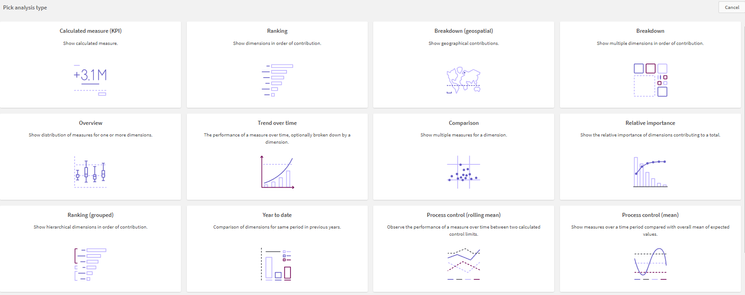
Did you know you can jump start your analytics creation OR even get additional answers to business questions by using Insight Advisor Analysis types? Insight Advisor capabilities are not just for initial creation of dashboard content.
Video
See how AI-enhanced Insight Advisor Analysis Types: Smart Sheets can automatically generate an interactive performance management dashboard to keep track of your goals in just a few clicks. Yes it is that easy!
Feature: Insight Advisor Analysis Types
Analysis Type: Smart Sheet - Period changes (detailed)
Required: 1 Measure, 1 Dimension, 1 Time Period (defined in Calendar periods (Business Logic))
Options:
-Target - values are set using whole numbers to represent percent of previous period
-Colors: RED = Missed, Yellow=Almost, Green=Met.
-Analysis Periods - calendar periods defined in business logic
Can't see the video? YouTube blocked by your region or organization? Click here.
Qlik Help: Analysis Types
You must be a registered user to add a comment. If you've already registered, sign in. Otherwise, register and sign in.