Unlock a world of possibilities! Login now and discover the exclusive benefits awaiting you.

- Qlik Community
- :
- All Forums
- :
- GeoAnalytics
- :
- GeoAnalytics Routes help
- Subscribe to RSS Feed
- Mark Topic as New
- Mark Topic as Read
- Float this Topic for Current User
- Bookmark
- Subscribe
- Mute
- Printer Friendly Page

 mikecrengland
- Mark as New
- Bookmark
- Subscribe
- Mute
- Subscribe to RSS Feed
- Permalink
- Report Inappropriate Content
GeoAnalytics Routes help
Hello -
I'm trying to learn how to use Routes with the GeoAnalytics connector and am having some issues.
I've loaded a simple table:
| ROUTEID | Start | End |
| 1 | '[-118.243685,34.052234]' | '[-87.629798,41.878114]' |
| 2 | '[-111.891047,40.760779]' | '[-84.387982,33.748995]' |
| 3 | '[-122.332071,47.606209]' | '[-99.480324,27.530567]' |
I've also tried
| ROUTEID | Start | End |
| 1 | Los Angeles, CA | Chicago, IL |
| 2 | Salt Lake City, UT | Atlanta, GA |
| 3 | Seattle, WA | Laredo, TX |
When I try to load the data with this configuration:
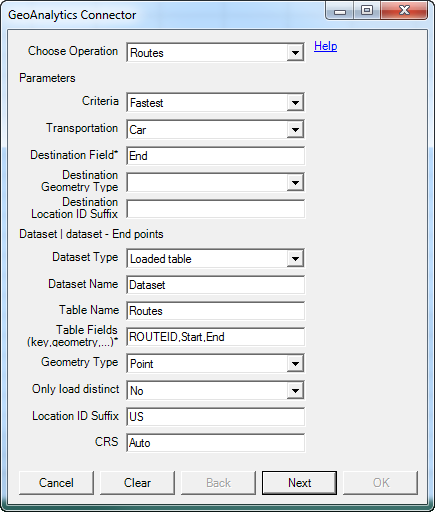
I get the following error:
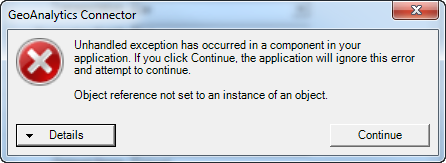
What am I doing wrong?
Thanks,
mike
Accepted Solutions

 Patric_Nordstro
- Mark as New
- Bookmark
- Subscribe
- Mute
- Subscribe to RSS Feed
- Permalink
- Report Inappropriate Content
Hi Michael,
It's the Geometry type field that needs more info, in both places:
City state is "Location Named Point"
'[-118.243685,34.052234]' is "Point"
Long Lat in separate fields is "Latitude and Longitude Point"
See the attached app
Thanks,
Patric
mikecrengland
- Mark as New
- Bookmark
- Subscribe
- Mute
- Subscribe to RSS Feed
- Permalink
- Report Inappropriate Content
I actually got it to run using City, State, but got the following error on the load:
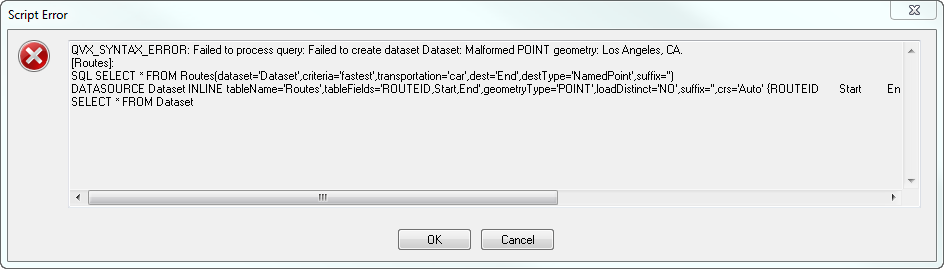
Is City, State not a 'named point'?
Patric_Nordstro- Mark as New
- Bookmark
- Subscribe
- Mute
- Subscribe to RSS Feed
- Permalink
- Report Inappropriate Content
Hi Michael,
It's the Geometry type field that needs more info, in both places:
City state is "Location Named Point"
'[-118.243685,34.052234]' is "Point"
Long Lat in separate fields is "Latitude and Longitude Point"
See the attached app
Thanks,
Patric
mikecrengland
- Mark as New
- Bookmark
- Subscribe
- Mute
- Subscribe to RSS Feed
- Permalink
- Report Inappropriate Content
Patric, you are the man!!