Unlock a world of possibilities! Login now and discover the exclusive benefits awaiting you.

- Qlik Community
- :
- All Forums
- :
- GeoAnalytics
- :
- Re: Invalid Key in QlikView?
- Subscribe to RSS Feed
- Mark Topic as New
- Mark Topic as Read
- Float this Topic for Current User
- Bookmark
- Subscribe
- Mute
- Printer Friendly Page

 jblomqvist
- Mark as New
- Bookmark
- Subscribe
- Mute
- Subscribe to RSS Feed
- Permalink
- Report Inappropriate Content
Invalid Key in QlikView?
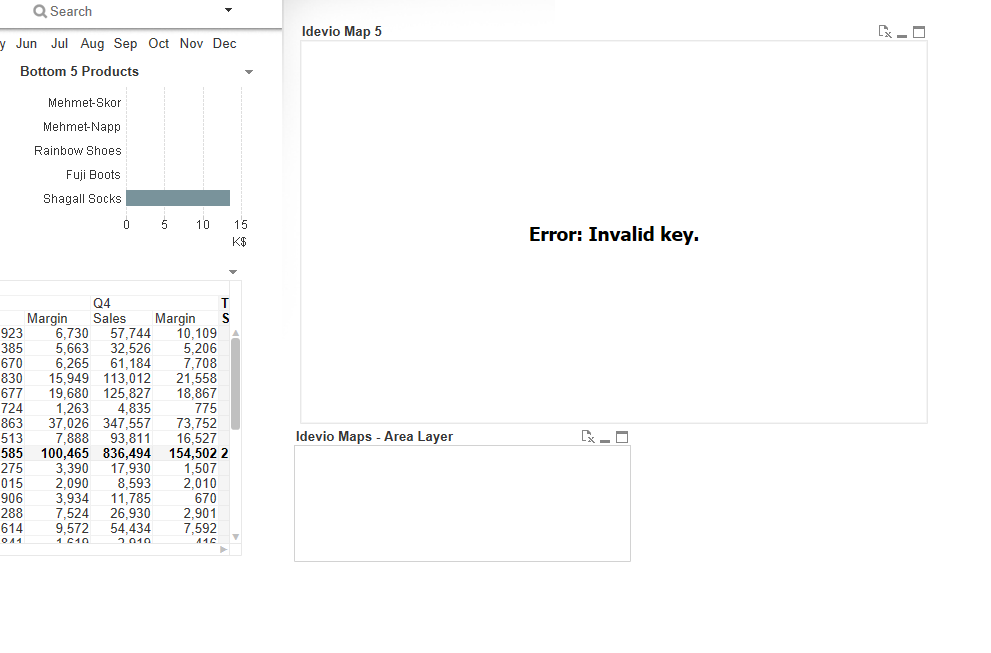
I get an Error: Invalid Key message in QlikView Desktop.
How can I modify the key in QlikView Desktop?
Accepted Solutions

 Patric_Nordstro
- Mark as New
- Bookmark
- Subscribe
- Mute
- Subscribe to RSS Feed
- Permalink
- Report Inappropriate Content
Hi, I would recommend to download it again, the key is inserted in the download.
QlikView Desktop Downloads « bi.idevio.com
It's easier than edit the license file, the path may change in the future
C:\Users\<user>\AppData\Local\QlikTech\QlikView\Extensions\Objects\IdevioMap\license.js
Thanks,
Patric

 marcus_sommer
- Mark as New
- Bookmark
- Subscribe
- Mute
- Subscribe to RSS Feed
- Permalink
- Report Inappropriate Content
Please give a bit more context by which actions the error occured and also a screenshot of the error-message might be useful.
- Marcus

- Mark as New
- Bookmark
- Subscribe
- Mute
- Subscribe to RSS Feed
- Permalink
- Report Inappropriate Content
Can you provide the screenshot ?
jblomqvist
- Mark as New
- Bookmark
- Subscribe
- Mute
- Subscribe to RSS Feed
- Permalink
- Report Inappropriate Content
Hello,
Here is the error message:
Patric_Nordstro- Mark as New
- Bookmark
- Subscribe
- Mute
- Subscribe to RSS Feed
- Permalink
- Report Inappropriate Content
Hi John,
Qlik GeoAnalytics requires a special license key, ask your Qlik sales representative or request one here:
Thanks,
Patric
jblomqvist
- Mark as New
- Bookmark
- Subscribe
- Mute
- Subscribe to RSS Feed
- Permalink
- Report Inappropriate Content
Hi Patric,
I already have a key, I think I applied it incorrect.
Is there a way to edit the key once it is entered in QlikView Desktop?
Patric_Nordstro- Mark as New
- Bookmark
- Subscribe
- Mute
- Subscribe to RSS Feed
- Permalink
- Report Inappropriate Content
Hi, I would recommend to download it again, the key is inserted in the download.
QlikView Desktop Downloads « bi.idevio.com
It's easier than edit the license file, the path may change in the future
C:\Users\<user>\AppData\Local\QlikTech\QlikView\Extensions\Objects\IdevioMap\license.js
Thanks,
Patric
jblomqvist
- Mark as New
- Bookmark
- Subscribe
- Mute
- Subscribe to RSS Feed
- Permalink
- Report Inappropriate Content
Thank you Patric, that fixed it.
 Channa
- Mark as New
- Bookmark
- Subscribe
- Mute
- Subscribe to RSS Feed
- Permalink
- Report Inappropriate Content
we don't have trail for one month