Unlock a world of possibilities! Login now and discover the exclusive benefits awaiting you.

- Qlik Community
- :
- All Forums
- :
- GeoAnalytics
- :
- Missing spots in Map
- Subscribe to RSS Feed
- Mark Topic as New
- Mark Topic as Read
- Float this Topic for Current User
- Bookmark
- Subscribe
- Mute
- Printer Friendly Page

 MichaelLerch
- Mark as New
- Bookmark
- Subscribe
- Mute
- Subscribe to RSS Feed
- Permalink
- Report Inappropriate Content
Missing spots in Map
Dear All,
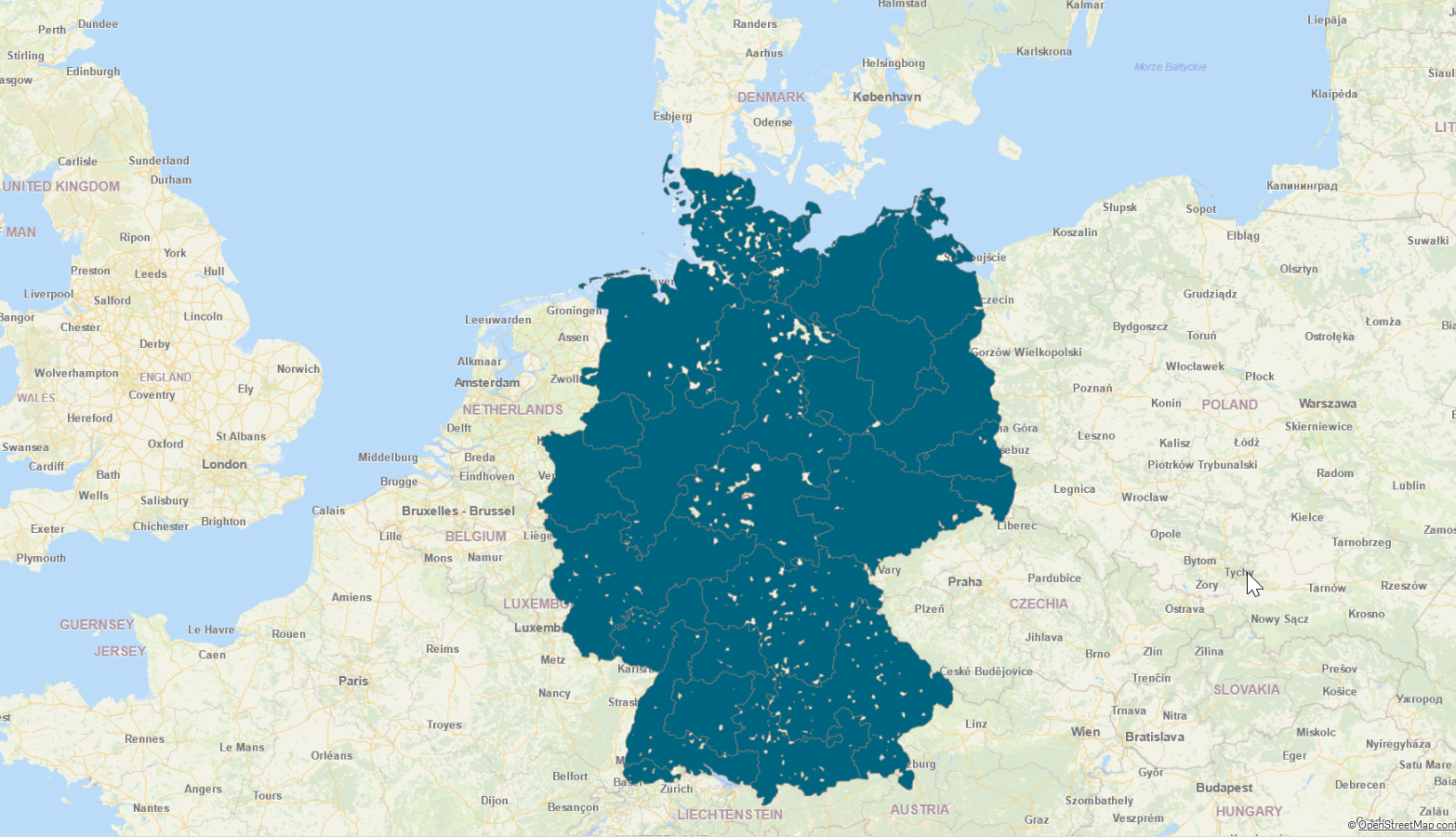
I created a map layer dissolved by 3 digits of the German Postleitzahl (ZIP code).
As not all Zip Codes are present in the data there are some missing spots in the area layer ( see pictures below).
Is there any chance to remove the missing spots?
Thanks in advance.
Michael


 marcus_sommer
- Mark as New
- Bookmark
- Subscribe
- Mute
- Subscribe to RSS Feed
- Permalink
- Report Inappropriate Content
You may populate the missing ones - maybe with a logic like:
concatenate(Facts)
load ZipCodeDimension as ZipCode, 0 as Value resident ZipCodeDimension
where not exists(ZipCode, ZipCodeDimension);
You may need some more efforts to include further relations, for example for a period-field or any category or similar. This would require to create a suitable population-table before the above shown exists-logic is applied.
This method is not particular for geo-information else a general approach of creating non exists data to make them visible and accessible within the UI.
