Getting information on the hardware configuration of a QlikView system can be vital to understanding a problem. While QlikView gathers some information on its own, there are details it does not capture.
Microsoft has included a tool with Windows to do precisely that, gather system information and save it in a format that lets it be analysed by Qlik Support.
Go to Windows Start menu > Run...
Enter msinfo32 and press OK
System Information application starts, which shows the entire hardware configuration of your QlikView system.
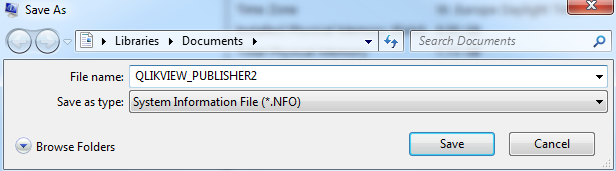
Go to File > Save
Select a location and name the .NFO file the same as the server name. Ensure to use .NFO as the file format, since it's the easier one to import and analyze.
Attach the .NFO file to the support case to help Qlik Support troubleshoot the QlikView system more efficiently