Unlock a world of possibilities! Login now and discover the exclusive benefits awaiting you.

- Qlik Community
- :
- Forums
- :
- Analytics & AI
- :
- Products & Topics
- :
- Management & Governance
- :
- Re: Qlik data transfer UI not starting properly
- Subscribe to RSS Feed
- Mark Topic as New
- Mark Topic as Read
- Float this Topic for Current User
- Bookmark
- Subscribe
- Mute
- Printer Friendly Page

 jolof
jolof
- Mark as New
- Bookmark
- Subscribe
- Mute
- Subscribe to RSS Feed
- Permalink
- Report Inappropriate Content
Qlik data transfer UI not starting properly
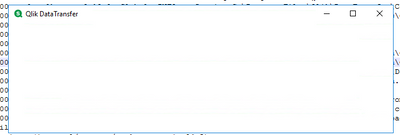
When starting the Qlik Data Transfer after upgrading it to the February 2021 release it just shows a white window with no fields or menues.
Is this a known issue? What is the root cause and how can we make it work again.
OS: Microsoft Windows [Version 10.0.14393]
Thank you in advance
- « Previous Replies
- Next Replies »
Accepted Solutions

 Akshesh_Patel
- Mark as New
- Bookmark
- Subscribe
- Mute
- Subscribe to RSS Feed
- Permalink
- Report Inappropriate Content
There should be more old certificates stored on your machine. please check all folders to make sure you delete old ones.
Hint: check personal, trusted root, Intermediate Certification folders as well - ( computer account, current user account )
Please Note: You need to make sure , you have removed the old QDT certificates before you install it again
jolof
- Mark as New
- Bookmark
- Subscribe
- Mute
- Subscribe to RSS Feed
- Permalink
- Report Inappropriate Content
Akshesh_Patel
- Mark as New
- Bookmark
- Subscribe
- Mute
- Subscribe to RSS Feed
- Permalink
- Report Inappropriate Content
There may be one or more of the following issues.
- The client certificate is not available from C:\ProgramData\Qlik\DataTransfer\DataUpload\certificate
- The server certificate is not available from C:\ProgramData\Qlik\DataTransfer\DataUpload\certificate
- Certificates are invalid.
- The certificate chain is invalid.
- Certificates are not present in the Windows Certificate Store.
Two ways to fix:
- https://help.qlik.com/en-US/cloud-services/Subsystems/Hub/Content/Sense_Hub/QlikDataTransfer/trouble...
if 1 does not work then
2. check-in MMC for a duplicate certificate of QDT
- if yes then, uninstall QDT completely
- remove all the duplicate certificate from QDT
- Install QDT again
Best
Akki
jolof
- Mark as New
- Bookmark
- Subscribe
- Mute
- Subscribe to RSS Feed
- Permalink
- Report Inappropriate Content
Should I remove all these items?
[cid:image001.png@01D706E1.71D435A0]
[list if 6 certs issued to QdtClient, issued by QdtClient]
Akshesh_Patel
- Mark as New
- Bookmark
- Subscribe
- Mute
- Subscribe to RSS Feed
- Permalink
- Report Inappropriate Content
I am not able to see the image file:
What you can do is :
- Uninstall QDT
- Remove leftover certificates of QDT from MMC
- REinstall QDT as admin
BEst
Akki
jolof
- Mark as New
- Bookmark
- Subscribe
- Mute
- Subscribe to RSS Feed
- Permalink
- Report Inappropriate Content
Akshesh_Patel
- Mark as New
- Bookmark
- Subscribe
- Mute
- Subscribe to RSS Feed
- Permalink
- Report Inappropriate Content
Yes and should look like duplicate certificates..Do not delete anything except QDT. For safety, you can make a copy of that if you want to.
jolof
- Mark as New
- Bookmark
- Subscribe
- Mute
- Subscribe to RSS Feed
- Permalink
- Report Inappropriate Content
I have removed all 6 certs, uninstalled Data Transfer, installed Data Transfer as admin and still got the white screen. Now there is only 3 certs. Any suggestion on how to solve? Any bug correction on its way with a proper error message?
Thank you in advance
Jörgen
Akshesh_Patel
- Mark as New
- Bookmark
- Subscribe
- Mute
- Subscribe to RSS Feed
- Permalink
- Report Inappropriate Content
Are you trying to install QDT on the same server where Qlik sense enterprise is installed, or you are installing it on a separate server?
If you are installing on where QS server is installed would you mind check and see if these certificates are present: Navigate to C:\ProgramData\Qlik\DataTransfer\DataUpload\certificate and confirm the following files are present:
root.pfx
client.pfx
server.pfx
Akshesh_Patel
- Mark as New
- Bookmark
- Subscribe
- Mute
- Subscribe to RSS Feed
- Permalink
- Report Inappropriate Content
There should be more old certificates stored on your machine. please check all folders to make sure you delete old ones.
Hint: check personal, trusted root, Intermediate Certification folders as well - ( computer account, current user account )
Please Note: You need to make sure , you have removed the old QDT certificates before you install it again

- « Previous Replies
- Next Replies »