Unlock a world of possibilities! Login now and discover the exclusive benefits awaiting you.
Sep 21, 2022 1:07:35 PM
Sue_Macaluso
Apr 24, 2019 6:47:16 AM
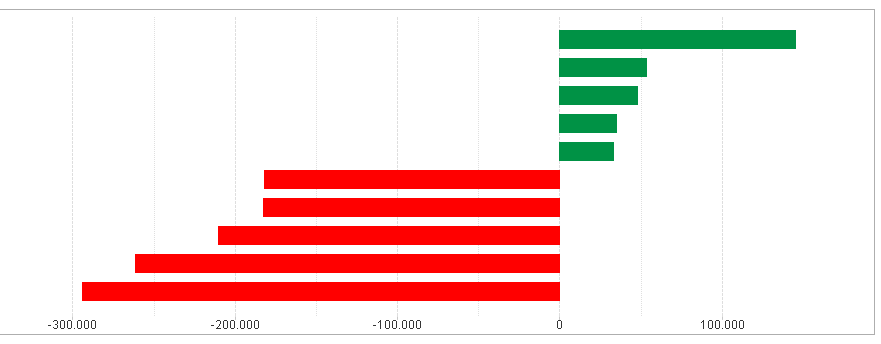
As a result of our work always in search of the smarter solutions, we explain how to create a top and bottom in the same chart ...
This example is for a TOP & BOTTOM 5
First create your top and bottom ranking using a calculated dimension...
Choose Bar Chart / Style Orientation - Horizontal
=IF(Aggr(Rank(Sum($(vYourMeasure)),4),$(vDimension))<=5,$(vYourDimension),IF(Aggr(Rank(-Sum($(vYourMeasure)),4),$(vDimension))<=5,$(vYourDimension),4),$(vYourDimension))<=5,$(vYourDimension)))
Your expression...
Sum($(vYourMeasure))
Different colors to differentiate between positive and negative...
=if(Sum($(vYourMeasure))>=0,RGB(0,146,69),RGB(255,0,0))
Sort...
Sort your calculated dimension by the use of the expression... Your expression: Sum($(vYourMeasure)) ... Descending...
Feel free to modify further parameters like Presentation, Axe, etc...
At your disposal to answer questions and comments
André Gomes
Hi André,
Thanks a lot for this, this gave me a lot of inspiration!
I do think I have found an easier expression when starting with yours:If(Rank(vYourMeasure) <=5 or Rank(vYourMeasure*-1)<=5, vYourMeasure)
Always happy to receive feedback.
Thanks again.
Kind regards,Nick Meijers