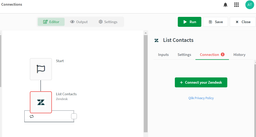
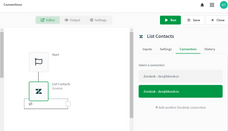
While building automations using the automation editor, you can add multiple connections to a connector. To do this, select one of the blocks in your automation and go to the "Connections" tab in the menu on the right. If the connector this block belongs to doesn't have a connection connected, connect one by clicking the green button.
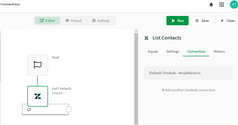
Steps to add an extra connection:
Click on 'Add another connection'.
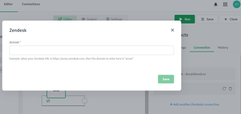
Complete the form & click "Save".
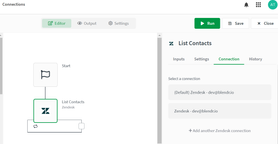
Once multiple connections are connected, you can select a connection to use for this block.
Steps to choose a connection:
Click on the connection from a block's connections list as shown above.
The selected connection should now be highlighted in green.
Do this for all the blocks in your automation that have multiple connections.
If no connection is being selected the system will take the first (oldest) connected one by default when the automation runs. So it is advised if you have multiple connections to always select the right one.
But how to choose correct connection automatically? (even form some external configuration file)
For example, you have one main tenant and 50+ other tenants.
If you want to publish some apps to those tenants in loop (based on variables etc.) and you have separate connection for each tenant M2M (you have to if you want to publish to managed space)?