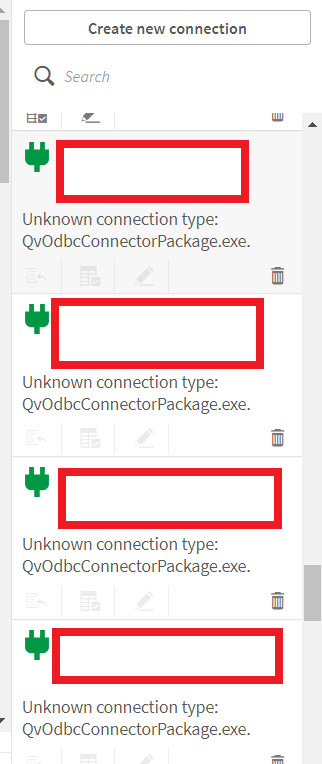
After the Qlik Sense Upgrade, ODBC Connectors are missing, and an error is shown in the Data Connections pane.
Accessing an existing connection or creating a new one fails.
"Unknown Connection Type. QvOdbcConnectorPackage.exe"
Environment
Qlik Sense Enterprise on Windows All Versions
Resolution
Before proceeding with the below, backup all folders in the "C:\Program Files\Common Files\Qlik\Custom Data\" directory.
Repair the QlikOdbcConnectorPackage_setup.exe installation on all nodes.
- Download and install recent version of QlikOdbcConnectorPackage_setup.exe from Qlik Support Portal under download section.
- Make sure the installed files are present in C:\Program Files\Common Files\Qlik\Custom Data\, if not, please move the files manually to C:\Program Files\Common Files\Qlik\Custom Data\.
- Stop the Qlik Sense Services
- Install the Connector Package
- Start the Qlik Sense Services.
If the repair has not resolved the issue:
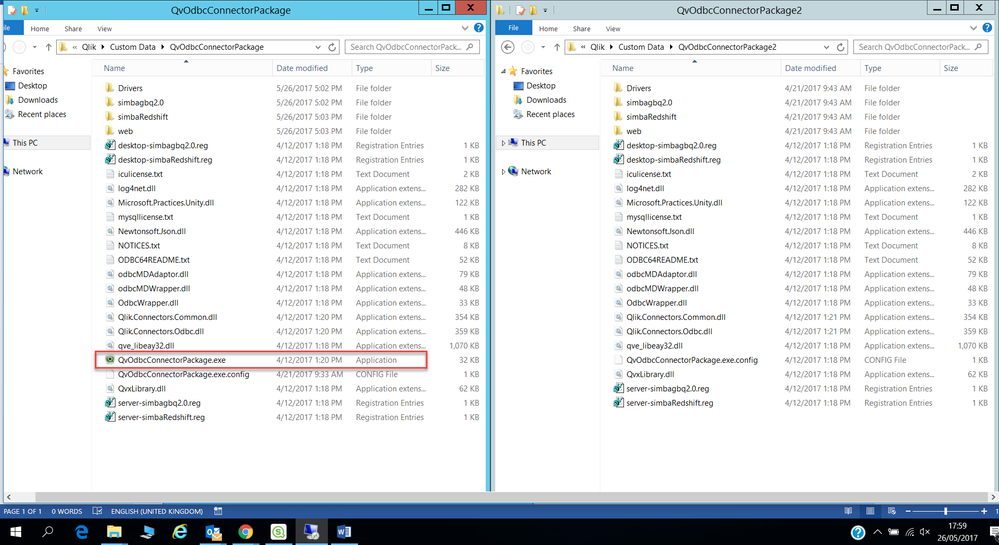
- Obtain a copy of the QvOdbcConnectorPackage.exe from a different, but working Qlik Sense Enterprise on Windows environment (identical version). A test installation can be set up to obtain it.
- Replace the damaged file with the copied version. This action needs to be carried out on all nodes.
If neither the repair or .exe replacement work, fully uninstall and reinstall the package.
Cause
The QvOdbcConnectorPackage.exe have been corrupted or is no longer present on the system or have otherwise become unusable.
Related Content
Connector connect error: SQL##f - SqlState: IM002, ErrorCode: 0, ErrorMsg: [Microsoft][ODBC Driver M...





