Unlock a world of possibilities! Login now and discover the exclusive benefits awaiting you.

- Qlik Community
- :
- All Forums
- :
- Qlik NPrinting
- :
- Format string is not working for a date
Options
- Subscribe to RSS Feed
- Mark Topic as New
- Mark Topic as Read
- Float this Topic for Current User
- Bookmark
- Subscribe
- Mute
- Printer Friendly Page
Turn on suggestions
Auto-suggest helps you quickly narrow down your search results by suggesting possible matches as you type.
Showing results for

 farolito20
Contributor III
2020-06-19
10:30 PM
- Mark as New
- Bookmark
- Subscribe
- Mute
- Subscribe to RSS Feed
- Permalink
- Report Inappropriate Content
Format string is not working for a date
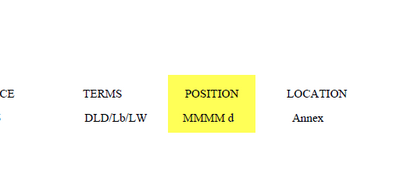
I would like to see the information in this date format: May 2020
Original:
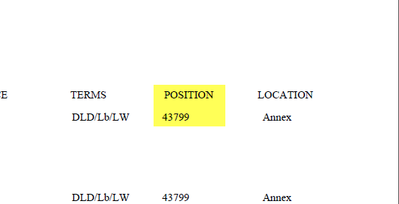
Setup:

Results:
992 Views
1 Reply

 mikaelsc
Specialist
2020-06-20
05:15 AM
- Mark as New
- Bookmark
- Subscribe
- Mute
- Subscribe to RSS Feed
- Permalink
- Report Inappropriate Content
create an extra text field in your qlik app to use for this... that's going to be the fastest solution
apparently, there's a possibility to do some scripting in nprinting on fields (never got it to work correctly)
(if you'd ever get this scripting part to work, please share your xp)
961 Views
