Unlock a world of possibilities! Login now and discover the exclusive benefits awaiting you.

- Qlik Community
- :
- All Forums
- :
- Qlik NPrinting
- :
- NPrinting Repository Restore Error
- Subscribe to RSS Feed
- Mark Topic as New
- Mark Topic as Read
- Float this Topic for Current User
- Bookmark
- Subscribe
- Mute
- Printer Friendly Page

 silvacarlos
- Mark as New
- Bookmark
- Subscribe
- Mute
- Subscribe to RSS Feed
- Permalink
- Report Inappropriate Content
NPrinting Repository Restore Error
Hi community! I need your help.
I've just migrated our NPrinting to a new server (before we have QSense and NPrinting on the same machine).
To do this:
- First I've upgraded our NPrinting from June to Sept 2017
- Install NPrinitng Sept 2017 on the new machine
- Create a Backup
- Restore this backup on the new machine.
Everything is ok: Our App, Filters, Connections, Reports, Users, etc.
But when I try to edit a report, shows me this:
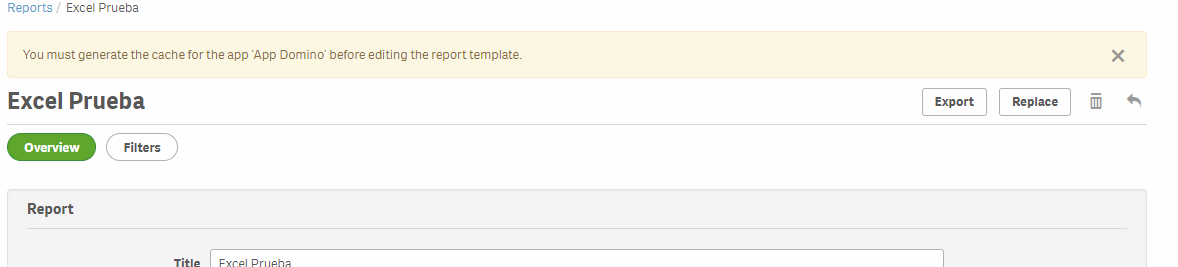
I must generate the cache for "App Domino", but all of our connections are working fine and this "App Domino" is correctly generated:
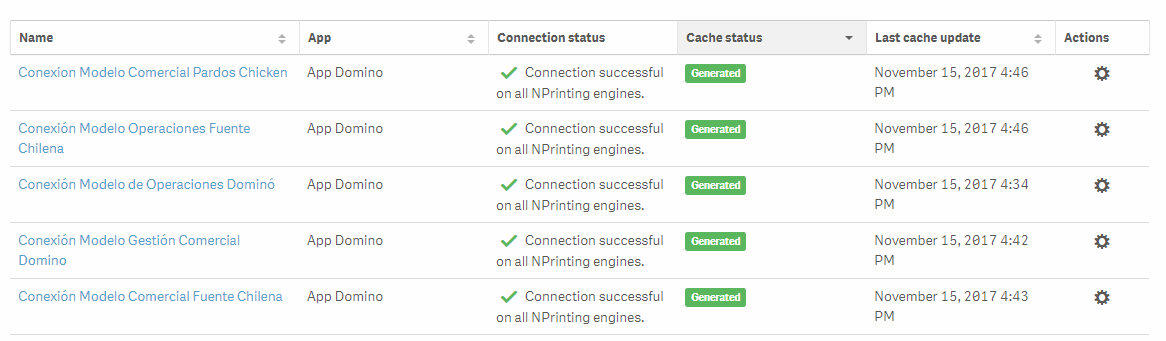
So, wich cache I need to generate?
I've tried to Export the report and Replace but shows me this (if you see on the image from above, the connection " Conexiòn Modelo Gestiòn Comercial Domino" is already generated):
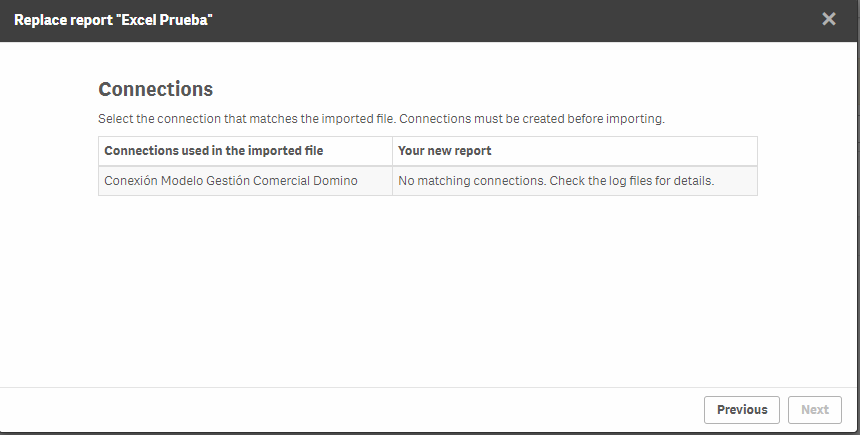
I hope that you can understand my problem. The reports are generated perfectly fine and my task are correctly running, but I can't edit these reports even though I have all my connections with a generated cache.
Thanks!
CS.
Accepted Solutions
silvacarlos
- Mark as New
- Bookmark
- Subscribe
- Mute
- Subscribe to RSS Feed
- Permalink
- Report Inappropriate Content
Hi Lech
Thank you for your response!
I found this thread Generate the cache for an app? .
I didn't show all the connections that I have, because one of that connections had an error. My bad.
I've deleted this connection and now it works
Regards
CS

 Lech_Miszkiewic
- Mark as New
- Bookmark
- Subscribe
- Mute
- Subscribe to RSS Feed
- Permalink
- Report Inappropriate Content
Hi Carlos,
You have done everything by the book. It seems that you have already re-generated metadata for all connections so it all should work. In this case it may be a bug or some sort of repository problem. I suggest you contact Qlik support and log a case with them
regards
Lech
silvacarlos
- Mark as New
- Bookmark
- Subscribe
- Mute
- Subscribe to RSS Feed
- Permalink
- Report Inappropriate Content
Hi Lech
Thank you for your response!
I found this thread Generate the cache for an app? .
I didn't show all the connections that I have, because one of that connections had an error. My bad.
I've deleted this connection and now it works
Regards
CS
