Unlock a world of possibilities! Login now and discover the exclusive benefits awaiting you.

- Qlik Community
- :
- All Forums
- :
- Qlik NPrinting
- :
- Re: Nprinting excel template with text box
- Subscribe to RSS Feed
- Mark Topic as New
- Mark Topic as Read
- Float this Topic for Current User
- Bookmark
- Subscribe
- Mute
- Printer Friendly Page

 ronaldwang
- Mark as New
- Bookmark
- Subscribe
- Mute
- Subscribe to RSS Feed
- Permalink
- Report Inappropriate Content
Nprinting excel template with text box
I am using excel template where i insert table object in cell A5 and then have a pre-defined text box put in cell W5.
what i want is that when table object is populated text box should move and adjust with cell size. but the result is that the whole text box is pushed below the table. any solution for this?

Accepted Solutions

 Lech_Miszkiewic
- Mark as New
- Bookmark
- Subscribe
- Mute
- Subscribe to RSS Feed
- Permalink
- Report Inappropriate Content
Ok Ronald - here is the thing: Text box is not an object which lives in particular cell - therefore you will not be able to enforce it to change / expand with the table. It will always keep the original size.
In terms of its original position:
What you can do is to keep it in cell W5 by unchecking "Exapnd Range" checkbox in NPrinting designer for the table tag/node.
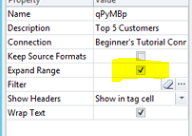
that is all what you can do
cheers
Lech
Lech_Miszkiewic- Mark as New
- Bookmark
- Subscribe
- Mute
- Subscribe to RSS Feed
- Permalink
- Report Inappropriate Content
Hi Ronald,
Just QQ-Is your Table object Straight or Pivot Table?
Lech_Miszkiewic- Mark as New
- Bookmark
- Subscribe
- Mute
- Subscribe to RSS Feed
- Permalink
- Report Inappropriate Content
Ok Ronald - here is the thing: Text box is not an object which lives in particular cell - therefore you will not be able to enforce it to change / expand with the table. It will always keep the original size.
In terms of its original position:
What you can do is to keep it in cell W5 by unchecking "Exapnd Range" checkbox in NPrinting designer for the table tag/node.
that is all what you can do
cheers
Lech
Lech_Miszkiewic- Mark as New
- Bookmark
- Subscribe
- Mute
- Subscribe to RSS Feed
- Permalink
- Report Inappropriate Content
One more option:
If you want to have merged cell accross all rows alongside table maybe instead of using textbox you can just merged cells (marked in yellow) like in screenshot 1 below with "Expand Range" checked.
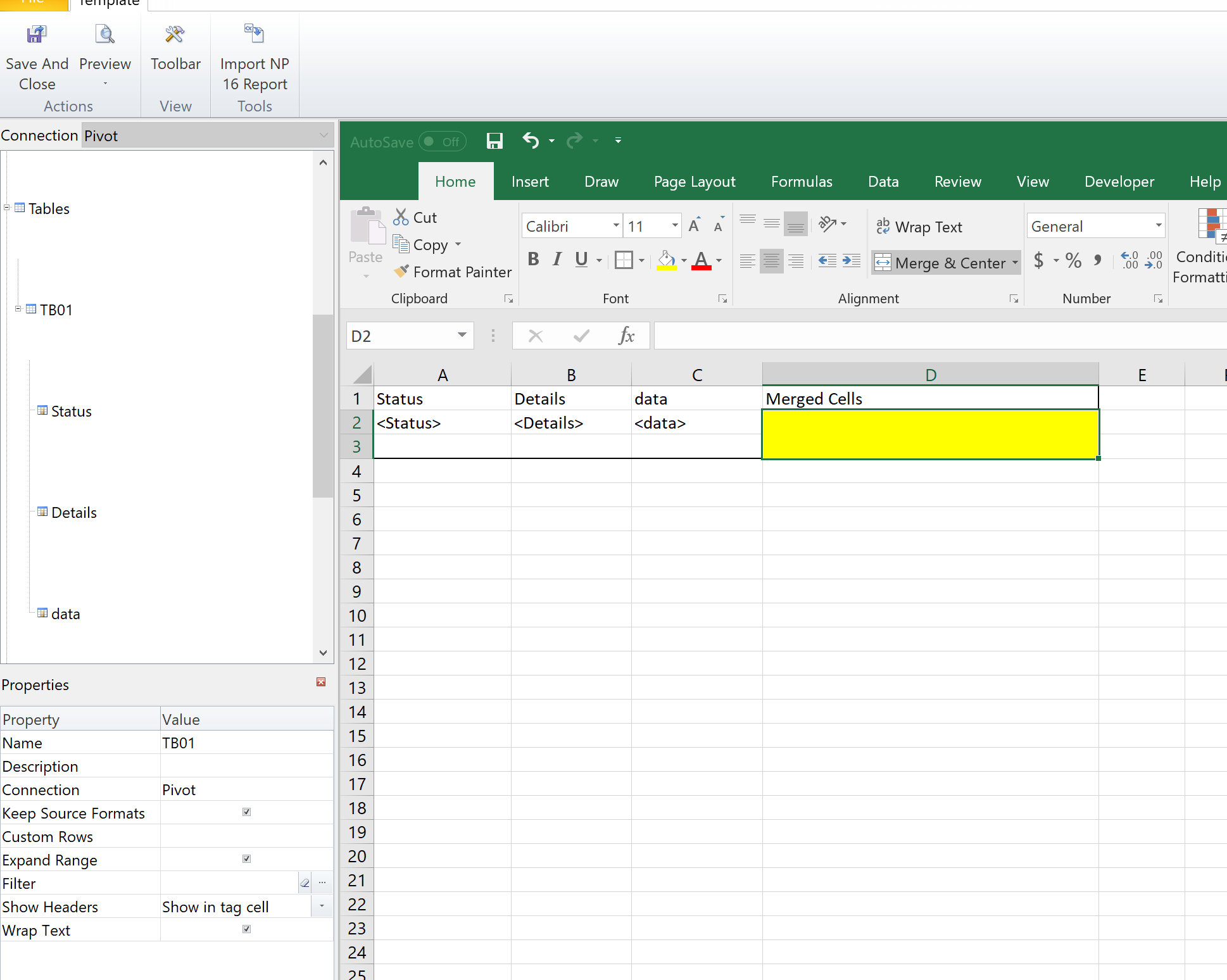
Once you produce report the merged cells area expands ....
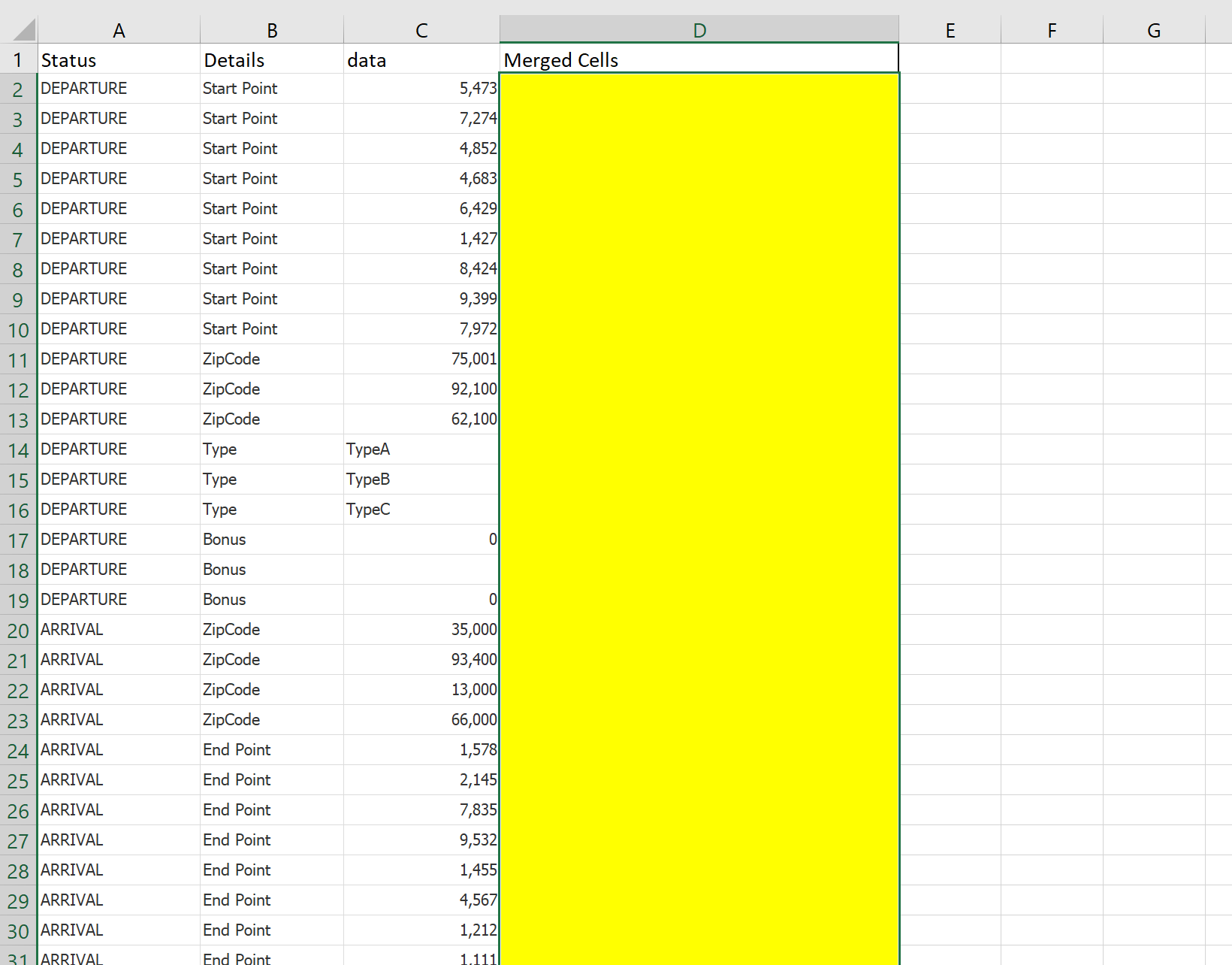
ronaldwang
- Mark as New
- Bookmark
- Subscribe
- Mute
- Subscribe to RSS Feed
- Permalink
- Report Inappropriate Content
Thanks Lech, it is a straight table
