Unlock a world of possibilities! Login now and discover the exclusive benefits awaiting you.

- Qlik Community
- :
- All Forums
- :
- Qlik NPrinting
- :
- Regarding Nprinting connection
- Subscribe to RSS Feed
- Mark Topic as New
- Mark Topic as Read
- Float this Topic for Current User
- Bookmark
- Subscribe
- Mute
- Printer Friendly Page

 sarfaraz_sheikh
- Mark as New
- Bookmark
- Subscribe
- Mute
- Subscribe to RSS Feed
- Permalink
- Report Inappropriate Content
Regarding Nprinting connection
Hi Folks,
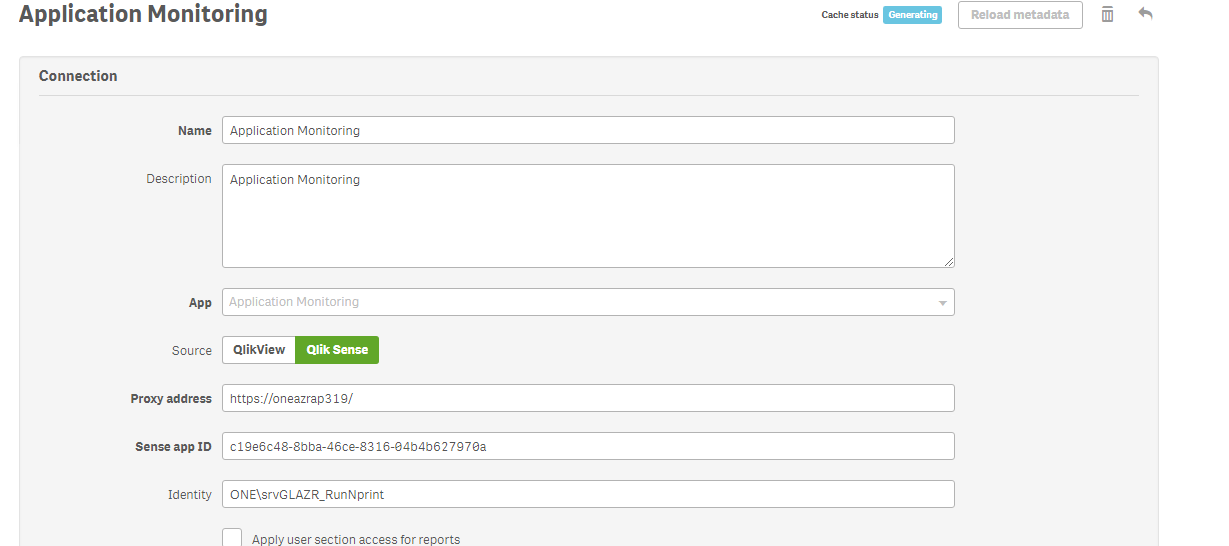
I am trying to connect with One of Qliksense Application from Monitoring Apps Stream. and application name is "Operations Monitor".
After doing all the settings and configuration only i can see 'Generating ' as status in "Cache Status" since long time.
Can you please guys tell us where i went wrong or what is wrong here ....why it is showing generating only as cache status. ?
Help would be much appreciated.
Thanks
Sarfaraz
Below is the snapshot for your reference.
- « Previous Replies
-
- 1
- 2
- Next Replies »

 Lech_Miszkiewic
- Mark as New
- Bookmark
- Subscribe
- Mute
- Subscribe to RSS Feed
- Permalink
- Report Inappropriate Content
There is huge amount of requirements you need to meet - all are written on official qlik website (partially referenced below).
There is too many of them to just list them here so head to help document.
BY THE WAY what is your:
version of NPrinitng?
version of Qlik Sense?
did you follow this:
Make sure you are running the latest NPrinting (April 2018). It has verification tool which will tell you more , what is possibly wrong. All error messages can be then looked up in help document debug steps
regards
Lech
sarfaraz_sheikh
- Mark as New
- Bookmark
- Subscribe
- Mute
- Subscribe to RSS Feed
- Permalink
- Report Inappropriate Content
Hi Lech,
Thanks for your reply.
Version of Nprinting is : 17.3.1.0
Version of Qliksense is : Qliksense June 2017
I have gone through the link which you have provided and as per that i have assigned "RootAdmin" role to userID which i am using for Log into Nprinting . But still getting generated message only.
I am using the same versions and credentials in Dev environment and there it is working but not working in Prod.
Is there something which i missed ?
Thanks
Sarfaraz
Lech_Miszkiewic- Mark as New
- Bookmark
- Subscribe
- Mute
- Subscribe to RSS Feed
- Permalink
- Report Inappropriate Content
upgrade to Nprinting April 2018. Then run connection verification - as it has this option and you will know straight away what is wrong.
maybe throw your log files here so we can see what is wrong.
Are ALL OTHER REQUIREMENTS MET? ports?
sarfaraz_sheikh
- Mark as New
- Bookmark
- Subscribe
- Mute
- Subscribe to RSS Feed
- Permalink
- Report Inappropriate Content
Can you please tell where to check for log Files ?? As i am new in Nprinting
Thanks
Sarfaraz
Lech_Miszkiewic- Mark as New
- Bookmark
- Subscribe
- Mute
- Subscribe to RSS Feed
- Permalink
- Report Inappropriate Content
how about checking it on help.qlik.com?
it is all there!!!
just use search box and type ”log” or “logs”
c’mon is it really that hard?
sarfaraz_sheikh
- Mark as New
- Bookmark
- Subscribe
- Mute
- Subscribe to RSS Feed
- Permalink
- Report Inappropriate Content
Hello Lech,
I gone through the help.qlik.com for log files and came to know that log files are residing in below path.
Log files are saved in %ProgramData%\NPrinting\Logs, and are divided into three families:
- nprinting_scheduler.log contains the log of Qlik NPrinting Scheduler
- nprinting_webengine.log
- nprinting_engine.log
Below is the folder structure for log files at my end
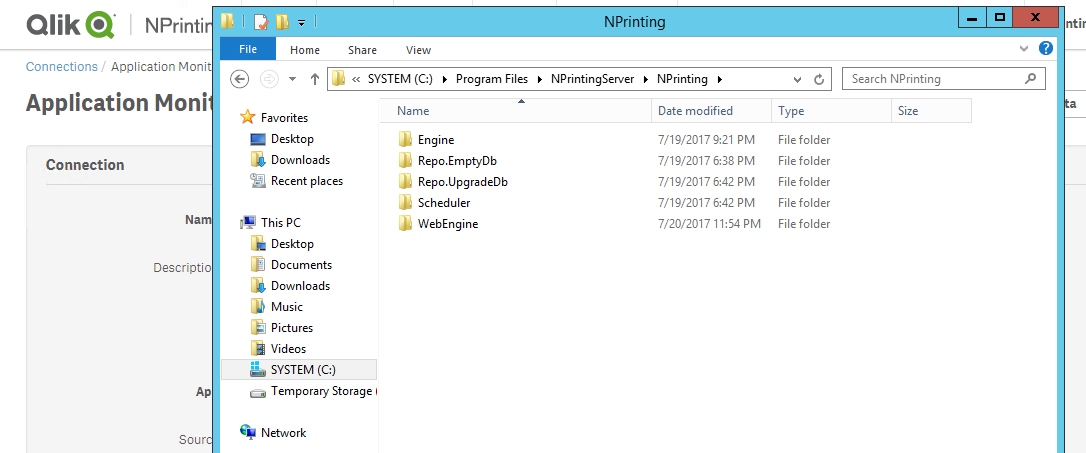
Then Next i am looking for "Nprinting_Schedular.log" under Schedular folder. but i did not found this log files . below is snapshot after exploring Scheduler Folder.
Lech_Miszkiewic- Mark as New
- Bookmark
- Subscribe
- Mute
- Subscribe to RSS Feed
- Permalink
- Report Inappropriate Content
looks like you are in program files not program data folder!
Lech_Miszkiewic- Mark as New
- Bookmark
- Subscribe
- Mute
- Subscribe to RSS Feed
- Permalink
- Report Inappropriate Content
note that program data can be a hidden folder
sarfaraz_sheikh
- Mark as New
- Bookmark
- Subscribe
- Mute
- Subscribe to RSS Feed
- Permalink
- Report Inappropriate Content
Thanks Lech Got that Folder it was hidden only.
Below is the log files attached.

- « Previous Replies
-
- 1
- 2
- Next Replies »