Unlock a world of possibilities! Login now and discover the exclusive benefits awaiting you.

- Qlik Community
- :
- All Forums
- :
- QlikView
- :
- Barchart
- Subscribe to RSS Feed
- Mark Topic as New
- Mark Topic as Read
- Float this Topic for Current User
- Bookmark
- Subscribe
- Mute
- Printer Friendly Page

 rathnam_qv
- Mark as New
- Bookmark
- Subscribe
- Mute
- Subscribe to RSS Feed
- Permalink
- Report Inappropriate Content
Barchart
Hi all,
i have a barchart...it contains values on y-axis as in the attached file....
i need to display each value preceded with $ (Ex: $100000,$80000..)
can any one help ....
Thanks in advance!!!
Smiley
- « Previous Replies
-
- 1
- 2
- Next Replies »

 orital81
- Mark as New
- Bookmark
- Subscribe
- Mute
- Subscribe to RSS Feed
- Permalink
- Report Inappropriate Content
Use the Number Format at shown in the attached file
$ #,##0.00;$-#,##0.00

 kaushiknsolanki
- Mark as New
- Bookmark
- Subscribe
- Mute
- Subscribe to RSS Feed
- Permalink
- Report Inappropriate Content
Hi,
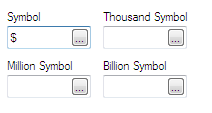
Go to Number tab and Select the value and put the $ before the Format Pattern.
So it should be $ #,##0.00
Regards,
Kaushik Solanki
rathnam_qv
- Mark as New
- Bookmark
- Subscribe
- Mute
- Subscribe to RSS Feed
- Permalink
- Report Inappropriate Content
Hey Ori,
Thanks for ur Replay,
But i don't want to display the values on the data points..
i need to display it in the left side of the chart

- Mark as New
- Bookmark
- Subscribe
- Mute
- Subscribe to RSS Feed
- Permalink
- Report Inappropriate Content
 rathnam_qv
- Mark as New
- Bookmark
- Subscribe
- Mute
- Subscribe to RSS Feed
- Permalink
- Report Inappropriate Content
Hey Bika,
thanks for ur replay
But i want to display it to each value
Regards
Smiley

 er_mohit
- Mark as New
- Bookmark
- Subscribe
- Mute
- Subscribe to RSS Feed
- Permalink
- Report Inappropriate Content
ok
then for that value if it is dimension then put this in calculated dimension like this
=num(Fieldname,'$#########')
and write the name of field in label side
Updated By me:--
Go to This link
http://community.qlik.com/thread/57088
hope it helps
rathnam_qv
- Mark as New
- Bookmark
- Subscribe
- Mute
- Subscribe to RSS Feed
- Permalink
- Report Inappropriate Content
Hey mohit,
thanks for ur replay,
but it's a expression value then how can i give field name for that..
Regards
Smiley

 narender123
- Mark as New
- Bookmark
- Subscribe
- Mute
- Subscribe to RSS Feed
- Permalink
- Report Inappropriate Content
Hi Kaushik,
I also have the same problem.
Your solution gives the value on bar chart but question is not like that.please see Smiley untitled.png ,in that screen shot he want $ on Y axis like
$60000
$40000
$20000
Thanks.
Narender
- Mark as New
- Bookmark
- Subscribe
- Mute
- Subscribe to RSS Feed
- Permalink
- Report Inappropriate Content
i think try to concat $ sign like
='$' & fieldname
or try with expression
='$' & yourexpression
- « Previous Replies
-
- 1
- 2
- Next Replies »