Unlock a world of possibilities! Login now and discover the exclusive benefits awaiting you.

- Qlik Community
- :
- All Forums
- :
- QlikView
- :
- Re: Count expression incorrect
- Subscribe to RSS Feed
- Mark Topic as New
- Mark Topic as Read
- Float this Topic for Current User
- Bookmark
- Subscribe
- Mute
- Printer Friendly Page

 jim_chan
- Mark as New
- Bookmark
- Subscribe
- Mute
- Subscribe to RSS Feed
- Permalink
- Report Inappropriate Content
Count expression incorrect
HI guys,
I;ve managed to get a list of new records based on script. but i dunno what is missing.
=Count(DISTINCT {<risk_item_id = e({<risk_item_id = {"=Count({<batch_year = {'<$(=Max(batch_year))'}>} risk_item_id) > 0"}>})>} risk_item_id)
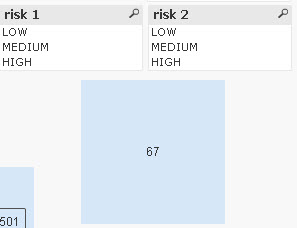
Based on the above script - i manage to get the correct new records - which is 67.
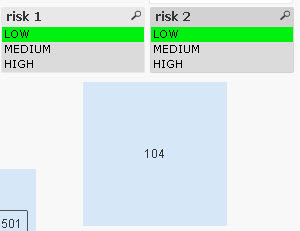
But when select filter risk1 'low and risk2 'low' then i got the wrong figure, 104. is wrong.
The result should be 49, after i have filtered with risk1 and risk 2.
rgds
Jim
- Tags:
- qlikview_scripting
- « Previous Replies
-
- 1
- 2
- Next Replies »

 sunny_talwar
- Mark as New
- Bookmark
- Subscribe
- Mute
- Subscribe to RSS Feed
- Permalink
- Report Inappropriate Content
You need to start providing sample Jim. Here look at these threads which will tell you why we need a sample and will help guide you in preparing a sample and loading it here:
QlikCommunity Tip: How to get answers to your post?
Preparing examples for Upload - Reduction and Data Scrambling
Help us help you better and faster.
jim_chan
- Mark as New
- Bookmark
- Subscribe
- Mute
- Subscribe to RSS Feed
- Permalink
- Report Inappropriate Content
bro, is not that i dowan to provide. i can reduce i can scramble. but how to hide the data model? i can upload the qvw here, but i need to hide the datamodel.
sunny_talwar
- Mark as New
- Bookmark
- Subscribe
- Mute
- Subscribe to RSS Feed
- Permalink
- Report Inappropriate Content
I have heard about confidential data, but never heard about confidential data model 
jim_chan
- Mark as New
- Bookmark
- Subscribe
- Mute
- Subscribe to RSS Feed
- Permalink
- Report Inappropriate Content
ookokkkkkkk....
this is the sample bro. it is using your expression.
rgds
jim
sunny_talwar
- Mark as New
- Bookmark
- Subscribe
- Mute
- Subscribe to RSS Feed
- Permalink
- Report Inappropriate Content
What are you expecting to see with and without selections?
sunny_talwar
- Mark as New
- Bookmark
- Subscribe
- Mute
- Subscribe to RSS Feed
- Permalink
- Report Inappropriate Content
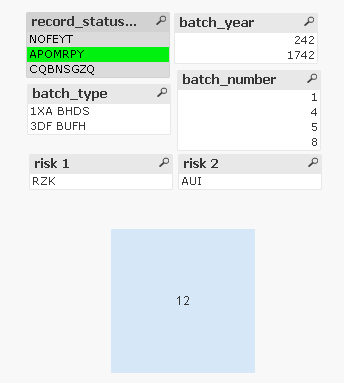
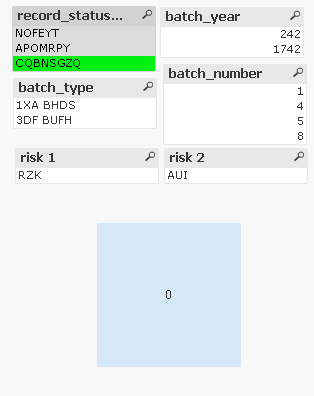
See if this is what you want
=Count(DISTINCT {<risk_item_id = e({<risk_item_id = {"=Count({1<batch_year = {'<$(=Max(batch_year))'}>} risk_item_id) > 0"}>})>} risk_item_id)
No selection
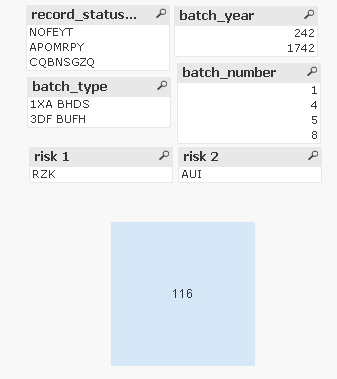
NOFEYT selected
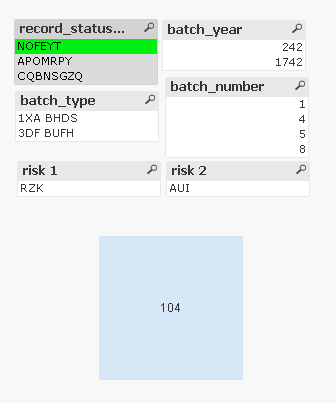
APOMRPY Selected
CQBNSGZQ
sunny_talwar
- Mark as New
- Bookmark
- Subscribe
- Mute
- Subscribe to RSS Feed
- Permalink
- Report Inappropriate Content
If the requirement is met, you can go ahead and remove your attachment
jim_chan
- Mark as New
- Bookmark
- Subscribe
- Mute
- Subscribe to RSS Feed
- Permalink
- Report Inappropriate Content
how to remove it bro ? 
sunny_talwar
- Mark as New
- Bookmark
- Subscribe
- Mute
- Subscribe to RSS Feed
- Permalink
- Report Inappropriate Content
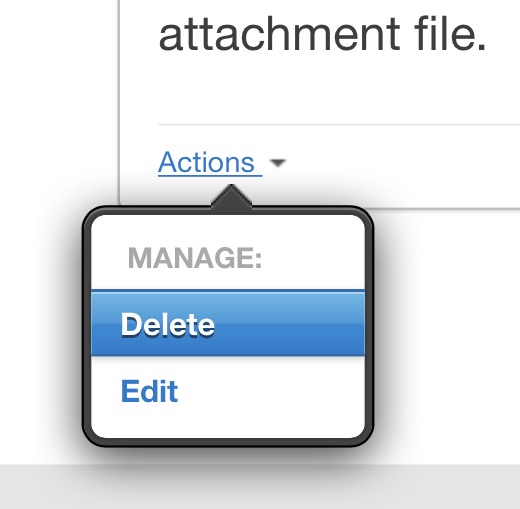
You can go into Editing your response and from there you can remove your attachment by clicking on the x next to your attachment file.

- « Previous Replies
-
- 1
- 2
- Next Replies »