Unlock a world of possibilities! Login now and discover the exclusive benefits awaiting you.

Announcements
Share your agentic AI experience, learn from others, and earn a new badge: Put Agentic AI to Work
- Qlik Community
- :
- All Forums
- :
- QlikView
- :
- How to Enable Default Preferred Client using ISS
Options
- Subscribe to RSS Feed
- Mark Topic as New
- Mark Topic as Read
- Float this Topic for Current User
- Bookmark
- Subscribe
- Mute
- Printer Friendly Page
Turn on suggestions
Auto-suggest helps you quickly narrow down your search results by suggesting possible matches as you type.
Showing results for

Not applicable
2011-07-28
07:51 AM
- Mark as New
- Bookmark
- Subscribe
- Mute
- Subscribe to RSS Feed
- Permalink
- Report Inappropriate Content
How to Enable Default Preferred Client using ISS
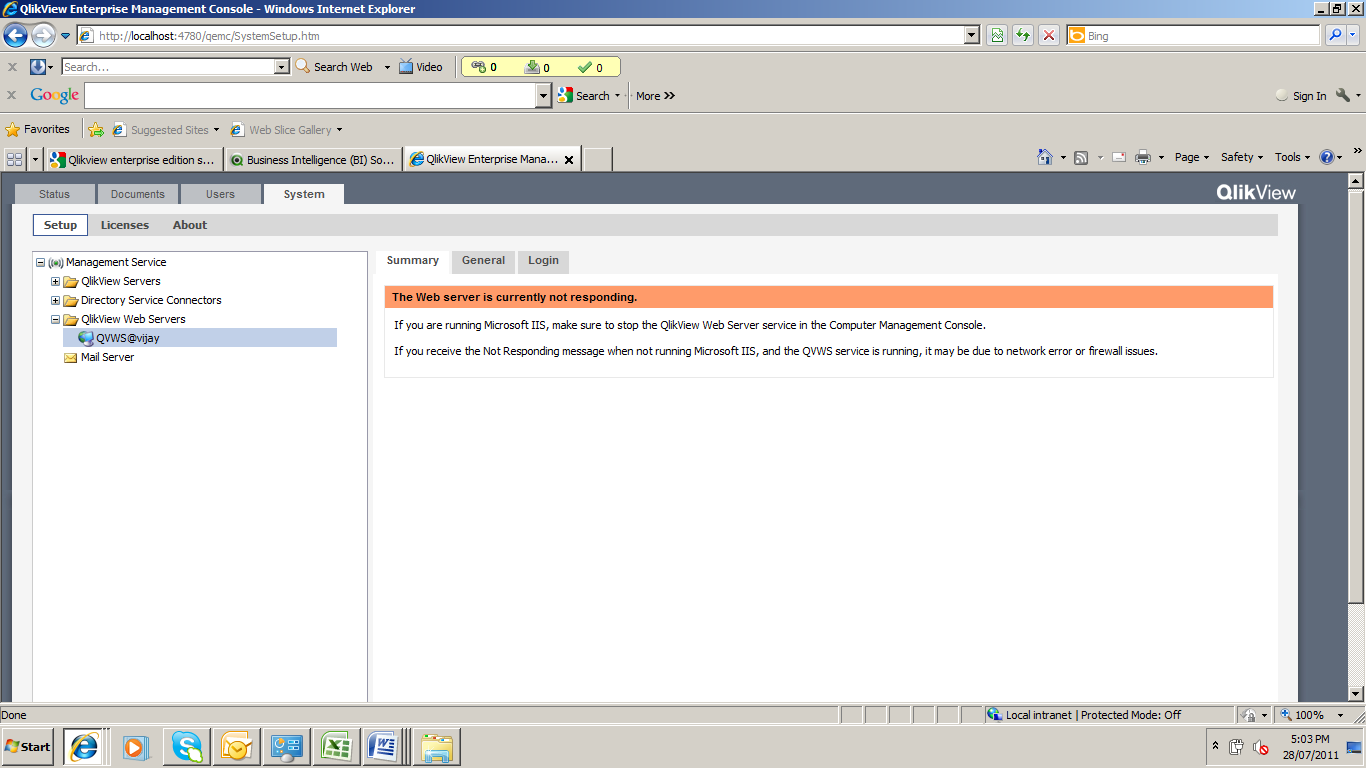
Any one please helps on this
I have installed Qlikview 10 server by configuring with IIS.
Now I need to change the default Preferred Client as IE Plugin. In Qlikview Access point we have an option to change the Default Preferred Client as IE Plugin or AjaxZer Footprint mode under Qlikview Enterprise Management Console, likewise is there any option in IIS.
1,688 Views
2 Replies

 SunilChauhan
Champion II
2011-07-28
08:21 AM
- Mark as New
- Bookmark
- Subscribe
- Mute
- Subscribe to RSS Feed
- Permalink
- Report Inappropriate Content
when open access point at right top corner u have my preferred client,u can select IE Plugin,ajax and java plug ins.
Regards
SUnil Chauhan
Sunil Chauhan
655 Views

 danielrozental
Master II
2011-07-28
01:49 PM
- Mark as New
- Bookmark
- Subscribe
- Mute
- Subscribe to RSS Feed
- Permalink
- Report Inappropriate Content
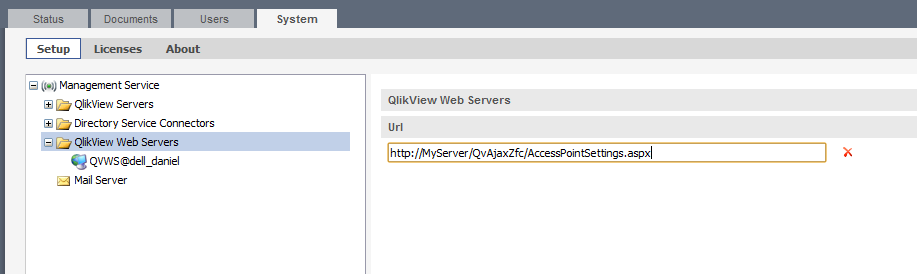
You need to set the webserver URL like this, and you should also read the QlikView Server Reference Manual.pdf.
655 Views