Unlock a world of possibilities! Login now and discover the exclusive benefits awaiting you.

- Qlik Community
- :
- All Forums
- :
- QlikView
- :
- Too many cells
- Subscribe to RSS Feed
- Mark Topic as New
- Mark Topic as Read
- Float this Topic for Current User
- Bookmark
- Subscribe
- Mute
- Printer Friendly Page

- Mark as New
- Bookmark
- Subscribe
- Mute
- Subscribe to RSS Feed
- Permalink
- Report Inappropriate Content
Too many cells
Hi i have a container object in which have a pivot table when i reload application it is throwing Too Many Cells and it is not displaying data .How to resolve the issue
Thanks
- « Previous Replies
-
- 1
- 2
- Next Replies »

 robert_mika
- Mark as New
- Bookmark
- Subscribe
- Mute
- Subscribe to RSS Feed
- Permalink
- Report Inappropriate Content
What's is the size of your data?
Are you using many different colours/formatting in your calculations?
- Mark as New
- Bookmark
- Subscribe
- Mute
- Subscribe to RSS Feed
- Permalink
- Report Inappropriate Content
Hi Robert Mika ,
I am not using different colours .
Thanks

 awhitfield
- Mark as New
- Bookmark
- Subscribe
- Mute
- Subscribe to RSS Feed
- Permalink
- Report Inappropriate Content
Do you still get the error if the pivot is not in the container object?
Andy
- Mark as New
- Bookmark
- Subscribe
- Mute
- Subscribe to RSS Feed
- Permalink
- Report Inappropriate Content
Yes Andy ,
i just tried pivot table out of the container object and i am facing the same error .
robert_mika
- Mark as New
- Bookmark
- Subscribe
- Mute
- Subscribe to RSS Feed
- Permalink
- Report Inappropriate Content
Could you attached your app to see if this is related to your Qlik or this is happening elsewhere?
- Mark as New
- Bookmark
- Subscribe
- Mute
- Subscribe to RSS Feed
- Permalink
- Report Inappropriate Content
Hi Robert ,
Thanks for reply .
I am not authorized to share my app. Its a security issue here.
Generally ,what causes this error?
Thanks
robert_mika
- Mark as New
- Bookmark
- Subscribe
- Mute
- Subscribe to RSS Feed
- Permalink
- Report Inappropriate Content
Similar error in Excel is cause by to many cells format.
Maybe it be as well memory or your data model...
What's the size of file/?can you share PrintScreen with the error
- Mark as New
- Bookmark
- Subscribe
- Mute
- Subscribe to RSS Feed
- Permalink
- Report Inappropriate Content
Hi Robert ,
I am attaching my application screenshot .please have a look .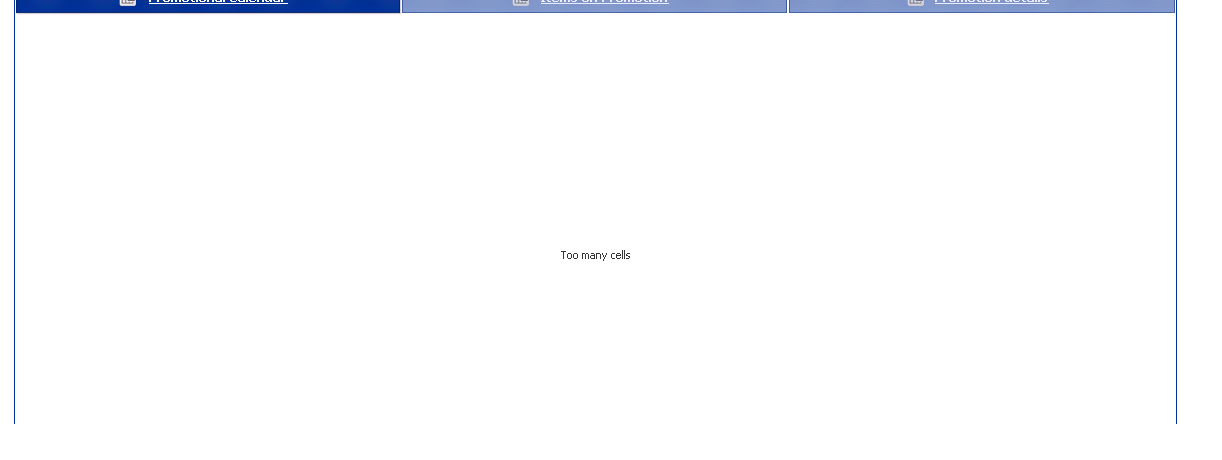
Above pic is the container object with three pivot tables. I can see remaining tables data . Only for the first table i couldn't view the data .
Thanks
robert_mika
- Mark as New
- Bookmark
- Subscribe
- Mute
- Subscribe to RSS Feed
- Permalink
- Report Inappropriate Content
How large is your data set within container.
It looks like this object can not handle your data set.
Have you tried to reduce the data?
- « Previous Replies
-
- 1
- 2
- Next Replies »