Unlock a world of possibilities! Login now and discover the exclusive benefits awaiting you.

- Qlik Community
- :
- All Forums
- :
- QlikView
- :
- Trouble w/ Object Layering
- Subscribe to RSS Feed
- Mark Topic as New
- Mark Topic as Read
- Float this Topic for Current User
- Bookmark
- Subscribe
- Mute
- Printer Friendly Page

- Mark as New
- Bookmark
- Subscribe
- Mute
- Subscribe to RSS Feed
- Permalink
- Report Inappropriate Content
Trouble w/ Object Layering
I have 3 layers of objects on a sheet as follows:
- Background Text Object - this is basically the background for the dashboard and layer = "Bottom"
- Straight Table - This sits on top of the background and layer = Normal
- Help Text - The green text you see in the screenshot below.. I want it to sit on top of the Caption. Currently Layer= Top
The problem is when I click something to leave the tab and go back, the green text (#3) disappears behind the straight table.. When I click anywhere on the sheet it comes back. Can anyone help out w/ this
Thanks

Accepted Solutions

 sunny_talwar
- Mark as New
- Bookmark
- Subscribe
- Mute
- Subscribe to RSS Feed
- Permalink
- Report Inappropriate Content
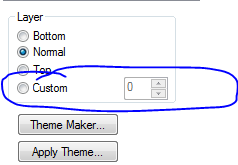
I would try using Custom layering may be like this
1) BackGround Text Object -> 99
2) Straight Table -> 100
3) Help Text -> 101
sunny_talwar
- Mark as New
- Bookmark
- Subscribe
- Mute
- Subscribe to RSS Feed
- Permalink
- Report Inappropriate Content
I would try using Custom layering may be like this
1) BackGround Text Object -> 99
2) Straight Table -> 100
3) Help Text -> 101
- Mark as New
- Bookmark
- Subscribe
- Mute
- Subscribe to RSS Feed
- Permalink
- Report Inappropriate Content
Yup, That worked.. I had tried using custom but I guess I didn't realize that all of the objects layered had to be in custom mode..
Thanks Sunny.
- Mark as New
- Bookmark
- Subscribe
- Mute
- Subscribe to RSS Feed
- Permalink
- Report Inappropriate Content
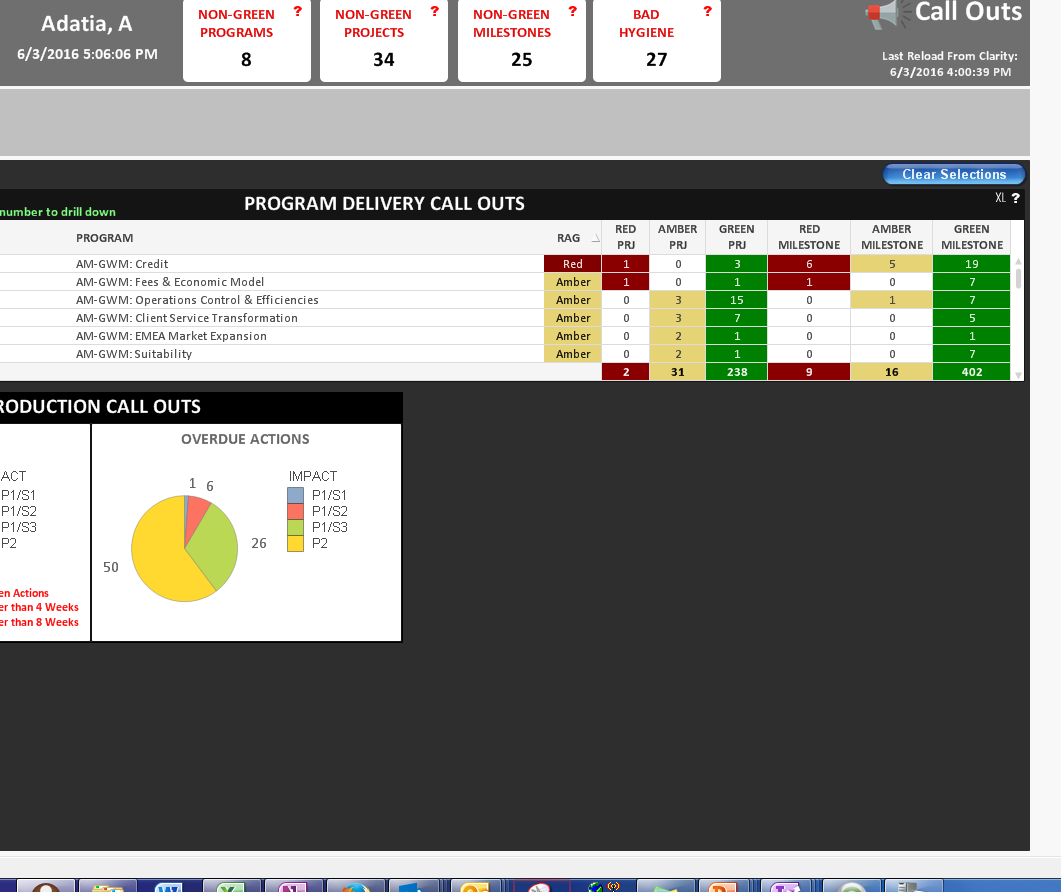
I thought it was fixed but now it looks like when I navigate to a different sheet (I only have one sheet visible at a time and I have buttons & variables to show/hide sheets) and come back to that sheet, as soon as a click on the background text object, my straight table and container w/ two pie charts get pushed behind the background.
sunny_talwar
- Mark as New
- Bookmark
- Subscribe
- Mute
- Subscribe to RSS Feed
- Permalink
- Report Inappropriate Content
- Mark as New
- Bookmark
- Subscribe
- Mute
- Subscribe to RSS Feed
- Permalink
- Report Inappropriate Content
I have 3 "background" text objects but they don't overlap.. here is what my page looks like:
- Mark as New
- Bookmark
- Subscribe
- Mute
- Subscribe to RSS Feed
- Permalink
- Report Inappropriate Content
Hi,
Give custom layout value for background textbox in negative like -90 then check.
Or you can do one thing- instead of using this background textbox, set background image in sheet properties itself.