Unlock a world of possibilities! Login now and discover the exclusive benefits awaiting you.

- Qlik Community
- :
- All Forums
- :
- QlikView
- :
- arrange date in bar chart
- Subscribe to RSS Feed
- Mark Topic as New
- Mark Topic as Read
- Float this Topic for Current User
- Bookmark
- Subscribe
- Mute
- Printer Friendly Page

- Mark as New
- Bookmark
- Subscribe
- Mute
- Subscribe to RSS Feed
- Permalink
- Report Inappropriate Content
arrange date in bar chart
Hi, how do I arrange the dates properly in bar chart? My current bar chart is as such:
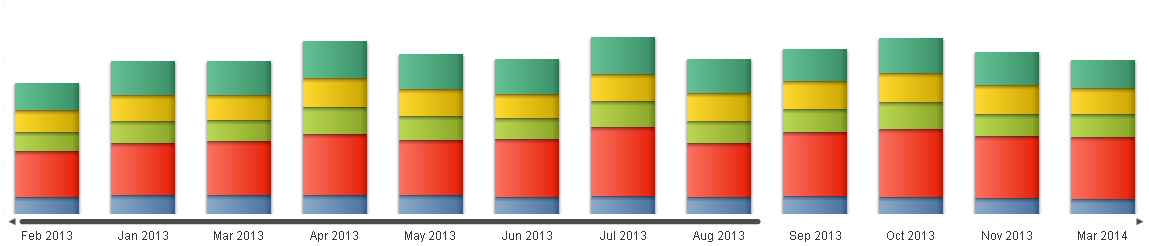
Thanks
- Tags:
- bar-chart
- bar_chart
- bar_chart_presentation
- bar_chart_values
- bar_charts
- bar_graph
- date
- date()
- date(month
- date-range
- date-ranges
- date-variable
- date_
- dates
- qlikview_scripting
- sort
- sort_
- sort_by
- sort_chart
- sort_issue
- sort_order
- sort_problem
- sort_stacked_bar_chart
- sorted
- sorting
- sorting_order
- sorting_problem
- sorting_with_variables

 SunilChauhan
- Mark as New
- Bookmark
- Subscribe
- Mute
- Subscribe to RSS Feed
- Permalink
- Report Inappropriate Content
right(Fieldname,4)&num(left(field,3)) in sort expression
else if you have datefield then write down in sort express
hope this helps
 tresB
tresB
- Mark as New
- Bookmark
- Subscribe
- Mute
- Subscribe to RSS Feed
- Permalink
- Report Inappropriate Content
Create the date field using MonthName() in the script, it will get sorted properly in the front end as expected.
Load
MonthName(DateField) as [Month Name]
 ashfaq_haseeb
- Mark as New
- Bookmark
- Subscribe
- Mute
- Subscribe to RSS Feed
- Permalink
- Report Inappropriate Content
HI,
I would suggest you to create a new field in your data-model like
MonthName(Date_Field) as MonthName
Then use this field in your chart as dimension, this will be properly sorted.
OR
use below
=Year * 100 + Month
By this you will always have numbers that are 6 digits
ex. 201401, 201402,201303,..... and so on
OR
try with sort by this expression (in sort tab)
=Year & num(Month, '00')
Regards
ASHFAQ
- Mark as New
- Bookmark
- Subscribe
- Mute
- Subscribe to RSS Feed
- Permalink
- Report Inappropriate Content
Hi
Try like this
in edit calculated dimension write
monthname(date)
Bar chart-->Properties-->Sort Tab-->Select the dimension name--> then select order as orginal
Regards
Nirmal