Unlock a world of possibilities! Login now and discover the exclusive benefits awaiting you.

- Qlik Community
- :
- Forums
- :
- Analytics & AI
- :
- Products & Topics
- :
- Visualization and Usability
- :
- Re: Change de Qlik Sense Logo
- Subscribe to RSS Feed
- Mark Topic as New
- Mark Topic as Read
- Float this Topic for Current User
- Bookmark
- Subscribe
- Mute
- Printer Friendly Page

 eduardo_dimperi
- Mark as New
- Bookmark
- Subscribe
- Mute
- Subscribe to RSS Feed
- Permalink
- Report Inappropriate Content
Change de Qlik Sense Logo
Hi Everybody,
Im trying to change the Qlik sense logo like the image below, but i dont know how.
I already replaced all the images in C:\Program Files\Qlik\Sense\Client\img\logo, but nothing changed.
Some help please.
Accepted Solutions
eduardo_dimperi- Mark as New
- Bookmark
- Subscribe
- Mute
- Subscribe to RSS Feed
- Permalink
- Report Inappropriate Content
Yeah, need to delete the old image, just rename doesn't work.
Thank you

 devarasu07
- Mark as New
- Bookmark
- Subscribe
- Mute
- Subscribe to RSS Feed
- Permalink
- Report Inappropriate Content
Hi,
On Sense Dekstop logo are found here,
Take backup of original files then
Qlik Sense Desktop 3.1 SR3 --> Logo file path
C:\Users\\<your_user_id>\AppData\Local\Programs\Qlik\Sense\Client\img\core\logo
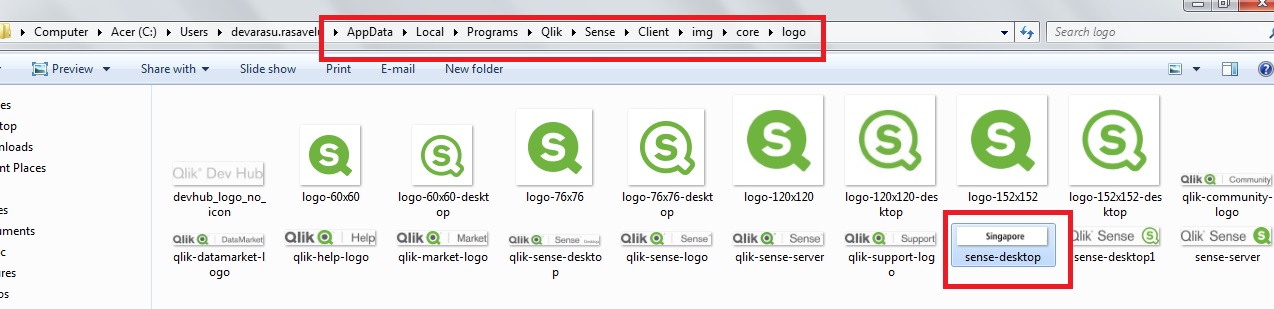

Note: Just make sure width and height of your custom logo same as actual qlik logo size
Thanks
Deva
eduardo_dimperi- Mark as New
- Bookmark
- Subscribe
- Mute
- Subscribe to RSS Feed
- Permalink
- Report Inappropriate Content
Hi Deva,
I believe that I dont have this path.
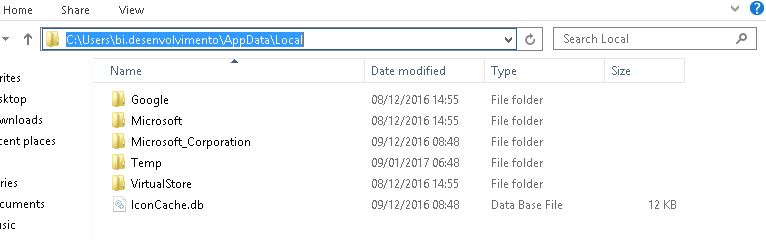
but i found this img folder without core folder in a diferent path, but i already tried chance this images without success
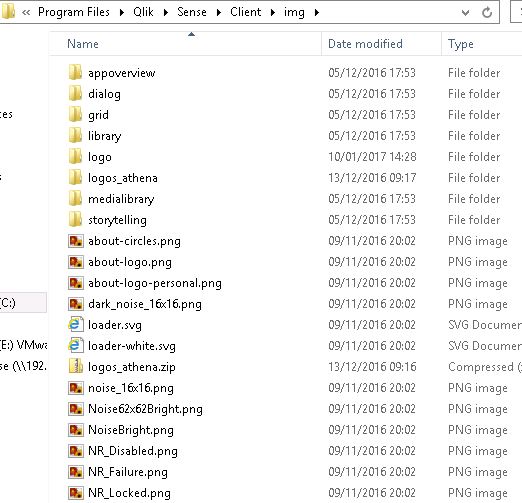
i have renamed some images,should i save in other folder and delete in the original?
eduardo_dimperi- Mark as New
- Bookmark
- Subscribe
- Mute
- Subscribe to RSS Feed
- Permalink
- Report Inappropriate Content
Yeah, need to delete the old image, just rename doesn't work.
Thank you
