Unlock a world of possibilities! Login now and discover the exclusive benefits awaiting you.

- Qlik Community
- :
- Forums
- :
- Analytics & AI
- :
- Products & Topics
- :
- Visualization and Usability
- :
- Re: Chart date issue
- Subscribe to RSS Feed
- Mark Topic as New
- Mark Topic as Read
- Float this Topic for Current User
- Bookmark
- Subscribe
- Mute
- Printer Friendly Page

 Anku
Anku
- Mark as New
- Bookmark
- Subscribe
- Mute
- Subscribe to RSS Feed
- Permalink
- Report Inappropriate Content
Chart date issue
Hi all,
Please refer below snapshot of line chart.

I have 2 dimension: Date, year (to present seperate line for each year)
Measure: Sum(sales)
However as you can see, the lines are not visible.
There are small markers at the end of the graph.
I have tried to validate the date dimension which is
Date(Date#(DataDate,'dd-mmm-yyyy'),'mmm d')
Please suggest. Thank you.
Accepted Solutions

 tresB
tresB
- Mark as New
- Bookmark
- Subscribe
- Mute
- Subscribe to RSS Feed
- Permalink
- Report Inappropriate Content
Your date field association is not working since the date formats are different. Try like:
[Sales]:
LOAD
OrderDate,
Date(Floor([OrderDate]), 'DD/MMM/YYYY') as Date,
[Sales]
FROM [lib://Sales/SalesSample.xlsx]
(ooxml, embedded labels, table is SalesData);
tresB
- Mark as New
- Bookmark
- Subscribe
- Mute
- Subscribe to RSS Feed
- Permalink
- Report Inappropriate Content
Not quite sure about the issue you are talking about. But I can suggest one correction in expression. 'm' is for minutes and 'M' is for months in qlik formatting, so try your formula, like:
Date(Date#(DataDate,'dd-MMM-yyyy'),'MMM d')
Anku
- Mark as New
- Bookmark
- Subscribe
- Mute
- Subscribe to RSS Feed
- Permalink
- Report Inappropriate Content
I am trying to create a chart with multiple lines to compare current year performance with the past years.
So, I have created master calendar using date field present in sales table,
Master calendar fields,
dates excluding year ( ie Jan 01 Jan 02 ...) -> 1st dimension.
And field, year only( ie 2018,2019, 2020) -> 2nd dimension
I was expecting 4 lines based on their sales performance for each year.
However, as you can see in the above screen shot, lines are missing and all I have are multiple dots situated above a dash, refer below.
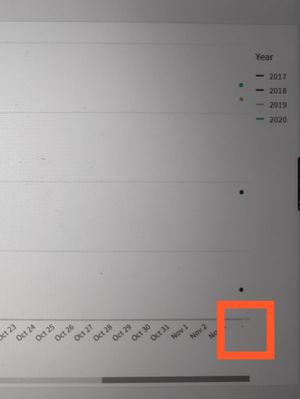
Thanks for responding.
tresB
- Mark as New
- Bookmark
- Subscribe
- Mute
- Subscribe to RSS Feed
- Permalink
- Report Inappropriate Content
Could you share your sample qvf to investigate? It is possibly the data/ data model issue
Anku
- Mark as New
- Bookmark
- Subscribe
- Mute
- Subscribe to RSS Feed
- Permalink
- Report Inappropriate Content
tresB
- Mark as New
- Bookmark
- Subscribe
- Mute
- Subscribe to RSS Feed
- Permalink
- Report Inappropriate Content
Your date field association is not working since the date formats are different. Try like:
[Sales]:
LOAD
OrderDate,
Date(Floor([OrderDate]), 'DD/MMM/YYYY') as Date,
[Sales]
FROM [lib://Sales/SalesSample.xlsx]
(ooxml, embedded labels, table is SalesData);
