Unlock a world of possibilities! Login now and discover the exclusive benefits awaiting you.

Announcements
Want to see what's currently in public preview? We've pulled it all together in one place. Check it out here
- Qlik Community
- :
- Forums
- :
- Analytics & AI
- :
- Products & Topics
- :
- Visualization and Usability
- :
- Re: Combi Chart Eliminate Timestamp
Options
- Subscribe to RSS Feed
- Mark Topic as New
- Mark Topic as Read
- Float this Topic for Current User
- Bookmark
- Subscribe
- Mute
- Printer Friendly Page
Turn on suggestions
Auto-suggest helps you quickly narrow down your search results by suggesting possible matches as you type.
Showing results for

 Richard1993
Contributor II
2024-04-11
10:34 AM
- Mark as New
- Bookmark
- Subscribe
- Mute
- Subscribe to RSS Feed
- Permalink
- Report Inappropriate Content
Combi Chart Eliminate Timestamp
Hi,
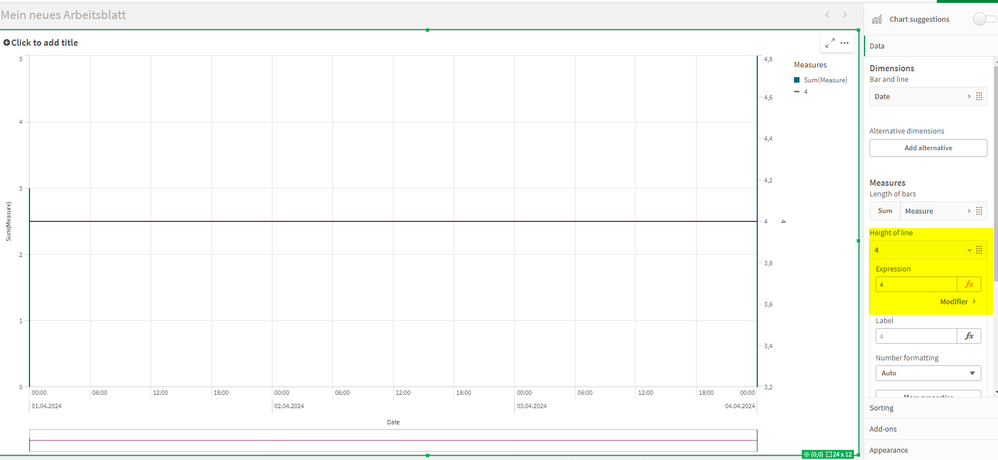
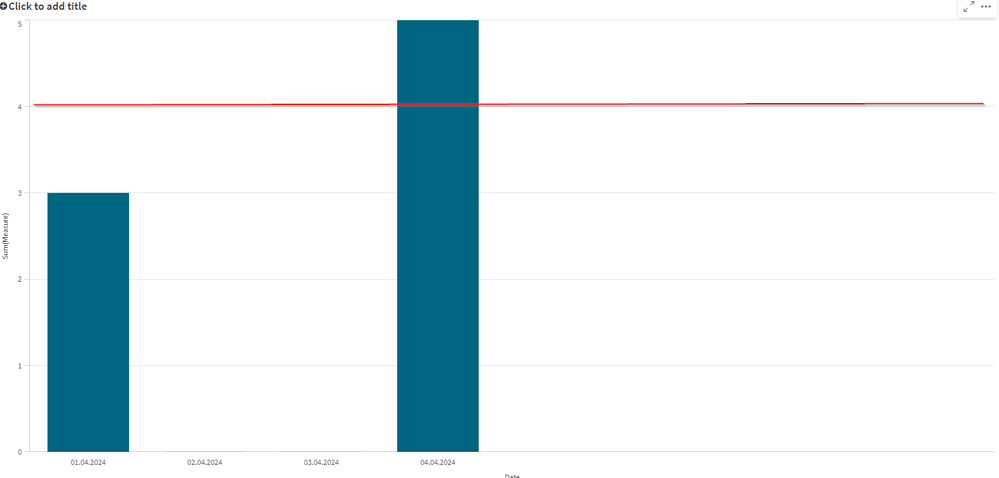
I have the following scenario: I want to draw a simple line on a combo chart. When I input a 4 in my chart, a timestamp appears within the chart. How can I remove this timestamp to only display date values?
My result:
This is what i want:
Master_Cal:
Load * Inline [
%Date, Date
01.04.2024, 01.04.2024
02.04.2024, 02.04.2024
03.04.2024, 03.04.2024
04.04.2024, 04.04.2024

];

Table:

Load * Inline [
%Date, Measure
01.04.2024, 3
04.04.2024, 5


];
Best regards Richard
618 Views
1 Solution
Accepted Solutions

 Clement15
Partner - Specialist
2024-04-11
10:49 AM
- Mark as New
- Bookmark
- Subscribe
- Mute
- Subscribe to RSS Feed
- Permalink
- Report Inappropriate Content
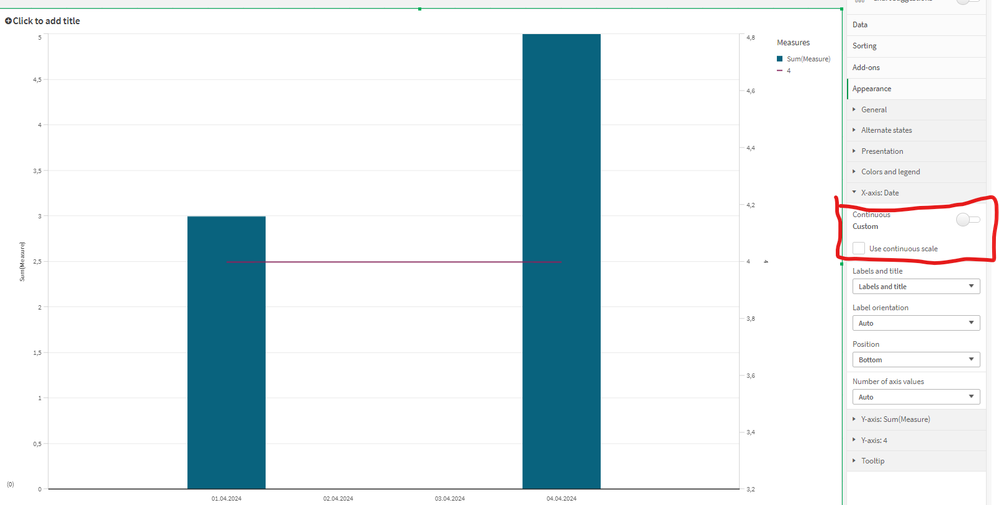
Hello, you can uncheck this box. This should solve your problem.
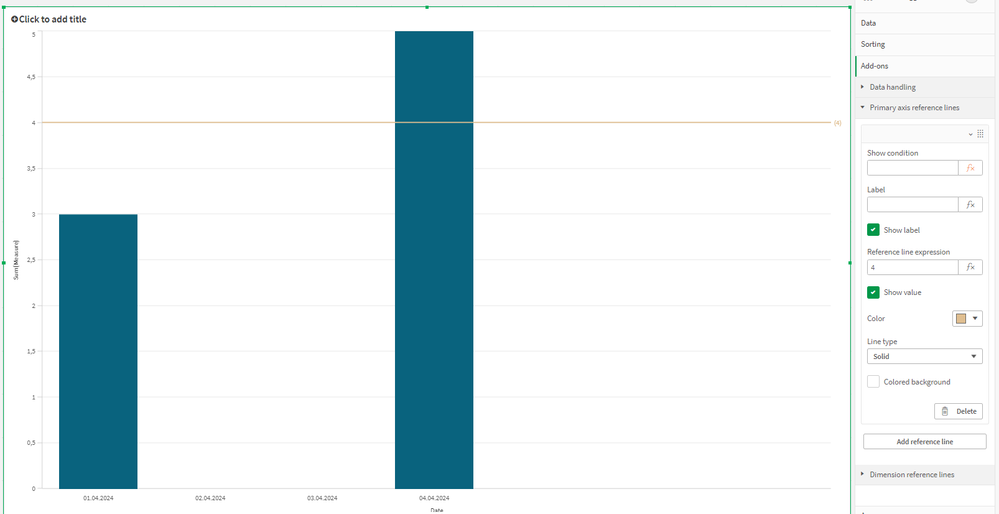
But for what you want to do I advise you to make a reference line rather than a new measure
615 Views
1 Reply
Clement15
Partner - Specialist
2024-04-11
10:49 AM
- Mark as New
- Bookmark
- Subscribe
- Mute
- Subscribe to RSS Feed
- Permalink
- Report Inappropriate Content
Hello, you can uncheck this box. This should solve your problem.
But for what you want to do I advise you to make a reference line rather than a new measure
616 Views
