Unlock a world of possibilities! Login now and discover the exclusive benefits awaiting you.

- Qlik Community
- :
- Forums
- :
- Analytics & AI
- :
- Products & Topics
- :
- Visualization and Usability
- :
- Create a calculated field based on column
- Subscribe to RSS Feed
- Mark Topic as New
- Mark Topic as Read
- Float this Topic for Current User
- Bookmark
- Subscribe
- Mute
- Printer Friendly Page

- Mark as New
- Bookmark
- Subscribe
- Mute
- Subscribe to RSS Feed
- Permalink
- Report Inappropriate Content
Create a calculated field based on column
Hi everyone
I am new to qliksense i have a column named trainer id as from 1 to 10,now i would like to create claculaetd column based on trainer id as the calculated column should display '1' for trainer id 1,3,4,7,8 and for remaining it should display 0 how can i create a calcualted column for that please help me.

 MarioCenteno
- Mark as New
- Bookmark
- Subscribe
- Mute
- Subscribe to RSS Feed
- Permalink
- Report Inappropriate Content
You could show the structure of your data and explain your goal a little more.
- Mark as New
- Bookmark
- Subscribe
- Mute
- Subscribe to RSS Feed
- Permalink
- Report Inappropriate Content
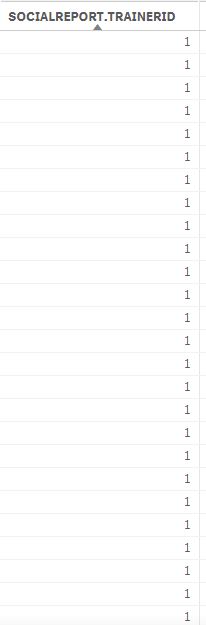
I have a trainer id from 1 to 10 like above for 20,000 employee, I would like to create a new calculated column with 0 and 1 for trainer id 1,3,4,7,8 it should display 1 for remaining it should display 0.
MarioCenteno
- Mark as New
- Bookmark
- Subscribe
- Mute
- Subscribe to RSS Feed
- Permalink
- Report Inappropriate Content
Try
=if([ID] = 1 OR [ID]= 3 OR [ID]= 4 OR [ID]= 7 OR [ID]= 8,1,0)
 ChennaiahNallan
- Mark as New
- Bookmark
- Subscribe
- Mute
- Subscribe to RSS Feed
- Permalink
- Report Inappropriate Content
try like below
Script
If(Match(ID,1,3,4,7,8), 1, 0) as FieldName
ui
If(Match(ID,1,3,4,7,8), 1, 0)