Unlock a world of possibilities! Login now and discover the exclusive benefits awaiting you.

- Qlik Community
- :
- Forums
- :
- Analytics & AI
- :
- Products & Topics
- :
- Visualization and Usability
- :
- Re: How to Divide by 2 Variables
- Subscribe to RSS Feed
- Mark Topic as New
- Mark Topic as Read
- Float this Topic for Current User
- Bookmark
- Subscribe
- Mute
- Printer Friendly Page

- Mark as New
- Bookmark
- Subscribe
- Mute
- Subscribe to RSS Feed
- Permalink
- Report Inappropriate Content
How to Divide by 2 Variables
I have two variables.... They are both counts of certain criteria. I want to be able to write an expression to divide them. When I write it.... I get a blank line. I know my two variables are working correctly. I put them both in a KPI and the numbers populate.
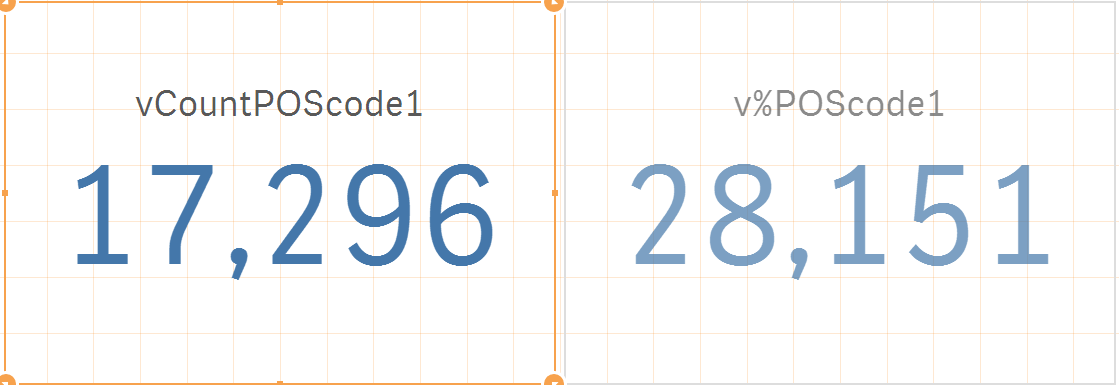
I wrote my expression like so.... $(vCountPOScode1) / $(v%POScode1)
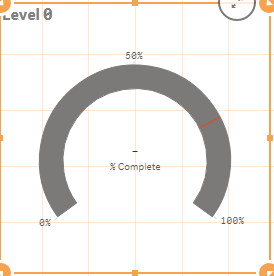
I'm not sure why this isn't working. Please advise.
- Tags:
- using variables
- Mark as New
- Bookmark
- Subscribe
- Mute
- Subscribe to RSS Feed
- Permalink
- Report Inappropriate Content
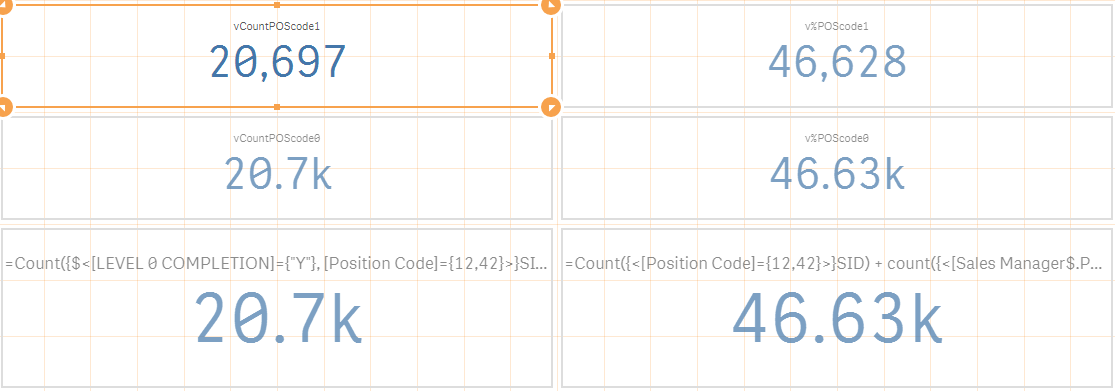
No, I get the same numbers across the board with different variations.

 sunny_talwar
- Mark as New
- Bookmark
- Subscribe
- Mute
- Subscribe to RSS Feed
- Permalink
- Report Inappropriate Content
I meant division of the two variables in KPI object rather than gauge (just for testing)
- Mark as New
- Bookmark
- Subscribe
- Mute
- Subscribe to RSS Feed
- Permalink
- Report Inappropriate Content
I just tried - it returned a line.

sunny_talwar
- Mark as New
- Bookmark
- Subscribe
- Mute
- Subscribe to RSS Feed
- Permalink
- Report Inappropriate Content
I give up  ... I have no idea what might be the issue. Would it be possible to replicate the issue in a sample qvf?

 tamilarasu
- Mark as New
- Bookmark
- Subscribe
- Mute
- Subscribe to RSS Feed
- Permalink
- Report Inappropriate Content
Lauren,
Copy below expressions (Exactly what I posted) and check
v%POScode1:
=( count({<[Position Code]={12,42}>}SID) + count({<[Sales Manager$.Position Code]={04,41}>}[Sales Manager$.SID]) + count({<[Service Advisor$.Position Code]={13,14,27,40}>}[Service Advisor$.SID]) + count({<[Service Manager$.Position Code]={08,09,17,32,33,35}>}[Service Manager$.SID]) )
vCountPOScode1:
=( Count({$<[LEVEL 0 COMPLETION]={"Y"}, [Position Code]={12,42}>}SID) + Count({$<[Sales Manager$.LEVEL 0 COMPLETION]={"Y"}, [Sales Manager$.Position Code]={04,41}>}[Sales Manager$.SID]) + Count({$<[Service Advisor$.LEVEL 0 COMPLETION]={"Y"}, [Service Advisor$.Position Code]={13,14,27,40}>}[Service Advisor$.SID]) + Count({$<[Service Manager$.LEVEL 0 COMPLETION]={"Y"}, [Service Manager$.Position Code]={08,09,17,32,33,35}>}[Service Manager$.SID]))
And try this expression in textbox
$(vCountPOScode1) / $(v%POScode1)
- Mark as New
- Bookmark
- Subscribe
- Mute
- Subscribe to RSS Feed
- Permalink
- Report Inappropriate Content
However.... I put this in the gauage -
RangeSum(
Count({$<[LEVEL 0 COMPLETION]={"Y"}, [Position Code]={12,42}>}SID),
Count({$<[Sales Manager$.LEVEL 0 COMPLETION]={"Y"}, [Sales Manager$.Position Code]={04,41}>}[Sales Manager$.SID]),
Count({$<[Service Advisor$.LEVEL 0 COMPLETION]={"Y"}, [Service Advisor$.Position Code]={13,14,27,40}>}[Service Advisor$.SID]),
Count({$<[Service Manager$.LEVEL 0 COMPLETION]={"Y"}, [Service Manager$.Position Code]={08,09,17,32,33,35}>}[Service Manager$.SID]) ) / RangeSum(
Count({<[Position Code]={12,42}>}SID),
Count({<[Sales Manager$.Position Code]={04,41}>}[Sales Manager$.SID]),
Count({<[Service Advisor$.Position Code]={13,14,27,40}>}[Service Advisor$.SID]),
Count({<[Service Manager$.Position Code]={08,09,17,32,33,35}>}[Service Manager$.SID]))
and I got my 44%. Why does this work by itself and not in my variables? I will settle. I will just use this without using my variables to get the number I need.
tamilarasu
- Mark as New
- Bookmark
- Subscribe
- Mute
- Subscribe to RSS Feed
- Permalink
- Report Inappropriate Content
I would like to know whether my last post working or not. I did a test and returns value.
tamilarasu
- Mark as New
- Bookmark
- Subscribe
- Mute
- Subscribe to RSS Feed
- Permalink
- Report Inappropriate Content
I would like to know whether below one is working or not. I did a test and returns value.
v%POScode1:
=( count({<[Position Code]={12,42}>}SID) + count({<[Sales Manager$.Position Code]={04,41}>}[Sales Manager$.SID]) + count({<[Service Advisor$.Position Code]={13,14,27,40}>}[Service Advisor$.SID]) + count({<[Service Manager$.Position Code]={08,09,17,32,33,35}>}[Service Manager$.SID]) )
vCountPOScode1:
=( Count({$<[LEVEL 0 COMPLETION]={"Y"}, [Position Code]={12,42}>}SID) + Count({$<[Sales Manager$.LEVEL 0 COMPLETION]={"Y"}, [Sales Manager$.Position Code]={04,41}>}[Sales Manager$.SID]) + Count({$<[Service Advisor$.LEVEL 0 COMPLETION]={"Y"}, [Service Advisor$.Position Code]={13,14,27,40}>}[Service Advisor$.SID]) + Count({$<[Service Manager$.LEVEL 0 COMPLETION]={"Y"}, [Service Manager$.Position Code]={08,09,17,32,33,35}>}[Service Manager$.SID]))
And try this expression in textbox
$(vCountPOScode1) / $(v%POScode1)
- Mark as New
- Bookmark
- Subscribe
- Mute
- Subscribe to RSS Feed
- Permalink
- Report Inappropriate Content
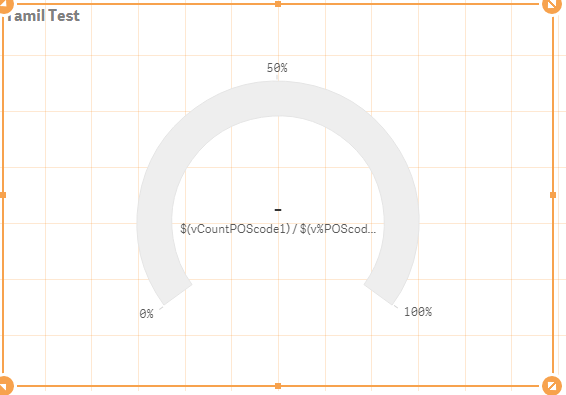
I did exactly as you said. This was the result.
tamilarasu
- Mark as New
- Bookmark
- Subscribe
- Mute
- Subscribe to RSS Feed
- Permalink
- Report Inappropriate Content
Sorry Lauren. I have no idea why it is not working for you. I never touched Qlik Sense before but somewhat learnt today and tried in a sample app. It's working for me in a test data. As said by Sunny, it would be helpful, If you post a sample that demonstrates your problem. 
Note: I have no Qlik Sense licence. If you post a sample application, someone will check and help you.