Unlock a world of possibilities! Login now and discover the exclusive benefits awaiting you.

- Qlik Community
- :
- Forums
- :
- Analytics & AI
- :
- Products & Topics
- :
- Visualization and Usability
- :
- Re: How to filter table data based on values of ba...
- Subscribe to RSS Feed
- Mark Topic as New
- Mark Topic as Read
- Float this Topic for Current User
- Bookmark
- Subscribe
- Mute
- Printer Friendly Page

- Mark as New
- Bookmark
- Subscribe
- Mute
- Subscribe to RSS Feed
- Permalink
- Report Inappropriate Content
How to filter table data based on values of backend fields
Hello,
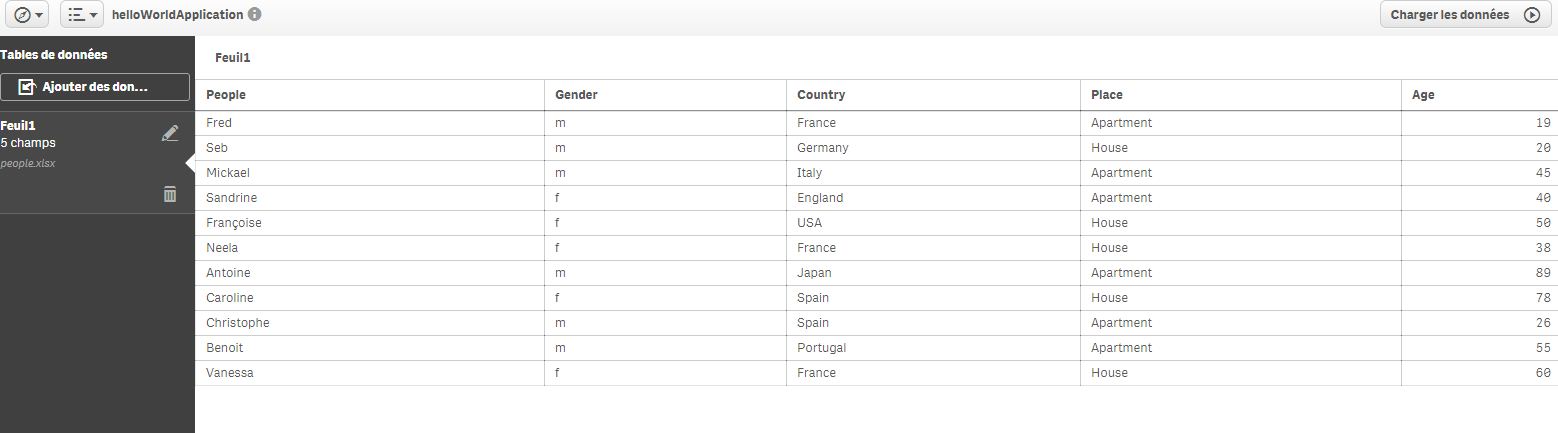
I did load the following table on QlikSense. It contains information about people (People, Gender, Country, Place and Age). Done easily
Then I did create a new QlikSense Sheet with a table that only display the fields People, Country and Age. Done easily.
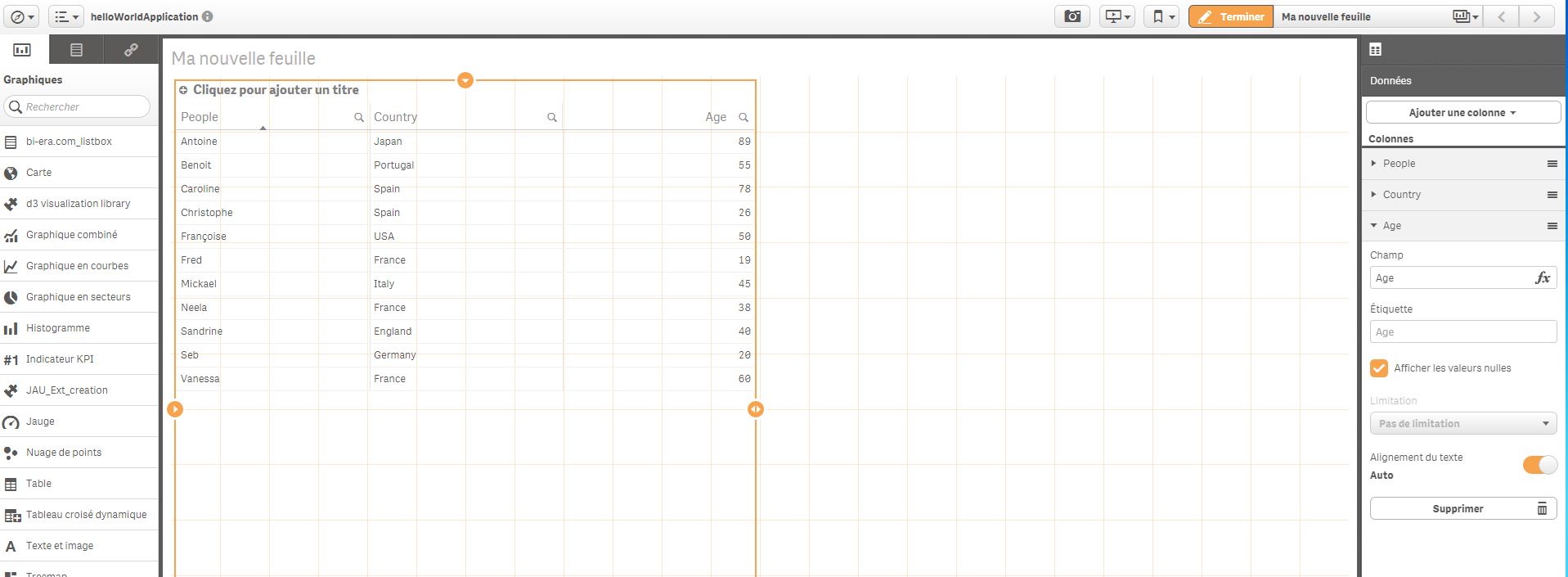
Now I would like to only display People based on some filtering on the hidden fields that are not displayed on my table (gender and Place).
Indeed I would like to only display people where gender is f and Place is House.
So I would like to know if it is possible ? If yes what is the formula that I have to use and where to write it ? I guess that I have to write it in the add-ons (complements in french) section.
Thanks in advance for your help.
Fred
- « Previous Replies
-
- 1
- 2
- Next Replies »
- Mark as New
- Bookmark
- Subscribe
- Mute
- Subscribe to RSS Feed
- Permalink
- Report Inappropriate Content
Hello Fred,
Check the attached the app. Listbox at the top corner.
But the best way to deal with it is on the script side, if your filters are also on the same table with the intended field. I mean let's suppose Gender, Place, Age are all on the same table. The following script is the best due to high performance and high maintenance capabilities.
LOAD
*,
if(Gender=f and Place='House',Age) as SpecialAge
FROM XXX;
Then you put the SpecialAge as filter at front end.
BR
Serhan
- « Previous Replies
-
- 1
- 2
- Next Replies »