Unlock a world of possibilities! Login now and discover the exclusive benefits awaiting you.

- Qlik Community
- :
- Forums
- :
- Analytics & AI
- :
- Products & Topics
- :
- Visualization and Usability
- :
- Pie chart help
- Subscribe to RSS Feed
- Mark Topic as New
- Mark Topic as Read
- Float this Topic for Current User
- Bookmark
- Subscribe
- Mute
- Printer Friendly Page

 bhavvibudagam
- Mark as New
- Bookmark
- Subscribe
- Mute
- Subscribe to RSS Feed
- Permalink
- Report Inappropriate Content
Pie chart help
Hi Experts,
Can any one please help me on below issue.
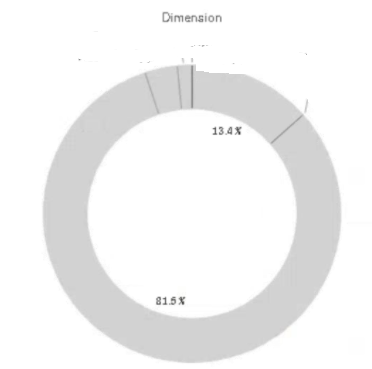
I am unable to apply colors to pie chart. ONLY able to apply single color.
Please help me on this when i show in auto or in color by dimension its showing like this only.
Thanks in advacne
Accepted Solutions
bhavvibudagam
- Mark as New
- Bookmark
- Subscribe
- Mute
- Subscribe to RSS Feed
- Permalink
- Report Inappropriate Content
This expression is working fine.
pick(mod(rank(TOTAL column(1))-1,5)+1 ,argb(255,189,0,38),argb(255,240,59,32),argb(255,253,141,60),argb(255,254,204,92),argb(255,255,255,178))

 Chanty4u
- Mark as New
- Bookmark
- Subscribe
- Mute
- Subscribe to RSS Feed
- Permalink
- Report Inappropriate Content
did you tried ?appearance--colors and legend --custom color by dimension
Chanty4u
- Mark as New
- Bookmark
- Subscribe
- Mute
- Subscribe to RSS Feed
- Permalink
- Report Inappropriate Content
if not try with expression [instead of dimension]
if(type='value1',RGB(253,208,0),
if(type='valu2',RGB(169,169,169),RGB(0,0,0)))

 HarishG
- Mark as New
- Bookmark
- Subscribe
- Mute
- Subscribe to RSS Feed
- Permalink
- Report Inappropriate Content
Try this in color by expression :
ColorMix1( rank(total EXPRESSION ) / NoOfRows(TOTAL) , Color1, Color2)
bhavvibudagam
- Mark as New
- Bookmark
- Subscribe
- Mute
- Subscribe to RSS Feed
- Permalink
- Report Inappropriate Content
This expression is working fine.
pick(mod(rank(TOTAL column(1))-1,5)+1 ,argb(255,189,0,38),argb(255,240,59,32),argb(255,253,141,60),argb(255,254,204,92),argb(255,255,255,178))
