Unlock a world of possibilities! Login now and discover the exclusive benefits awaiting you.

- Qlik Community
- :
- Forums
- :
- Analytics & AI
- :
- Products & Topics
- :
- Visualization and Usability
- :
- Qlik Sence Desktop Error
Options
- Subscribe to RSS Feed
- Mark Topic as New
- Mark Topic as Read
- Float this Topic for Current User
- Bookmark
- Subscribe
- Mute
- Printer Friendly Page
Turn on suggestions
Auto-suggest helps you quickly narrow down your search results by suggesting possible matches as you type.
Showing results for

Not applicable
2017-01-01
12:53 AM
- Mark as New
- Bookmark
- Subscribe
- Mute
- Subscribe to RSS Feed
- Permalink
- Report Inappropriate Content
Qlik Sence Desktop Error
Hi All,
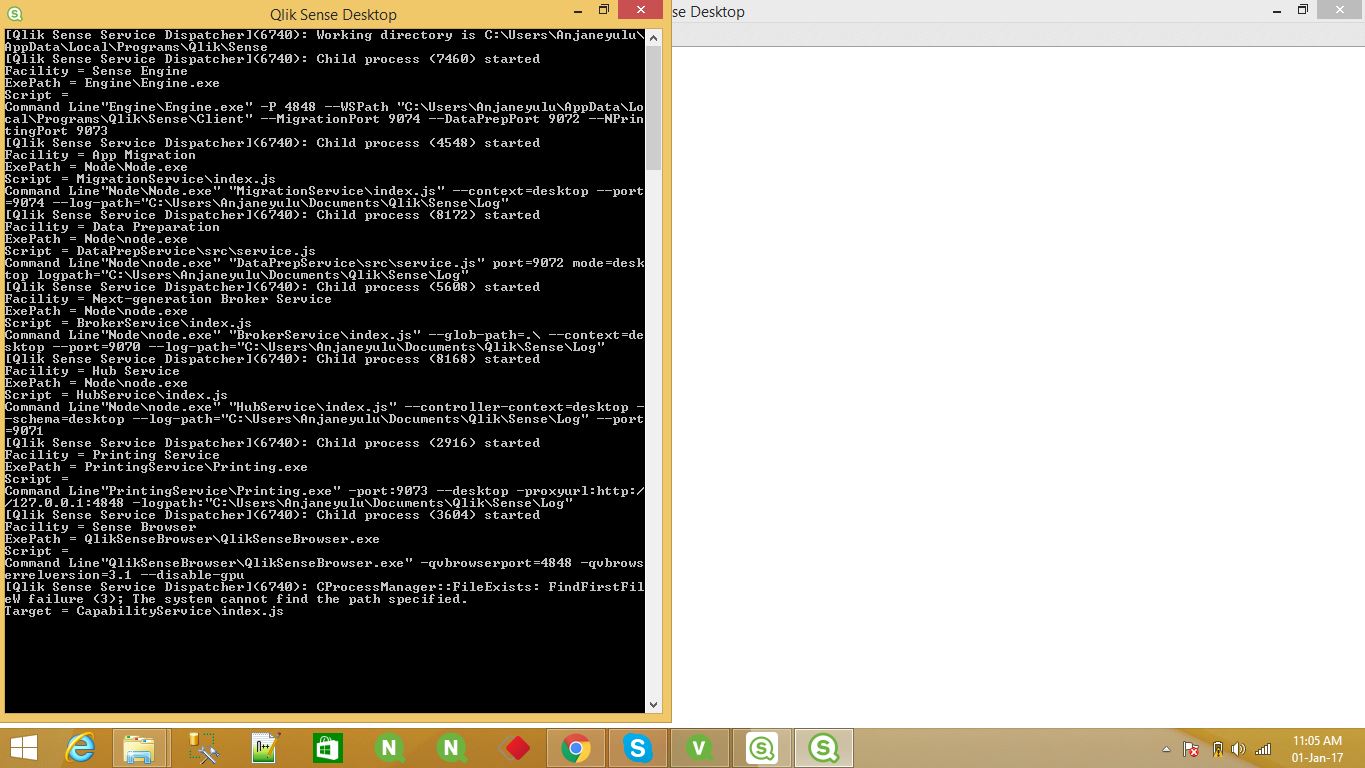
I am trying to open my Qlik Sence Desktop, but it showing a blank white screen and displaying a Command Prompt.
I am attaching the error message cmd window.
Please help me out .
Thanks,
Anjaneyulu
- Tags:
- qlisense deskstop
812 Views
2 Replies

 Clever_Anjos
Support
2017-01-01
07:48 PM
- Mark as New
- Bookmark
- Subscribe
- Mute
- Subscribe to RSS Feed
- Permalink
- Report Inappropriate Content
Please try:
- Remove your installation (backup your qvf files first)
- Remove C:\ProgramData\Qlik\Sense folder
- Install again
Not applicable
2017-01-02
07:35 AM
Author
- Mark as New
- Bookmark
- Subscribe
- Mute
- Subscribe to RSS Feed
- Permalink
- Report Inappropriate Content
Hi Anjos,
Thanks for your reply.
We need to Down load new version i.e, Qlik Sence Desktop 3.1 SR4 and installed .Now it is Working fine.
Old version not working for me.
Thanks,
Anjaneyulu