Unlock a world of possibilities! Login now and discover the exclusive benefits awaiting you.

- Qlik Community
- :
- Forums
- :
- Analytics & AI
- :
- Products & Topics
- :
- Visualization and Usability
- :
- Re: Qlik Sense Map Newbie
- Subscribe to RSS Feed
- Mark Topic as New
- Mark Topic as Read
- Float this Topic for Current User
- Bookmark
- Subscribe
- Mute
- Printer Friendly Page

- Mark as New
- Bookmark
- Subscribe
- Mute
- Subscribe to RSS Feed
- Permalink
- Report Inappropriate Content
Qlik Sense Map Newbie
Hello Professionals 
I have a dumb question:
I am attempting to load a map of our sales reps. However, i am trying some tests with data by zip code.
When i go to load files into Qlik Sense Load Prep.
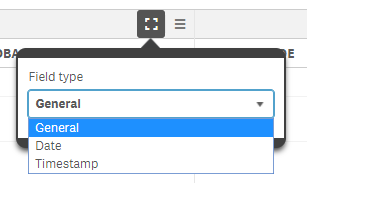
I get the options for field types:
(1) General
(2) Date
(3) Time stamp
I've seen examples where it would have location?
Any idea how i could pull that type of data type or make it an option?
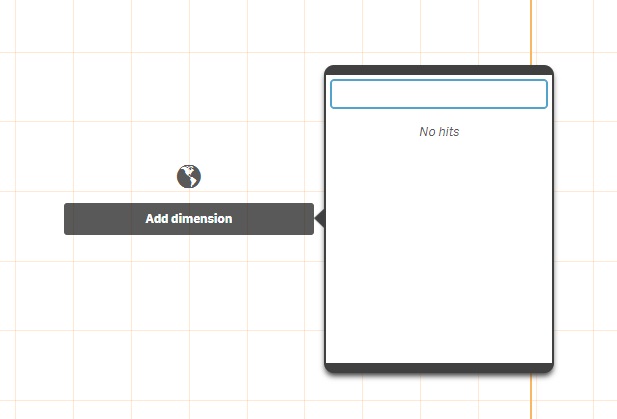
The true issue is when i load the data and try to map it... the option isnt there when i drop the map into Qlik Sense.
- Tags:
- apply maps

 ahaahaaha
- Mark as New
- Bookmark
- Subscribe
- Mute
- Subscribe to RSS Feed
- Permalink
- Report Inappropriate Content
Hi,
look attached file. Maybe this will help you with ideas.
Regards,
Andrey
- Mark as New
- Bookmark
- Subscribe
- Mute
- Subscribe to RSS Feed
- Permalink
- Report Inappropriate Content
Hello Andrey,
Thank for that, but if i have a file of zip codes and wanted to plot it.
I cannot in the map visual, i drop it and it doesn't recognize the data as location.
- Mark as New
- Bookmark
- Subscribe
- Mute
- Subscribe to RSS Feed
- Permalink
- Report Inappropriate Content
Hello All,
I was able to find a helpful video from Qlik Dork!
He is awesome and explained it thorough!