Unlock a world of possibilities! Login now and discover the exclusive benefits awaiting you.

- Qlik Community
- :
- Forums
- :
- Analytics & AI
- :
- Products & Topics
- :
- Visualization and Usability
- :
- Re: Selecting Only Current Year Data for KPI
- Subscribe to RSS Feed
- Mark Topic as New
- Mark Topic as Read
- Float this Topic for Current User
- Bookmark
- Subscribe
- Mute
- Printer Friendly Page

- Mark as New
- Bookmark
- Subscribe
- Mute
- Subscribe to RSS Feed
- Permalink
- Report Inappropriate Content
Selecting Only Current Year Data for KPI
Beginner 101 questions: How do I filter a KPI to just show the Current Year Data? There is a Time Dimension with CY & PY for Current & Prior Year - see bar chart below. When I select the measure for the KPI view it is summing both the CY & PY. How do I set up to only sum the Current Year in the KPI then show a 2nd measure for the % change of CY Conversions / PY Conversions? 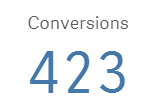

Thank you!
- Tags:
- current year
- kpi
Accepted Solutions

 OmarBenSalem
- Mark as New
- Bookmark
- Subscribe
- Mute
- Subscribe to RSS Feed
- Permalink
- Report Inappropriate Content
I think that u have a dimension "Time" containing 2 Values? CY and LY?
then in ur KPI, for CY
change ur measure
from:
sum(Measure)
to
for current
sum({<Time={'CY'}>}Measure)
for last
sum({<Time={'LY'}>}Measure)

 zebhashmi
- Mark as New
- Bookmark
- Subscribe
- Mute
- Subscribe to RSS Feed
- Permalink
- Report Inappropriate Content
can you explain a little bit more?

 sasiparupudi1
- Mark as New
- Bookmark
- Subscribe
- Mute
- Subscribe to RSS Feed
- Permalink
- Report Inappropriate Content
If your CY and PY are flags in your calendar,then
Current
Sum({<CY={1}>} Conversions)
Previous
Sum({<PY={1}>} Conversions)
OmarBenSalem
- Mark as New
- Bookmark
- Subscribe
- Mute
- Subscribe to RSS Feed
- Permalink
- Report Inappropriate Content
I think that u have a dimension "Time" containing 2 Values? CY and LY?
then in ur KPI, for CY
change ur measure
from:
sum(Measure)
to
for current
sum({<Time={'CY'}>}Measure)
for last
sum({<Time={'LY'}>}Measure)
- Mark as New
- Bookmark
- Subscribe
- Mute
- Subscribe to RSS Feed
- Permalink
- Report Inappropriate Content
Thanks Omar. That did it. Appreciate the 101 lesson.