Unlock a world of possibilities! Login now and discover the exclusive benefits awaiting you.

- Qlik Community
- :
- Forums
- :
- Analytics & AI
- :
- Products & Topics
- :
- Visualization and Usability
- :
- Re: Show more values in Line Chart
- Subscribe to RSS Feed
- Mark Topic as New
- Mark Topic as Read
- Float this Topic for Current User
- Bookmark
- Subscribe
- Mute
- Printer Friendly Page

 tomhovens
- Mark as New
- Bookmark
- Subscribe
- Mute
- Subscribe to RSS Feed
- Permalink
- Report Inappropriate Content
Show more values in Line Chart
Dear Qlikers,
Is it possible to show more values in a Line Chart? So I can choose how many values will be visible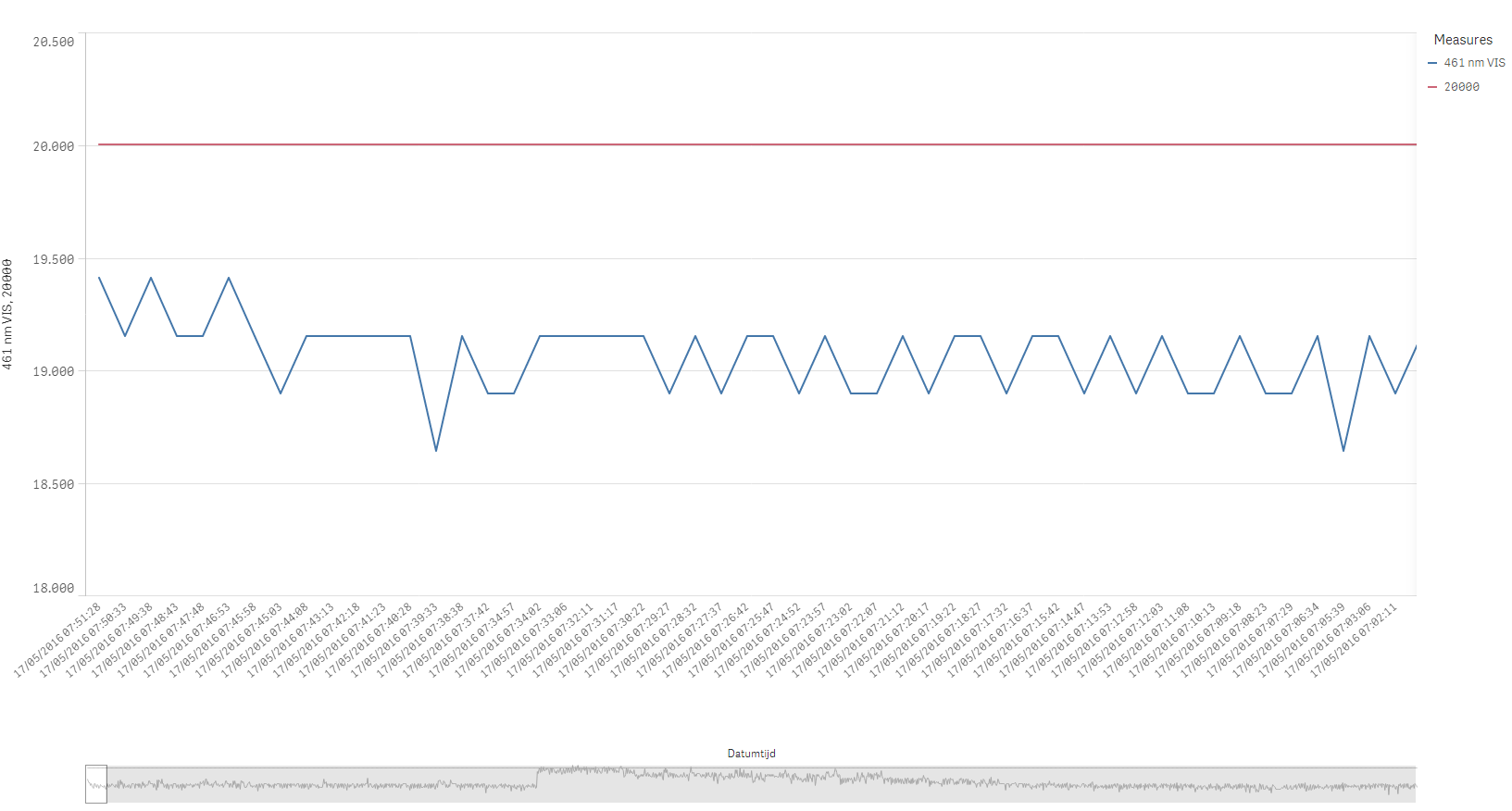
- Tags:
- line chart

 Gysbert_Wassena
- Mark as New
- Bookmark
- Subscribe
- Mute
- Subscribe to RSS Feed
- Permalink
- Report Inappropriate Content
In a sense. You can limit the chart to a Top N. See the Limitation option of the dimension in the properties pane of the line chart.
Or you can use variables to select an interval of dates in a set analysis expression so the chart only shows the results for that interval. Or use this extension: GitHub - NOD507/SenseDateRangePicker: A date range picker extension for qliksense
talk is cheap, supply exceeds demand
 rbecher
- Mark as New
- Bookmark
- Subscribe
- Mute
- Subscribe to RSS Feed
- Permalink
- Report Inappropriate Content
Hi Tom,
Sense cannot display more values here. You can only aggregate them to show a bigger time range in the same window.
- Ralf

 reddy-s
- Mark as New
- Bookmark
- Subscribe
- Mute
- Subscribe to RSS Feed
- Permalink
- Report Inappropriate Content
Hi Tom,
Alternatively, you can consider using a date drill down line -> year->quarter->month->week->day.
this will reduce the number of values you show but also give you the whole picture.
Thanks,
Sangram.

 Josh_Good
- Mark as New
- Bookmark
- Subscribe
- Mute
- Subscribe to RSS Feed
- Permalink
- Report Inappropriate Content
Hi Tom,
We have target 'time aware charts' for Qlik Sense 3.0 (to be released in June). This enhancement will understand that you are displaying a time series and compress into the space (along with appropriate labelling).
In the meantime you may want to use this extension: http://branch.qlik.com/#!/project/56728f52d1e497241ae6987f
-Josh
Qlik
PS: I'm legally required state that my future looking statements may change so they can not be depended upon when making decisions.
 Øystein_Kolsrud
- Mark as New
- Bookmark
- Subscribe
- Mute
- Subscribe to RSS Feed
- Permalink
- Report Inappropriate Content
Old thread this one, but I just ran into the issue myself, and the solution was simply that the timestamp needs to be interpreted as a timestamp and not as a string. So in my case I added the following to my load script:
Timestamp#([Timestamp], 'MM/DD/YYYY hh:mm:ss.fff') as TimestampContinuous