Unlock a world of possibilities! Login now and discover the exclusive benefits awaiting you.

Announcements
Want to see what's currently in public preview? We've pulled it all together in one place. Check it out here
- Qlik Community
- :
- Forums
- :
- Analytics & AI
- :
- Products & Topics
- :
- Visualization and Usability
- :
- Re: bar coloring
Options
- Subscribe to RSS Feed
- Mark Topic as New
- Mark Topic as Read
- Float this Topic for Current User
- Bookmark
- Subscribe
- Mute
- Printer Friendly Page
Turn on suggestions
Auto-suggest helps you quickly narrow down your search results by suggesting possible matches as you type.
Showing results for

 markusblaut
Contributor III
2018-10-18
09:22 AM
- Mark as New
- Bookmark
- Subscribe
- Mute
- Subscribe to RSS Feed
- Permalink
- Report Inappropriate Content
bar coloring
Hello together,
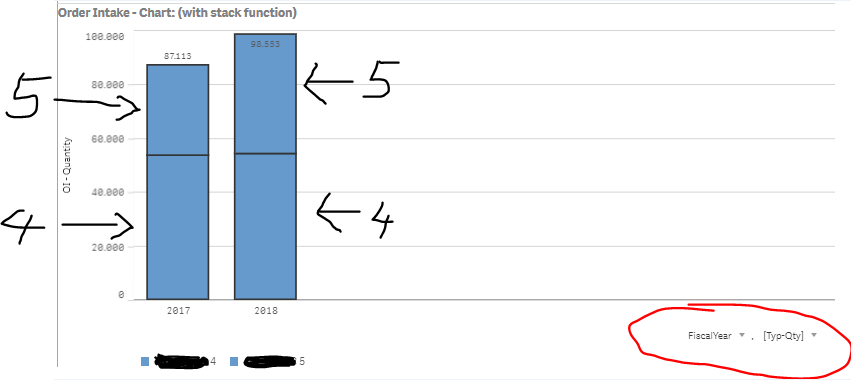
please check my screenshot, as you can see I have a normal bar diagramm with two dimensions (Fiscal Year and Typ-Qty)
I would like to have (and define) Typ 4 and Typ 5 in two different colors (lets say typ 4 in green and typ 5 in red).
I tried but I did not manage it so far 
Thank you for any help or hints.
Best,
Markus
1 Solution
Accepted Solutions

 nsetty
Partner - Creator II
2018-10-18
09:34 AM
- Mark as New
- Bookmark
- Subscribe
- Mute
- Subscribe to RSS Feed
- Permalink
- Report Inappropriate Content
Can you try below..
1) CreateTyp-Qty dimension in Master Item
2) Edit - It allows you to select a color for each dimension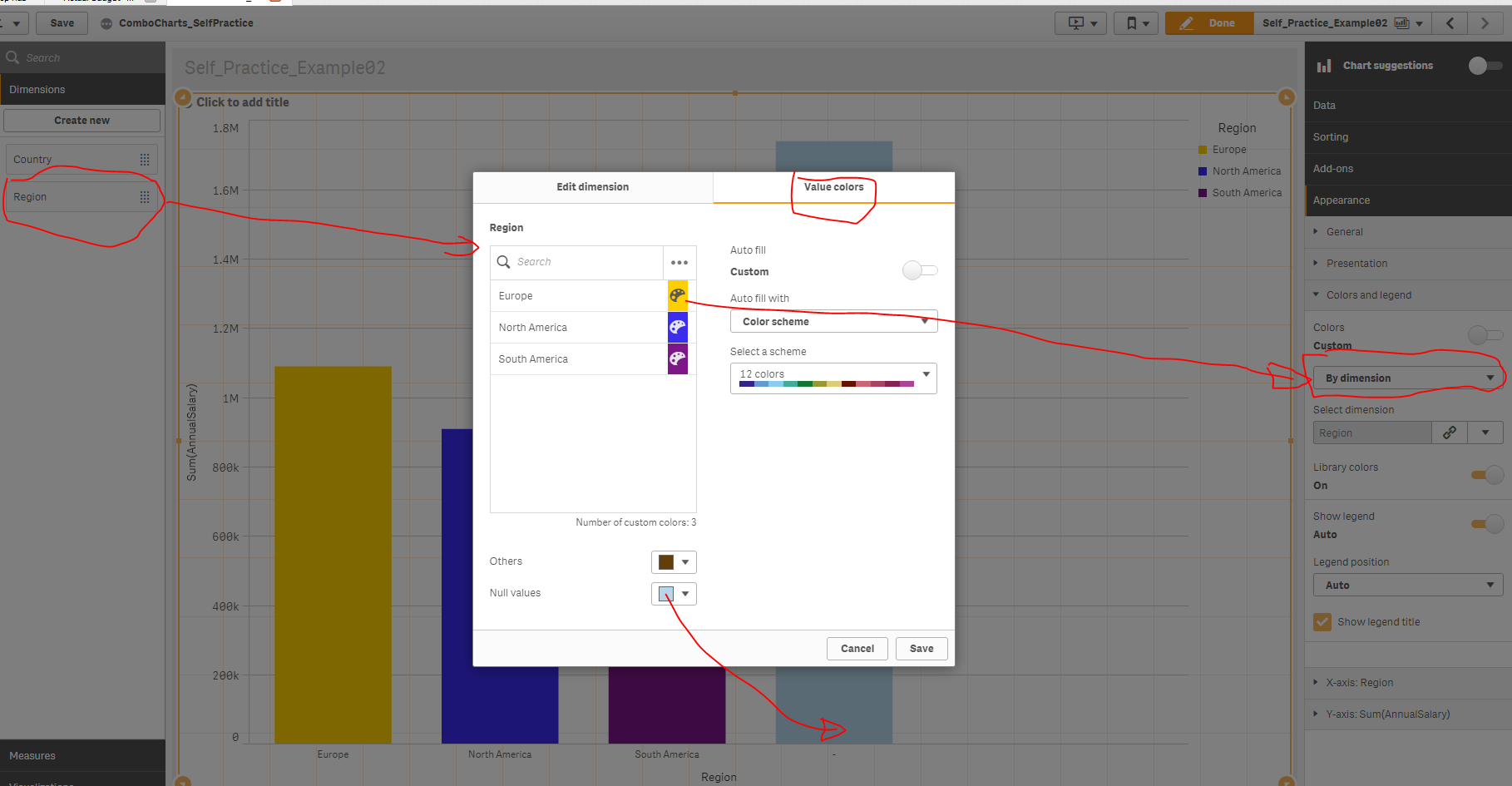
1,064 Views
2 Replies
nsetty
Partner - Creator II
2018-10-18
09:34 AM
- Mark as New
- Bookmark
- Subscribe
- Mute
- Subscribe to RSS Feed
- Permalink
- Report Inappropriate Content
Can you try below..
1) CreateTyp-Qty dimension in Master Item
2) Edit - It allows you to select a color for each dimension
1,065 Views
markusblaut
Contributor III
2018-10-18
09:47 AM
Author
- Mark as New
- Bookmark
- Subscribe
- Mute
- Subscribe to RSS Feed
- Permalink
- Report Inappropriate Content
Thank you! You are the best!
1,064 Views
