Unlock a world of possibilities! Login now and discover the exclusive benefits awaiting you.

Announcements
Share your agentic AI experience, learn from others, and earn a new badge: Put Agentic AI to Work
- Qlik Community
- :
- Forums
- :
- Analytics & AI
- :
- Products & Topics
- :
- Visualization and Usability
- :
- Re: insert text objects in image
Options
- Subscribe to RSS Feed
- Mark Topic as New
- Mark Topic as Read
- Float this Topic for Current User
- Bookmark
- Subscribe
- Mute
- Printer Friendly Page
Turn on suggestions
Auto-suggest helps you quickly narrow down your search results by suggesting possible matches as you type.
Showing results for

 a_travino
Contributor II
2015-12-01
09:38 AM
- Mark as New
- Bookmark
- Subscribe
- Mute
- Subscribe to RSS Feed
- Permalink
- Report Inappropriate Content
insert text objects in image
How to insert more text objects (with formula) in image?
1,389 Views
4 Replies

 reddy-s
Master II
2015-12-01
09:56 AM
- Mark as New
- Bookmark
- Subscribe
- Mute
- Subscribe to RSS Feed
- Permalink
- Report Inappropriate Content
Hi Armando,
Can you please elaborate your issue more as I am little perplexed about what you need?
1,261 Views
a_travino
Contributor II
2015-12-01
10:07 AM
Author
- Mark as New
- Bookmark
- Subscribe
- Mute
- Subscribe to RSS Feed
- Permalink
- Report Inappropriate Content
Hi,
I have 5 text objects with a calculated formula (for example:
= 'CANADA ' &
count ({<DES_CONTINENTE = {'Canada' } , CASE_STATUS = > } KEY_CASO))
and one image with the globe. I want to insert the text objects in this image.
1,261 Views

.png "Former Employee") JonnyPoole
JonnyPoole
Former Employee
2015-12-01
10:14 AM
- Mark as New
- Bookmark
- Subscribe
- Mute
- Subscribe to RSS Feed
- Permalink
- Report Inappropriate Content
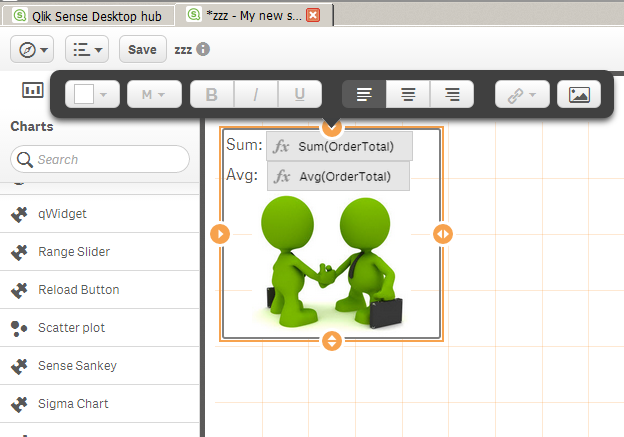
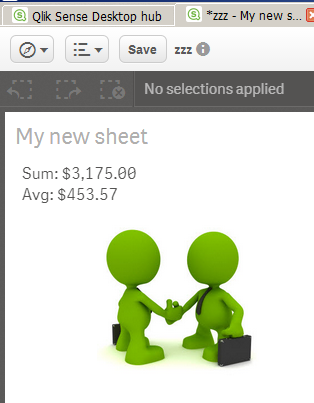
With the 'Text & Image' object, the image is a background. You can still add as much text and as many measure to the text.
reddy-s
Master II
2015-12-01
12:27 PM
- Mark as New
- Bookmark
- Subscribe
- Mute
- Subscribe to RSS Feed
- Permalink
- Report Inappropriate Content
Hi Armando,
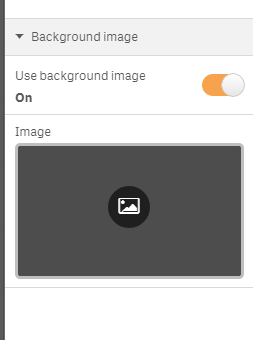
Create a text object with the measure you have mentioned and set the back ground image as the Globe in the presentation tab.
1,261 Views
