Unlock a world of possibilities! Login now and discover the exclusive benefits awaiting you.

- Qlik Community
- :
- Forums
- :
- Analytics & AI
- :
- Products & Topics
- :
- Visualization and Usability
- :
- sql server connexion problem
- Subscribe to RSS Feed
- Mark Topic as New
- Mark Topic as Read
- Float this Topic for Current User
- Bookmark
- Subscribe
- Mute
- Printer Friendly Page

 zahrael
- Mark as New
- Bookmark
- Subscribe
- Mute
- Subscribe to RSS Feed
- Permalink
- Report Inappropriate Content
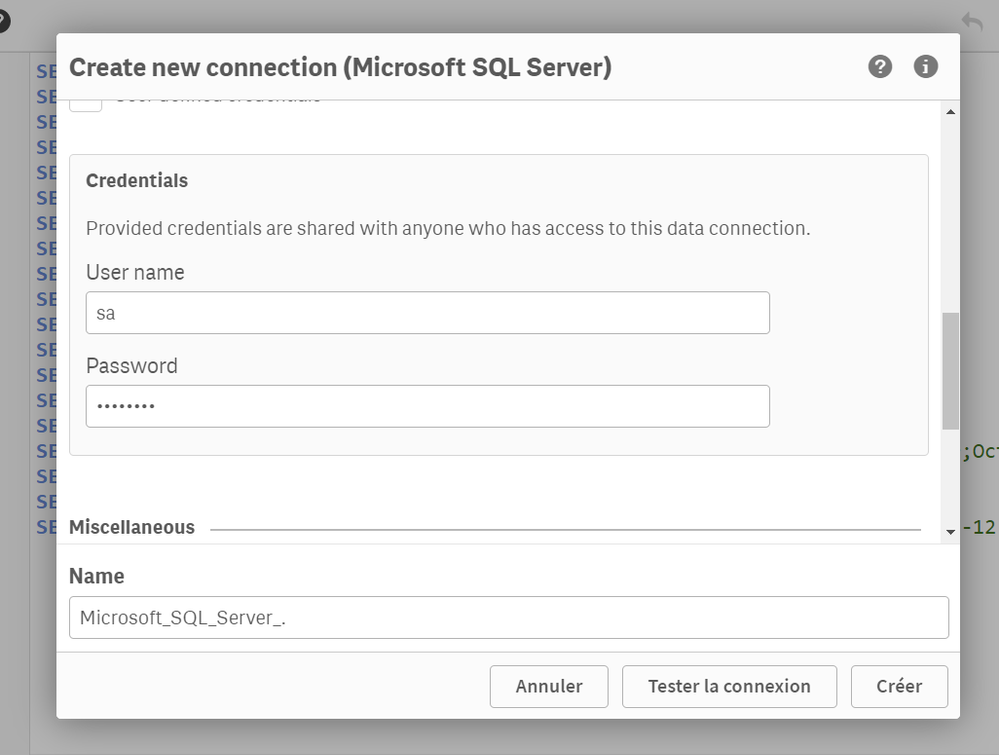
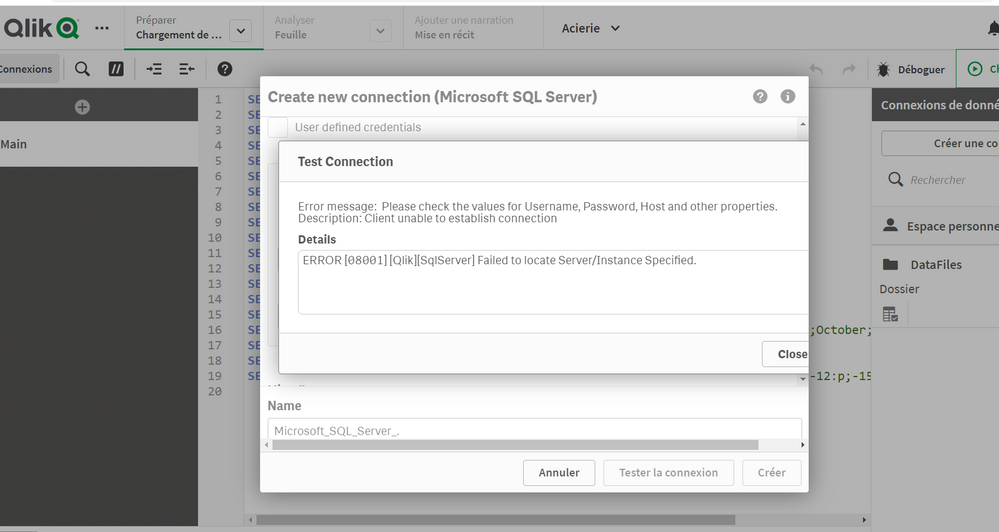
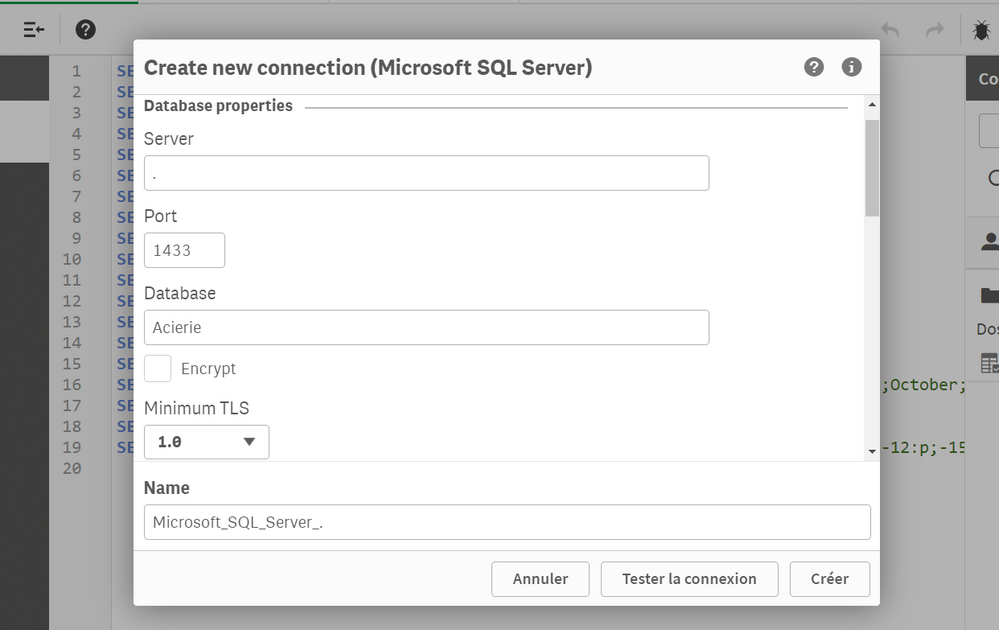
sql server connexion problem
Accepted Solutions

 Andre_Sostizzo
- Mark as New
- Bookmark
- Subscribe
- Mute
- Subscribe to RSS Feed
- Permalink
- Report Inappropriate Content
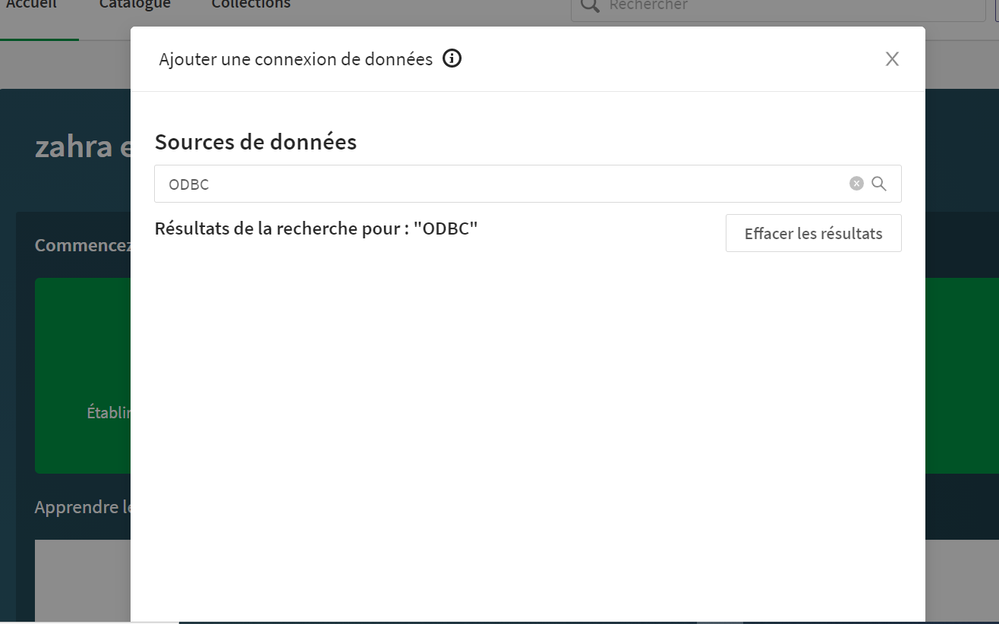
@zahrael, from the screenshot you provided it looks like you are using Qlik Sense SaaS, in which you cannot use the native ODBC option because there's no way you can install 3rd party drivers yourself, as it is done in a Client-Managed Qlik Sense server deployment.
I would investigate if you have your MS SQL server exposed to the internet in your Firewall configuration, and that the proper ports are open for inbound requests. Here are the Qlik Sense SaaS IP and DNS considerations:

 dwforest
- Mark as New
- Bookmark
- Subscribe
- Mute
- Subscribe to RSS Feed
- Permalink
- Report Inappropriate Content
DId you try "localhost" or the actual name of the server instead of .
 Ranganath_DR
- Mark as New
- Bookmark
- Subscribe
- Mute
- Subscribe to RSS Feed
- Permalink
- Report Inappropriate Content
zahrael
- Mark as New
- Bookmark
- Subscribe
- Mute
- Subscribe to RSS Feed
- Permalink
- Report Inappropriate Content
I try it , but same probleme
zahrael
- Mark as New
- Bookmark
- Subscribe
- Mute
- Subscribe to RSS Feed
- Permalink
- Report Inappropriate Content
thank you !
ODBC works for qlik sense desktop but ODBC data source not existe for qlik sense hub
 Andre_Sostizzo
- Mark as New
- Bookmark
- Subscribe
- Mute
- Subscribe to RSS Feed
- Permalink
- Report Inappropriate Content
@zahrael, from the screenshot you provided it looks like you are using Qlik Sense SaaS, in which you cannot use the native ODBC option because there's no way you can install 3rd party drivers yourself, as it is done in a Client-Managed Qlik Sense server deployment.
I would investigate if you have your MS SQL server exposed to the internet in your Firewall configuration, and that the proper ports are open for inbound requests. Here are the Qlik Sense SaaS IP and DNS considerations:
