Unlock a world of possibilities! Login now and discover the exclusive benefits awaiting you.

- Qlik Community
- :
- Forums
- :
- Analytics & AI
- :
- Products & Topics
- :
- App Development
- :
- Re: TimeStamp# wont work
- Subscribe to RSS Feed
- Mark Topic as New
- Mark Topic as Read
- Float this Topic for Current User
- Bookmark
- Subscribe
- Mute
- Printer Friendly Page

 Saif1
Saif1
- Mark as New
- Bookmark
- Subscribe
- Mute
- Subscribe to RSS Feed
- Permalink
- Report Inappropriate Content
TimeStamp# wont work
I have a timestamp want to change it into a date
MY_DATE : 2010-03-29 09:47:30
am using this in load editior :
date(floor(Timestamp#(MY_DATE,'YYYY-MM-DD hh:mm:ss')),'YYYY-MM-DD') as NEW_DATE
This gives me a " - " in the model viewer any help ? am i getting the format wrong ?
Accepted Solutions
Saif1
- Mark as New
- Bookmark
- Subscribe
- Mute
- Subscribe to RSS Feed
- Permalink
- Report Inappropriate Content
the problem was from the oracle query itself, i fixed it then it worked in qlik , thanks all
 MendyS
- Mark as New
- Bookmark
- Subscribe
- Mute
- Subscribe to RSS Feed
- Permalink
- Report Inappropriate Content
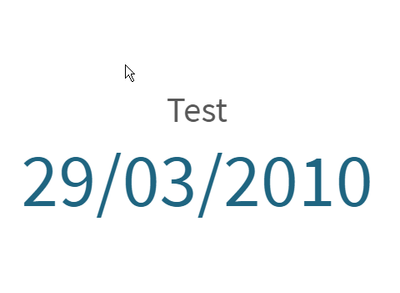 Saif1
Saif1
- Mark as New
- Bookmark
- Subscribe
- Mute
- Subscribe to RSS Feed
- Permalink
- Report Inappropriate Content
it did not work, i dont seem to know why,
in my oracle query it is written like this ( to_char(my_Date , 'YYYY-MM_DD HH24:Mi:SS') my_date
and when i try to change it in oracle (to_Date) it gives random dates
does it affect the casting to timestamp in qlik ?
MendyS
- Mark as New
- Bookmark
- Subscribe
- Mute
- Subscribe to RSS Feed
- Permalink
- Report Inappropriate Content
first, you can make quick tests on the UI of the expression
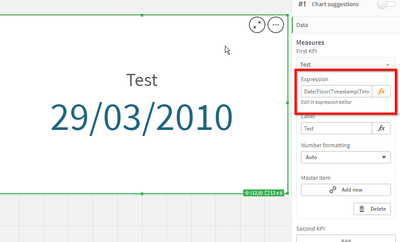
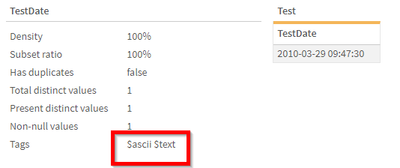
second, can you send a screenshot from the data model viewer on this field? I want to see which format QLIK gives to this field...

 vinieme12
- Mark as New
- Bookmark
- Subscribe
- Mute
- Subscribe to RSS Feed
- Permalink
- Report Inappropriate Content
The field "MY_DATE" is already formatted as timestamp in the database
so if your load statements looks like below, then you won't need to reformat it
Table:
Load
Date(floor(MY_DATE)) as new_Date
,dim1,dim2
;
SQL Select MY_DATE,dim1,dim2 from somedbtable;
if you are converting the MY_DATE field as To_Char() in your SQL, only then you would need to convert it
Table:
Load
Date(floor(timestamp#(MY_DATE,'format'))) as new_Date
,dim1,dim2
;
SQL Select to_char(MY_DATE,'format'),dim1,dim2 from somedbtable;
If a post helps to resolve your issue, please accept it as a Solution.
Saif1
- Mark as New
- Bookmark
- Subscribe
- Mute
- Subscribe to RSS Feed
- Permalink
- Report Inappropriate Content
the problem was from the oracle query itself, i fixed it then it worked in qlik , thanks all

 pradosh_thakur
- Mark as New
- Bookmark
- Subscribe
- Mute
- Subscribe to RSS Feed
- Permalink
- Report Inappropriate Content
1: Load "MY_DATE" as it is in the Qlik load query
2: print in a textbox/ kpi/ filter
3: try printing floor(MY_DATE) if it is a number floor it and apply date
4: if floor() doesn't work try date(floor(Timestamp#(text(MY_DATE),'YYYY-MM-DD hh:mm:ss')),'YYYY-MM-DD')
