Unlock a world of possibilities! Login now and discover the exclusive benefits awaiting you.

- Qlik Community
- :
- Blogs
- :
- Business
- :
- Community Manager Blog
- :
- Qlik Community Version Upgrade

- Subscribe to RSS Feed
- Mark as New
- Mark as Read
- Bookmark
- Subscribe
- Printer Friendly Page
- Report Inappropriate Content
Hello Qlik Community Members,
I'm sure you noticed our scheduled maintenance window last week and again yesterday. Apologies for the extended outages which we know impact your collaboration and research schedule. These outages were part of a large platform version upgrade project and we did our best to minimize them as much as possible. Qlik Community is now on a newer version of the platform which has some great enhancements to improve user experience as well as fixes for some minor bugs.
Post Upgrade Tips
Please be sure to clear your browser cache and cookies to refresh the community interface. You may want to also log out and log back in. We have tested in all of the primary browsers (Chrome™, Firefox®, Safari® and Internet Explorer®) to ensure the updates are rendering correctly.
For the best experience you should always use the most recent version of your browser which contains extensions, updates, and plugins to help ensure you have the proper experience with loading time, content posting, and video display.
Profile Page
The profile page has been redesigned to be more engaging with larger images, centralized editing, and access to different types of content.
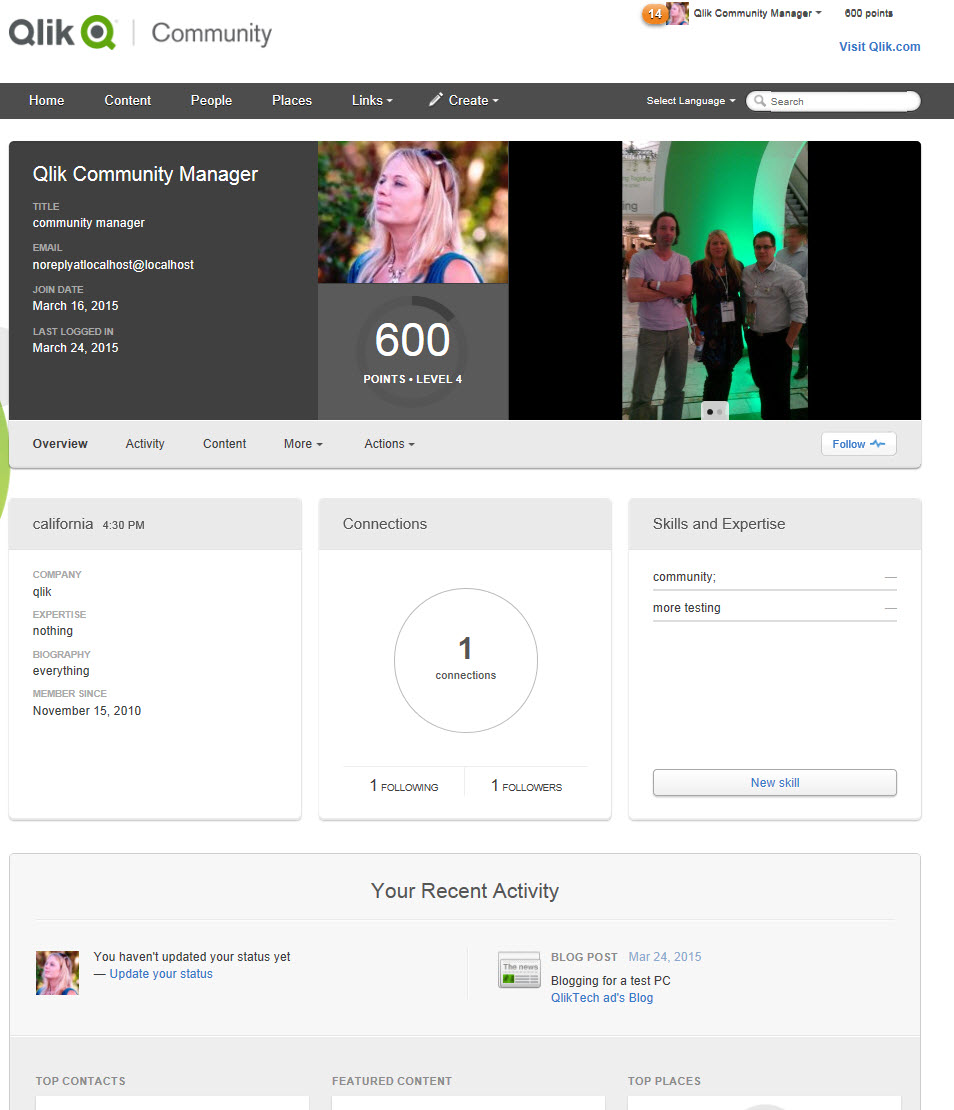
Profile image and details are next to an enhanced image carousel. The Profile Biography, Connections, and Self Assigned Skills (NEW) are easy to see and update.
Recent Activity displays your Status Update (NEW), Contacts, Featured Content, Recent Places, and different types of content streams.
Filtering
People and Content Filtering has been improved and now allows dual filtering for a more refined search. You can search for content status, assignment, and activity level in specific areas or across the whole Community.
You can also change the display from 'pane' to 'list' style depending on your preference.
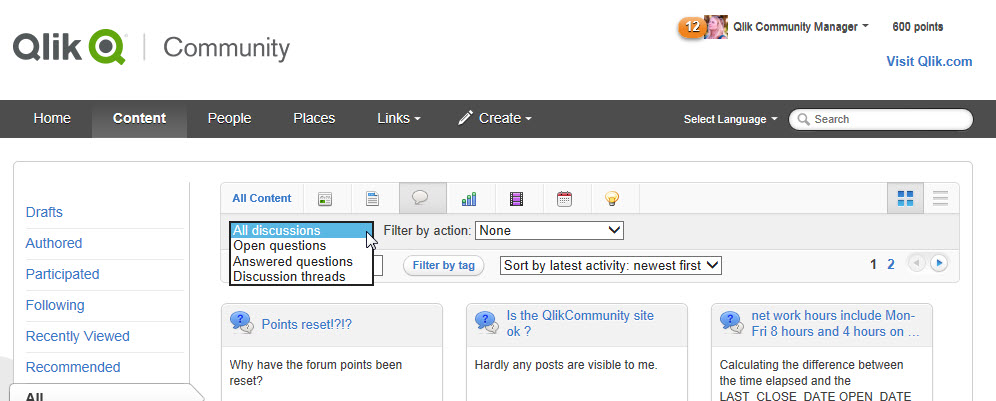
We will be posting additional tips in the coming weeks to help you utilize more of the updated features.
Be sure to check your profile information, bookmarks, and content to ensure everything is correct.
If you have questions, issues, or feedback please email sara.leslie@qlik.com
Best Regards,
Qlik Community Management Team
- « Previous
-
- 1
- 2
- Next »
You must be a registered user to add a comment. If you've already registered, sign in. Otherwise, register and sign in.