Unlock a world of possibilities! Login now and discover the exclusive benefits awaiting you.

- Qlik Community
- :
- Forums
- :
- Analytics & AI
- :
- Products & Topics
- :
- Connectivity & Data Prep
- :
- Importing date value from Sharepoint
- Subscribe to RSS Feed
- Mark Topic as New
- Mark Topic as Read
- Float this Topic for Current User
- Bookmark
- Subscribe
- Mute
- Printer Friendly Page

 rachel_delany
- Mark as New
- Bookmark
- Subscribe
- Mute
- Subscribe to RSS Feed
- Permalink
- Report Inappropriate Content
Importing date value from Sharepoint
I am attempting to import some list data from Sharepoint, including a date value, through the REST connector.
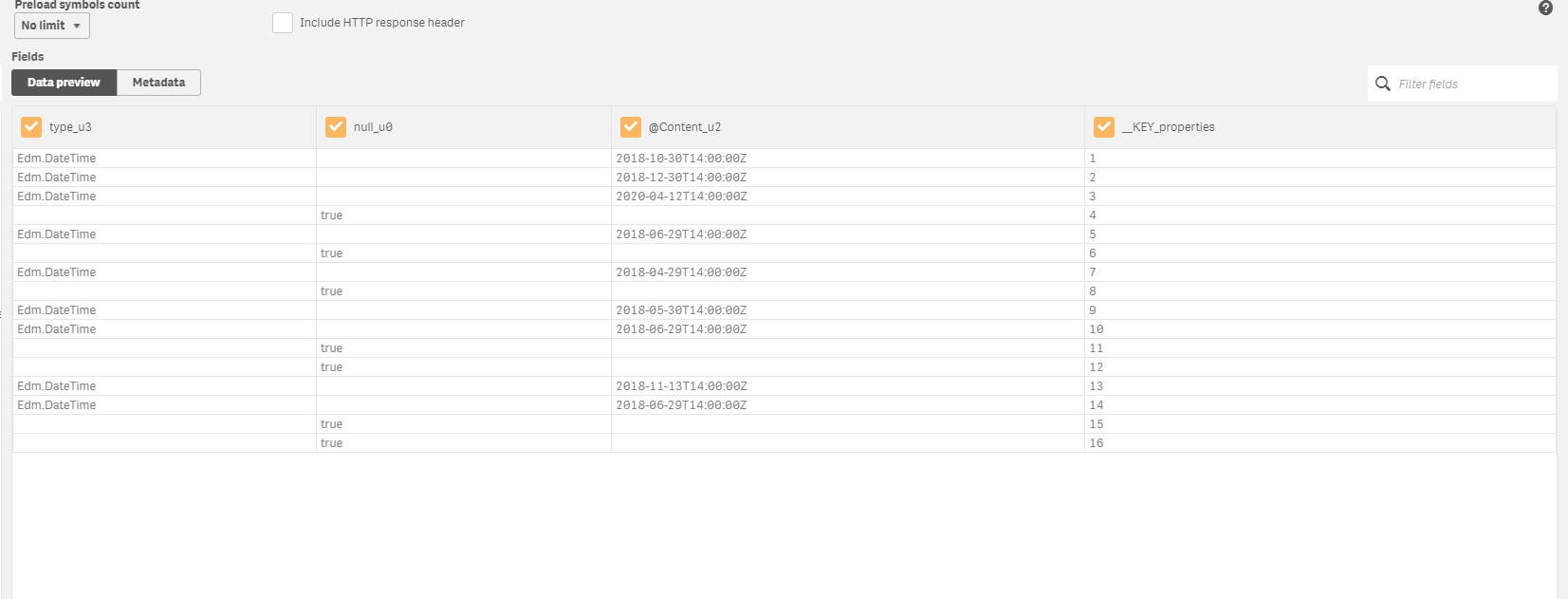
I have successfully connected to the list and in the data preview all looks fine, however the dates all show as null values.
On data preview the dates appear as below. I have tried importing the date with the below formula with no luck:
Date(Date#([@Content], 'YYYY-MM-DDThh:mm:ssK') ,'YYYY-MM-DD') AS [@Content_u2]
Anyone come up against this before?
Accepted Solutions
rachel_delany
- Mark as New
- Bookmark
- Subscribe
- Mute
- Subscribe to RSS Feed
- Permalink
- Report Inappropriate Content
It turns out that QlikSense was developing a faulty load script.
When I tried it in QlikView it worked perfectly, and I moved the script over from there and it imported as expected.
Thanks for your help petter-s

 petter
- Mark as New
- Bookmark
- Subscribe
- Mute
- Subscribe to RSS Feed
- Permalink
- Report Inappropriate Content
The date coming from SharePoint is represented in a completely valid ISO-8601 time format that Qlik Sense is perfectly capable of auto interpreting. That is exactly what the data preview is doing and the reason it works as you noticed...
Strangely enough the format specifiers that Qlik accepts do not include the T or the final Z so any attempt to explicitly convert a perfectly valid ISO-8601 date with Date# will fail unless you strip the T and Z out first.
So just doing:
[@Content] AS aDate,
Should work well.
rachel_delany
- Mark as New
- Bookmark
- Subscribe
- Mute
- Subscribe to RSS Feed
- Permalink
- Report Inappropriate Content
That was what I had tried initially Petter with the same result.
I will try stripping out the T and Z first and see if that is successful.
rachel_delany
- Mark as New
- Bookmark
- Subscribe
- Mute
- Subscribe to RSS Feed
- Permalink
- Report Inappropriate Content
It turns out that QlikSense was developing a faulty load script.
When I tried it in QlikView it worked perfectly, and I moved the script over from there and it imported as expected.
Thanks for your help petter-s
