Unlock a world of possibilities! Login now and discover the exclusive benefits awaiting you.

- Qlik Community
- :
- Forums
- :
- Analytics & AI
- :
- Products & Topics
- :
- Connectivity & Data Prep
- :
- Pivot Table Cost Income ratio
- Subscribe to RSS Feed
- Mark Topic as New
- Mark Topic as Read
- Float this Topic for Current User
- Bookmark
- Subscribe
- Mute
- Printer Friendly Page

 Sanju1
- Mark as New
- Bookmark
- Subscribe
- Mute
- Subscribe to RSS Feed
- Permalink
- Report Inappropriate Content
Pivot Table Cost Income ratio
Hi,
I am facing a problem to bring the Operating expense ratio (cost/Revenue) in a pivot table. I can easily achieve this by country using formula "sum({<AccountName={'Indirect'}>}FY)/sum({<AccountName={'Revenue'}>}FY)"
However, i do want to see the OpEx by function (eg., IT, Finance etc), table contains revenue by country and indirect cost split by country/function.
I am unable to get the OpEx ratio by the above formula in a pivot row/column view, it all shows null().
I can do alternate by applying the formula to individual function type, which means i will end up creating 20 separate measures.
Looking forward for a smart and easy solution. QVF file is attached.


Thank you and best regards
Accepted Solutions

 GaryGiles
- Mark as New
- Bookmark
- Subscribe
- Mute
- Subscribe to RSS Feed
- Permalink
- Report Inappropriate Content
The following should give you the ratio of Indirect Function/Subfunction to Country Revenue, in the pivot, if that is what you are looking for.
sum({$<AccountName={'Indirect'}>} FY) / sum({$<AccountName={'Revenue'}>} Total <Country> FY)
GaryGiles
- Mark as New
- Bookmark
- Subscribe
- Mute
- Subscribe to RSS Feed
- Permalink
- Report Inappropriate Content
The following should give you the ratio of Indirect Function/Subfunction to Country Revenue, in the pivot, if that is what you are looking for.
sum({$<AccountName={'Indirect'}>} FY) / sum({$<AccountName={'Revenue'}>} Total <Country> FY)
Sanju1
- Mark as New
- Bookmark
- Subscribe
- Mute
- Subscribe to RSS Feed
- Permalink
- Report Inappropriate Content
Hi Gary,
I have no words to explain, that's exactly what i was looking for. Thank you so much for your reply, I appreciate your help.
Best Regards
Sanju1
- Mark as New
- Bookmark
- Subscribe
- Mute
- Subscribe to RSS Feed
- Permalink
- Report Inappropriate Content
Hi Gary,
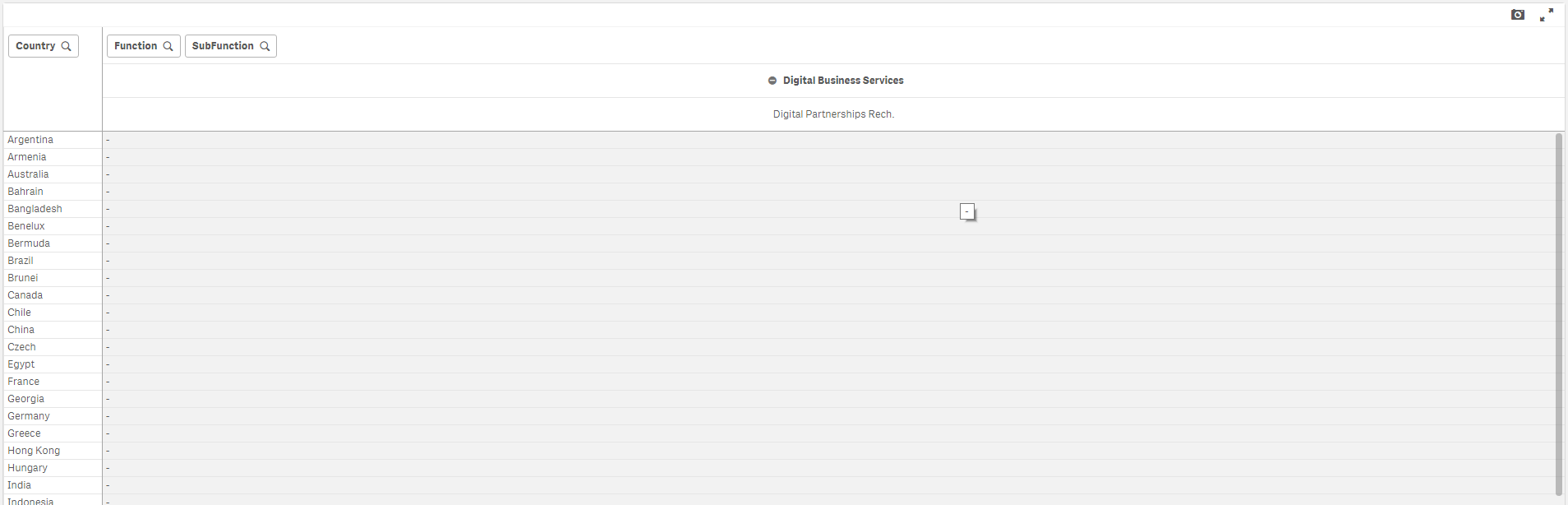
The formula works great. I am facing an issue while filtering the columns, maybe you already to know how to avoid the filtering issue as well? When i filter by sub-function its shows me Zero.
Looking forward to hear from you.
Regards,
Umar Sherief

 GaryGiles
- Mark as New
- Bookmark
- Subscribe
- Mute
- Subscribe to RSS Feed
- Permalink
- Report Inappropriate Content
You add the Function and Sub-Function fields to the set analysis so selections made in these fields are ignored for the Revenue calc like this:
sum({$<AccountName={'Indirect'}>} FY) / sum({$<AccountName={'Revenue'},Function=,SubFunction=>} Total <Country> FY)
But, since you have Nulls in your data and the data model is not optimal, you will see a Null value in your dimension values.
Sanju1
- Mark as New
- Bookmark
- Subscribe
- Mute
- Subscribe to RSS Feed
- Permalink
- Report Inappropriate Content
Hi Gary,
This is wonderful, i tried those function, sub-function set parameters in the total's and in cost section. Didn't try it in the revenue side.
It works like a charm. Once again thank you for your support and appreciate your help.
