Unlock a world of possibilities! Login now and discover the exclusive benefits awaiting you.

- Qlik Community
- :
- Forums
- :
- Analytics & AI
- :
- Products & Topics
- :
- Integration, Extension & APIs
- :
- Re: Tutorial on Hello Data not working
- Subscribe to RSS Feed
- Mark Topic as New
- Mark Topic as Read
- Float this Topic for Current User
- Bookmark
- Subscribe
- Mute
- Printer Friendly Page

 michael_andrews
- Mark as New
- Bookmark
- Subscribe
- Mute
- Subscribe to RSS Feed
- Permalink
- Report Inappropriate Content
Tutorial on Hello Data not working
I'm following this example
http://qliksite.io/tutorials/qliksense-visualization-extensions/part-01/08-Hello-Data/#
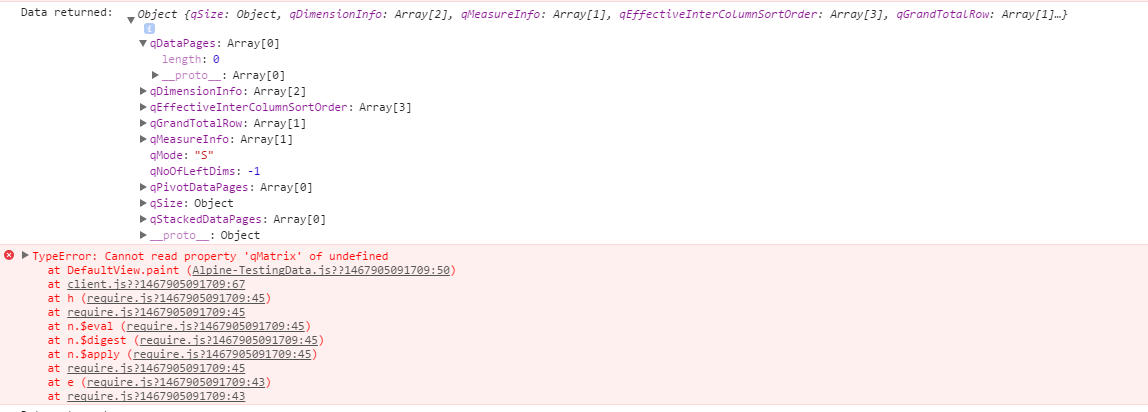
I was writing it myself, but I literally copy and pasted your example to make sure I didn't have any typos. Whenever I try to access the hyper cube data, I get an error because I get not arrow objects in my qDataPages array, so therefor no qMatrix.
The error I get is this
Here is what the data looks like.
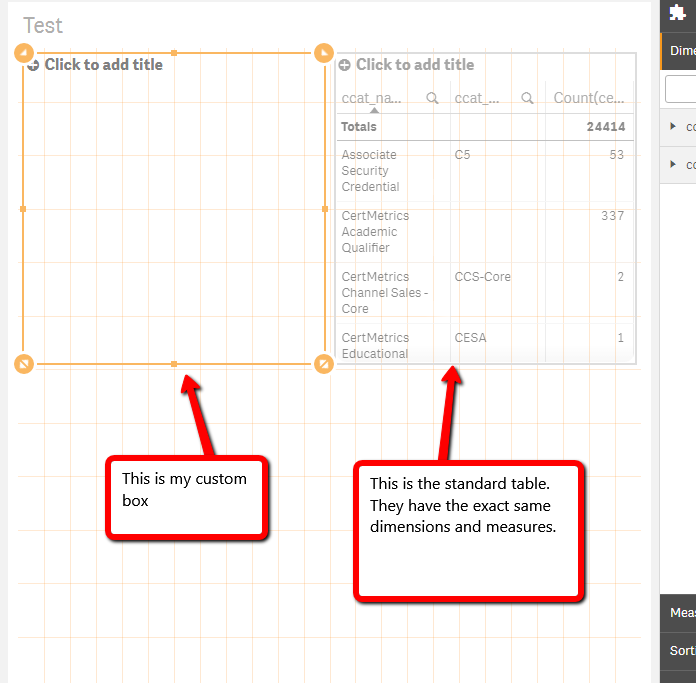
So I'll post the code, but it's verbatim that project.
define( [],
function ( ) {
'use strict';
return {
definition: {
type: "items",
component: "accordion",
items: {
dimensions: {
uses: "dimensions"
},
measures: {
uses: "measures"
},
sorting: {
uses: "sorting"
},
appearance: {
uses: "settings"
}
}
},
initialProperties: {
},
paint: function ( $element, layout ) {
var hc = layout.qHyperCube;
console.log( 'Data returned: ', hc);
// Default rendering with HTML injection
$element.empty();
var table = '<table border="1">';
table += '<thead>';
table += '<tr>';
for (var i = 0; i < hc.qDimensionInfo.length; i++) {
table += '<th>' + hc.qDimensionInfo.qFallbackTitle + '</th>';
}
for (var i = 0; i < hc.qMeasureInfo.length; i++) {
table += '<th>' + hc.qMeasureInfo.qFallbackTitle + '</th>';
}
table += '</tr>';
table += '</thead>';
table += '<tbody>';
for (var r = 0; r < hc.qDataPages[0].qMatrix.length; r++) {
table += '<tr>';
for (var c = 0; c < hc.qDataPages[0].qMatrix
.length; c++) { table += '<td>';
table += hc.qDataPages[0].qMatrix
.qText; table += '</td>';
}
table += '</tr>';
}
table += '</tbody>';
table += '</table>';
$element.append( table );
}
};
} );
- « Previous Replies
-
- 1
- 2
- Next Replies »

 durgesh22
- Mark as New
- Bookmark
- Subscribe
- Mute
- Subscribe to RSS Feed
- Permalink
- Report Inappropriate Content
Deleting and adding an extension to the sheet solved my problem.
Thanks

- « Previous Replies
-
- 1
- 2
- Next Replies »