NPrinting Cluster Connection verification fails with error
x The Document is accessible on this Cluster
Environment
NPrinting Server
QlikView Web Server Access Point
Resolution 1
The document path is case sensitive. Ensure that you use the correct 'case' when typing the connection path
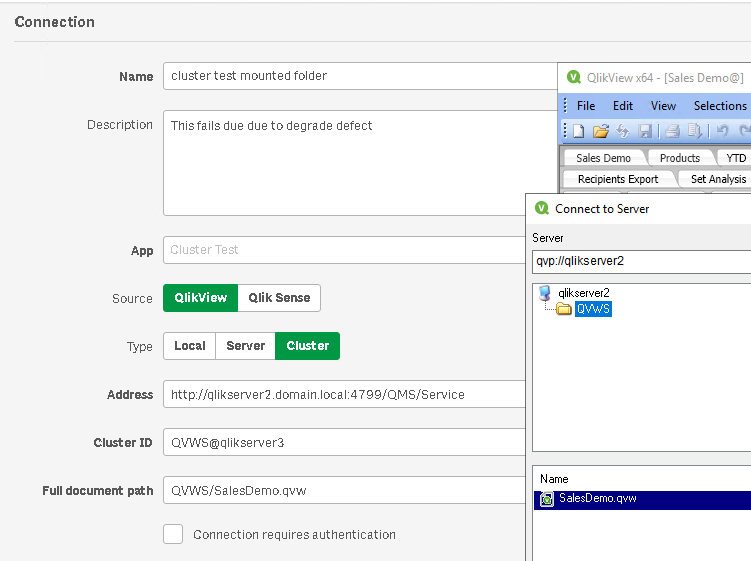
If using Mounted Folders, ensure you use the full document path to the QVW
ie: if qvp path is "qvp://myserver/QVWS/SalesDemo.QVW you must use QVWS/SalesDemo.qvw in the document path (see image below)
Resolution 2
Check that all QlikView server services are running on each QlikView node in your cluster of QlikView servers.
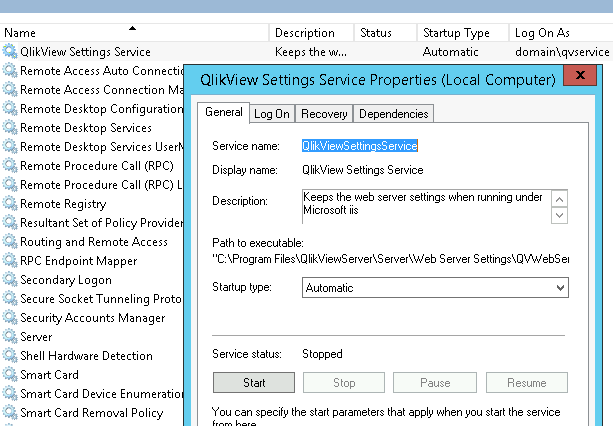
If your QlikView server cluster is connected to a QlikView IIS Access point server, check to ensure that QlikView Settings service is running. If this service is not running, the NPrinting Connection verification will fail.
Verify that NPrinting and QlikView servers are configured accurately
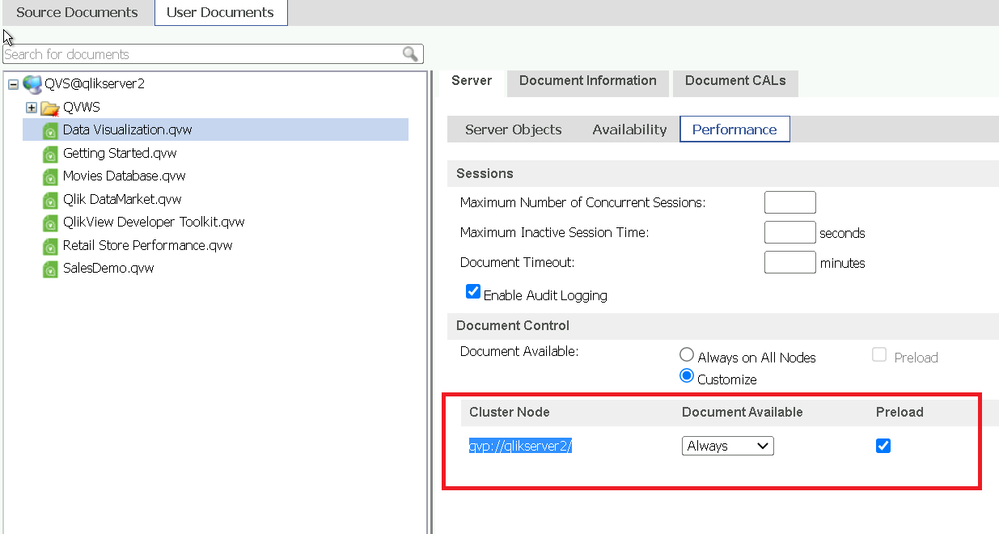
Ensure that apps are not 'pinned' to a specific node. Pinned nodes can be found as per the image below.
Cause
QlikView Settings service on the QV IIS access point server is NOT running
QlikView services not running: Qlikview QVWS service or other QlikView services are not running