Unlock a world of possibilities! Login now and discover the exclusive benefits awaiting you.

- Qlik Community
- :
- Forums
- :
- Analytics & AI
- :
- Products & Topics
- :
- Management & Governance
- :
- Certificate error
- Subscribe to RSS Feed
- Mark Topic as New
- Mark Topic as Read
- Float this Topic for Current User
- Bookmark
- Subscribe
- Mute
- Printer Friendly Page

 reshma_km
- Mark as New
- Bookmark
- Subscribe
- Mute
- Subscribe to RSS Feed
- Permalink
- Report Inappropriate Content
Certificate error
Hi,
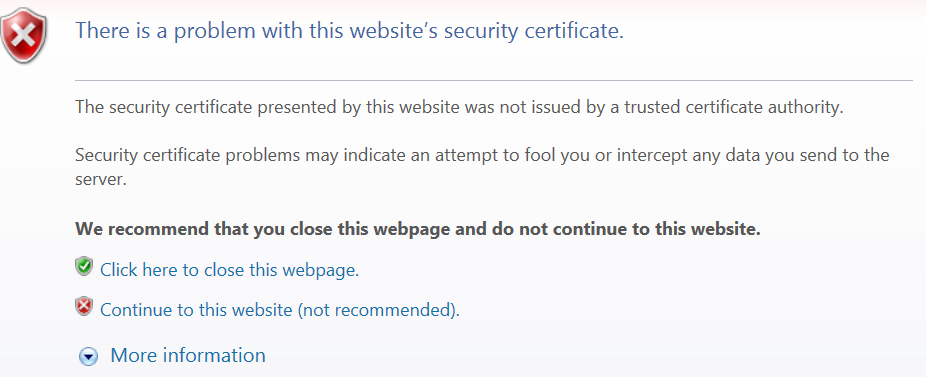
I am getting certificate error when I access QlikSense hub and Qlik NPrinting portal. How can I avoid it?
Accepted Solutions

 jaisoni_trp
- Mark as New
- Bookmark
- Subscribe
- Mute
- Subscribe to RSS Feed
- Permalink
- Report Inappropriate Content
You would need to have a signed certificate and add in to the proxy nodes.
Refer to this url
jaisoni_trp
- Mark as New
- Bookmark
- Subscribe
- Mute
- Subscribe to RSS Feed
- Permalink
- Report Inappropriate Content
What kind of error are you referring to? Is it like certificates are not valid?
reshma_km
- Mark as New
- Bookmark
- Subscribe
- Mute
- Subscribe to RSS Feed
- Permalink
- Report Inappropriate Content
in IE,
jaisoni_trp
- Mark as New
- Bookmark
- Subscribe
- Mute
- Subscribe to RSS Feed
- Permalink
- Report Inappropriate Content
You would need to have a signed certificate and add in to the proxy nodes.
Refer to this url
 barry_stevens
- Mark as New
- Bookmark
- Subscribe
- Mute
- Subscribe to RSS Feed
- Permalink
- Report Inappropriate Content
Get a signed Certificate, or enable HTTP rather than HTTPS
reshma_km
- Mark as New
- Bookmark
- Subscribe
- Mute
- Subscribe to RSS Feed
- Permalink
- Report Inappropriate Content
Hi,
How can I enable HTTP rather than HTTPS?
reshma_km
- Mark as New
- Bookmark
- Subscribe
- Mute
- Subscribe to RSS Feed
- Permalink
- Report Inappropriate Content
Hi,
I was able to achieve this. Edited proxy in QMC.
reshma_km
- Mark as New
- Bookmark
- Subscribe
- Mute
- Subscribe to RSS Feed
- Permalink
- Report Inappropriate Content
hi,
could you please take a look and respond to the below thread?
Generate a CSR for QlikSense November 2017
Also, I have one more query.
If I use a signed certificate as mentioned in above post, will both sense and nprinting work without browser warning, or just sense? Do I need to do the steps mentioned below for NPrinting?
https://help.qlik.com/en-US/nprinting/November2017/Content/DeployingQVNprinting/Using-openssl.htm
