Unlock a world of possibilities! Login now and discover the exclusive benefits awaiting you.

- Qlik Community
- :
- Forums
- :
- Analytics & AI
- :
- Products & Topics
- :
- Management & Governance
- :
- ProxyErrorCode.1000
- Subscribe to RSS Feed
- Mark Topic as New
- Mark Topic as Read
- Float this Topic for Current User
- Bookmark
- Subscribe
- Mute
- Printer Friendly Page

 JustinDallas
- Mark as New
- Bookmark
- Subscribe
- Mute
- Subscribe to RSS Feed
- Permalink
- Report Inappropriate Content
ProxyErrorCode.1000
Hello Folks,
I'm on a QS Nov 2017 system, and I have a central node, along with a rim node. When I try to visit my rim node, I get an error of ProxyErrorCode.1000
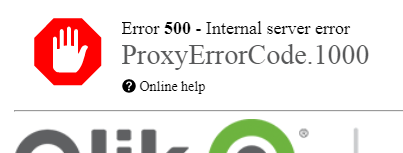
While I can't visit the hub, I can visit the QMC on the rim node.
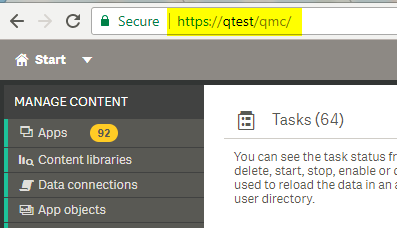
I've gone through the various logs but I haven't seen anything that has let me know what's happening.
Any help is greatly appreciated.
Accepted Solutions

 Levi_Turner
- Mark as New
- Bookmark
- Subscribe
- Mute
- Subscribe to RSS Feed
- Permalink
- Report Inappropriate Content
Historically, I've seen this when port 4900 is not allowed from QPS to QES. I'd encourage reviewing the table on the relevant help site page (https://help.qlik.com/en-US/sense/February2018/Subsystems/PlanningQlikSenseDeployments/Content/Deplo...) which is fairly good at outlining the dependencies in a multi-node context both in and out-bound.
Hope that helps.
Levi_Turner
- Mark as New
- Bookmark
- Subscribe
- Mute
- Subscribe to RSS Feed
- Permalink
- Report Inappropriate Content
Historically, I've seen this when port 4900 is not allowed from QPS to QES. I'd encourage reviewing the table on the relevant help site page (https://help.qlik.com/en-US/sense/February2018/Subsystems/PlanningQlikSenseDeployments/Content/Deplo...) which is fairly good at outlining the dependencies in a multi-node context both in and out-bound.
Hope that helps.
JustinDallas
- Mark as New
- Bookmark
- Subscribe
- Mute
- Subscribe to RSS Feed
- Permalink
- Report Inappropriate Content
I think that was the solution. I had no time for best practices  , so I just opened up any port listed.
80, 443, 4243, 4244, 4248, 4747, 4748, 4242, 4239, 4444, 4899, 4432, 4899, 4900, 4949, 5050, 5151, 5252
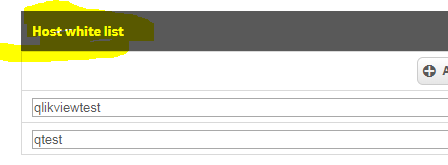
Also had to make sure that I whitelisted the host, as that's something that's easy to forget to do.