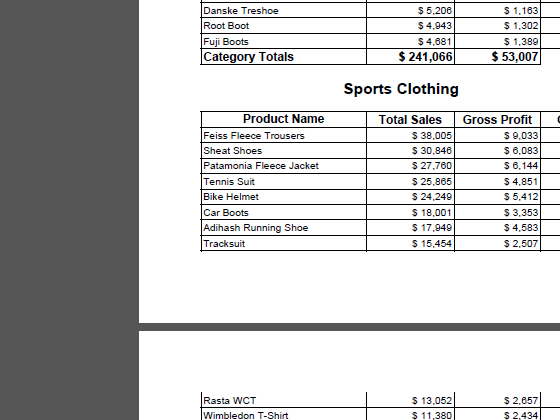
In this tutorial you'll learn how to add totals and subtotals to QlikView Nprinting PixelPerfect reports using nested Levels. A hierarchy of levels can be created as deep as you need. Please, pay close attention to how nested levels are created here because the method is quite different from that used for other kinds of QlikView NPrinting reports.
Preliminaries:
See the tutorial How to Create a Simple PixelPerfect Report to learn the basics.
Download our NPrinting Training Material and extract it to C:\NPrintingTraining\ so that all relative paths remain valid.
Begin Creating New PixelPerfect Report
Open the NPrinting Project NPrintingTraining.nsq found in the C:\NPrintingTraining\NPrintingFiles\ folder.
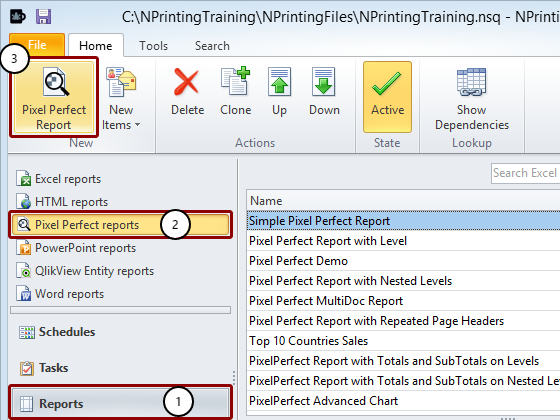
Select Reports in the lower left pane
Select PixelPerfect reports
Click on the PixelPerfect Report icon to create a new report
Name Report and Open New Template in Template Editor
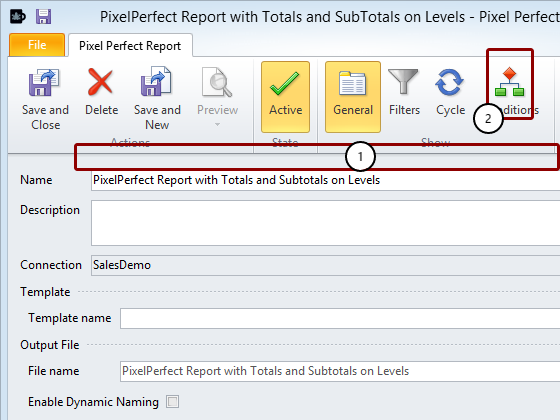
Enter PixelPerfect Report with Totals and SubTotals on Levels as the report Name
Click on New in the Template group of the tool bar to create a new template
Add Levels to Template
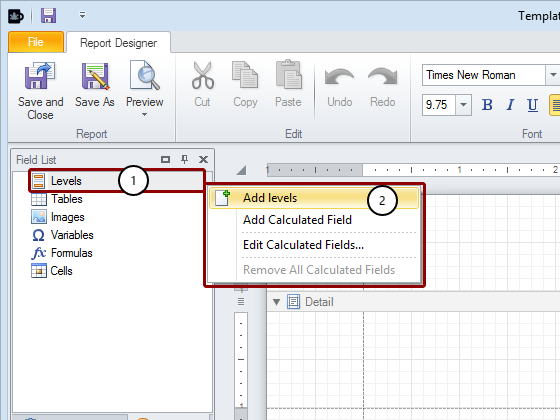
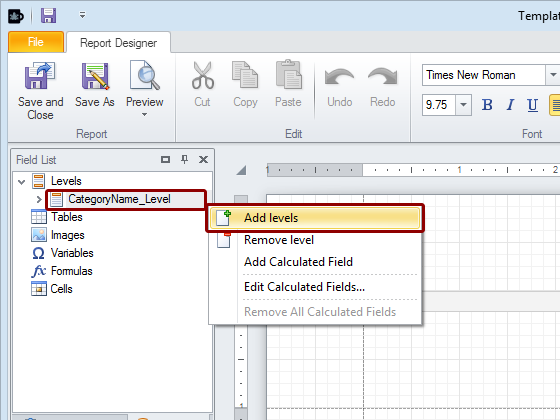
Right click on the Levels node
Click on Add levels in the pop-up menu
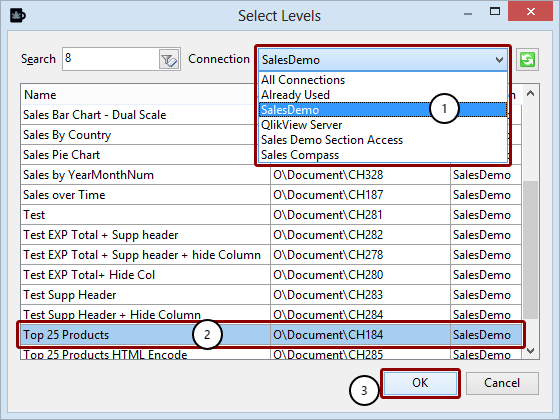
Select Object for Level
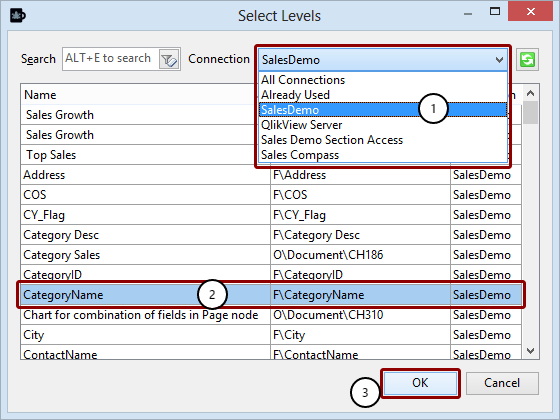
Select the Connection to the QlikView document that contains the object you want
Select the CategoryName field
Click on the OK button
Begin Nesting Levels
Right click on the CategoryName_Level node
Click on Add levels in the pop-up menu
Select Object for Sublevel
Select the Connection to the QlikView document that contains the object you want
Select the Top 25 Products chart
Click on the OK button
Begin Creating Levels in Template
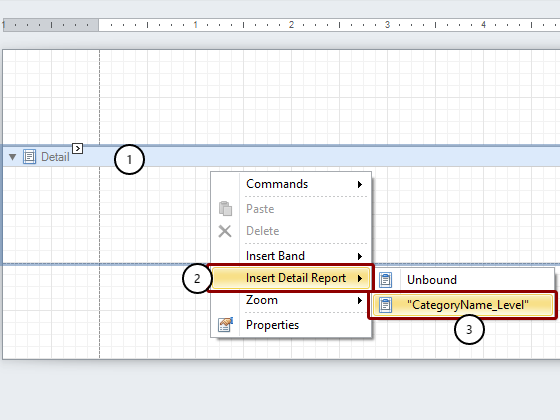
Right click on the Detail bar or within its range
Select Insert Detail Report
Select “CategoryName_Level”
Embed Field in Detail1 Band
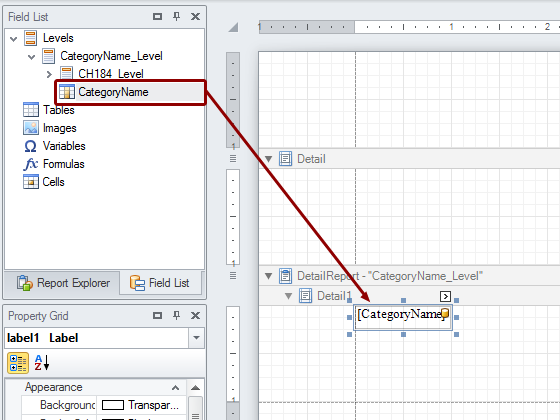
Drag the CategoryName node token from the Levels hierarchy and drop it into the Detail1 open template area.
Format Category Heading
Drag the label left and right borders to cover the entire width of the range from margin to margin
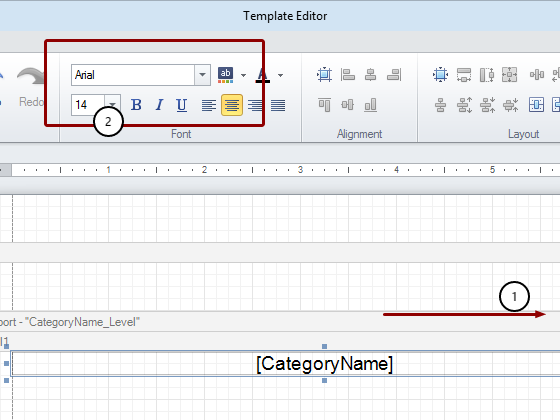
Set the font to Arial, 16pt, Bold, centered or format it as is appropriate for a category heading
Create the CH184 Sublevel
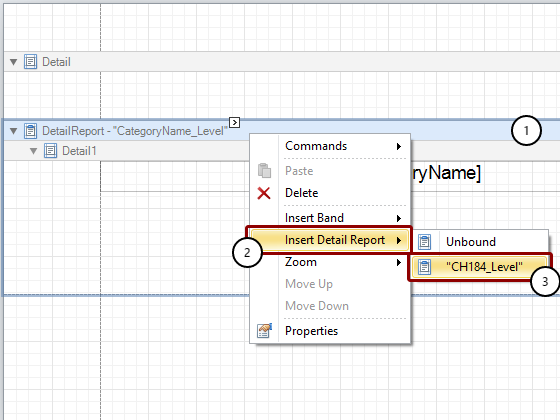
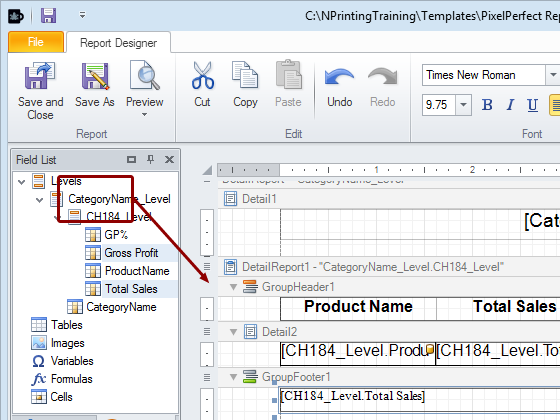
Right click on the DetailReport -“CategoryName_Level” bar
Select Insert Detail Report
Select “CH184_Level”. The result is DetailReport1 -“CategoryName_Level.CH184_Level” bar.
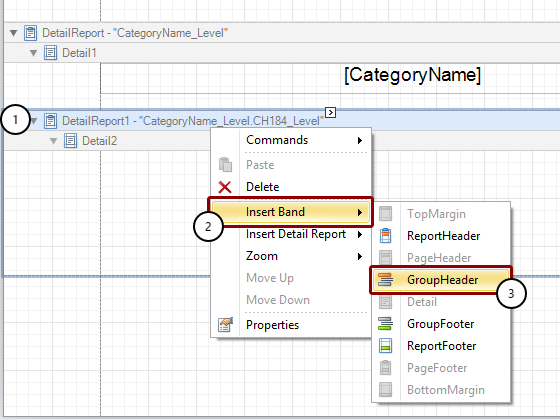
Add Group Header
Add Group Footer
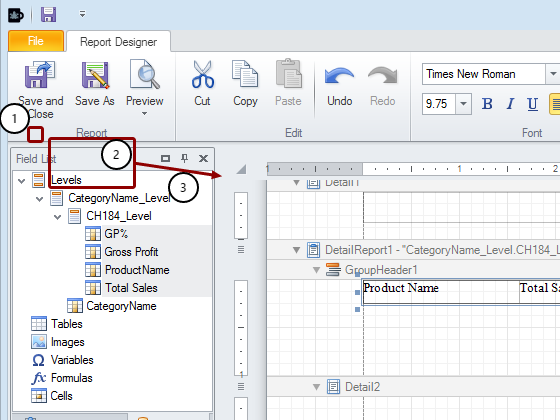
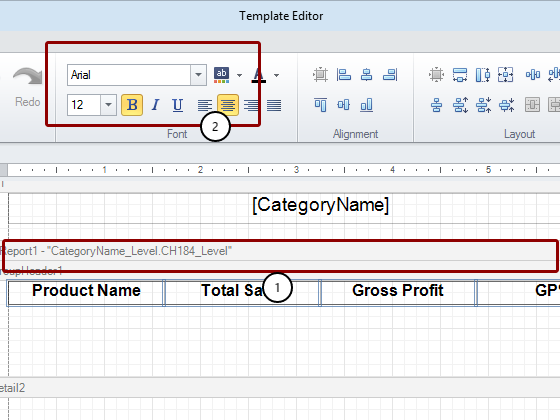
Embed Headings in Template
Format Heading Text
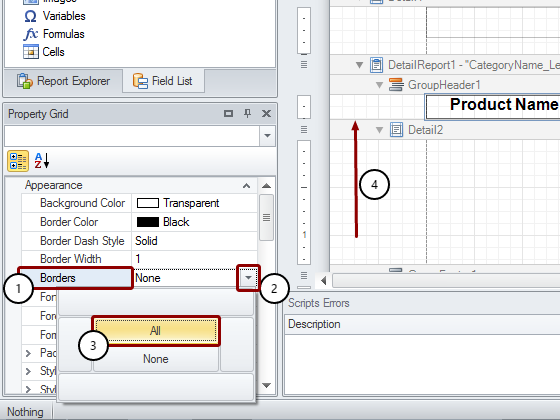
Format Heading Borders
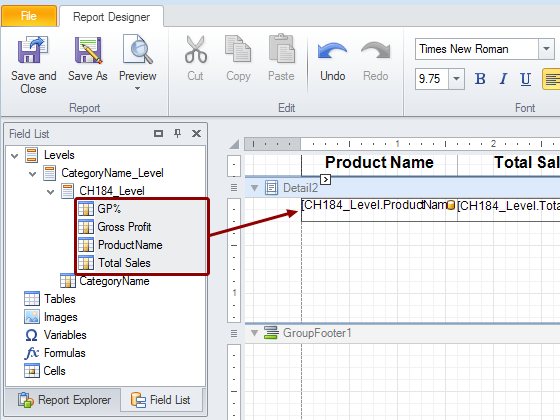
Embed Data in Template
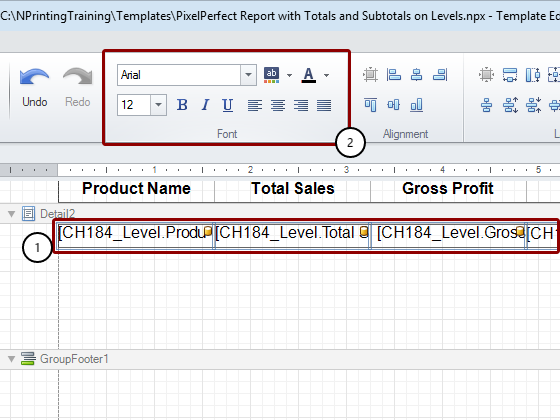
Format Data in Template
Render Borders Visible and Eliminate White Space
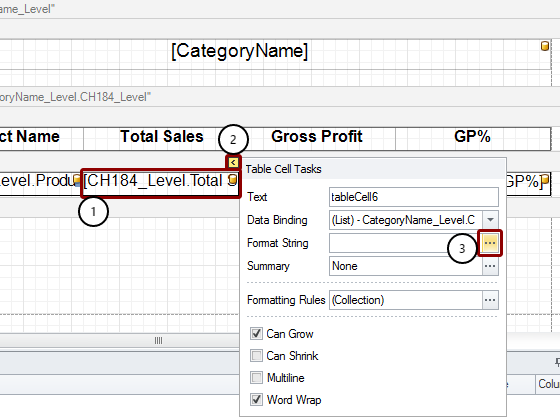
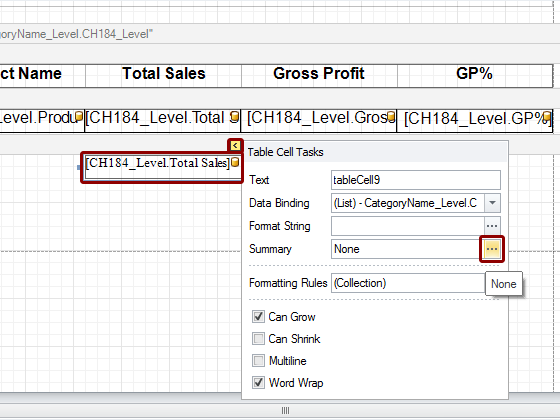
Open Table Cell Tasks and FormatString Editor
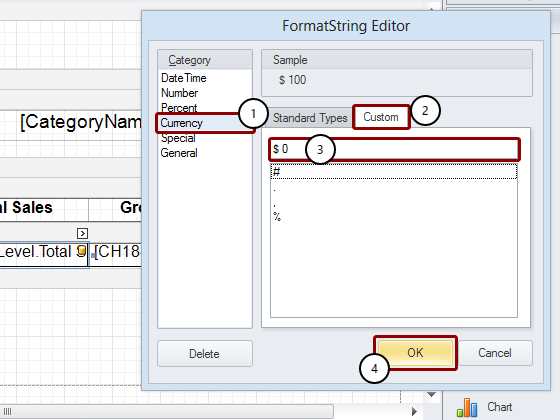
Format "CH184_Level.Total Sales" Cell
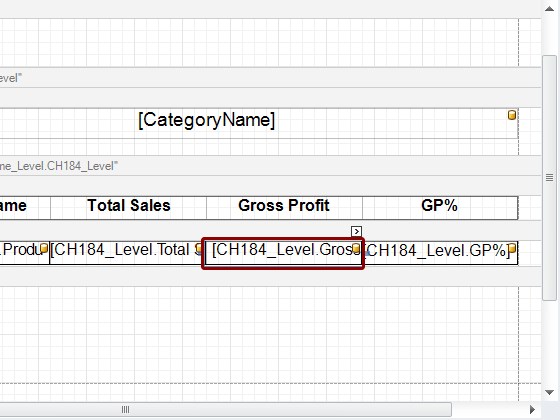
Format "CH184_Level.Gross Profit" Cell
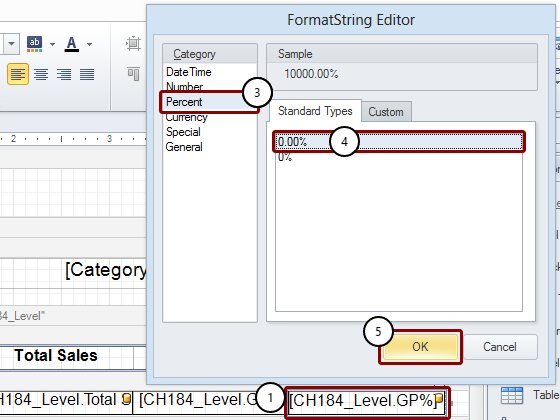
Format "CH184_Level.GP%" Cell
Start Creating Subtotals
Adapt Cells
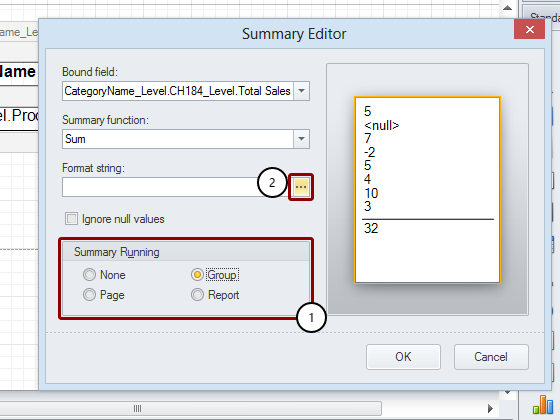
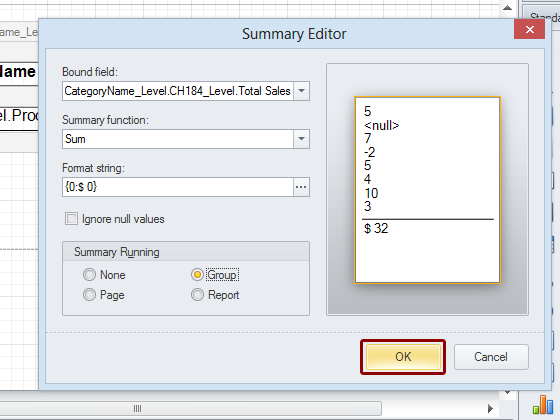
Open Summary Editor for CH184_Level.Total Sales Cell
Set Summary Running and Open Format String Editor
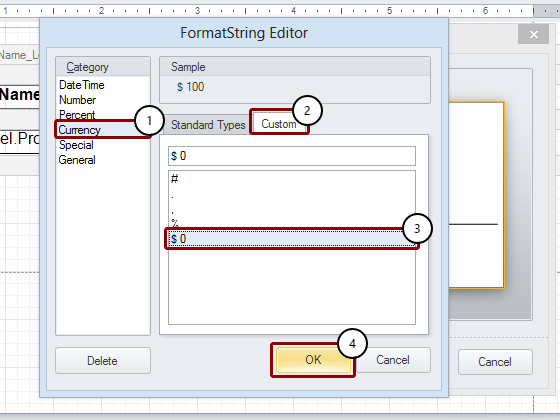
Format Cell Content and Close
Close Summary Editor
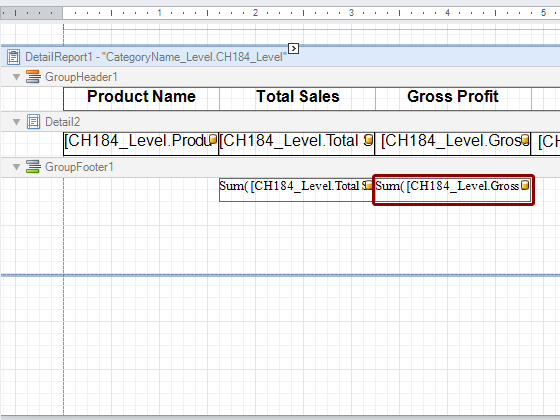
Repeat Process for CH184_Level.Gross Profit Cell
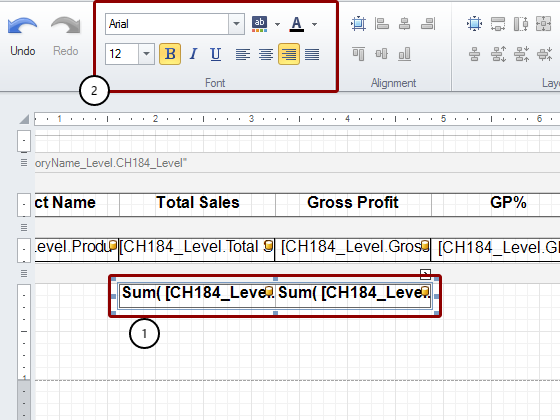
Format Subtotal Cell Content
Render Subtotal Cell Borders Visible and Eliminate White Space
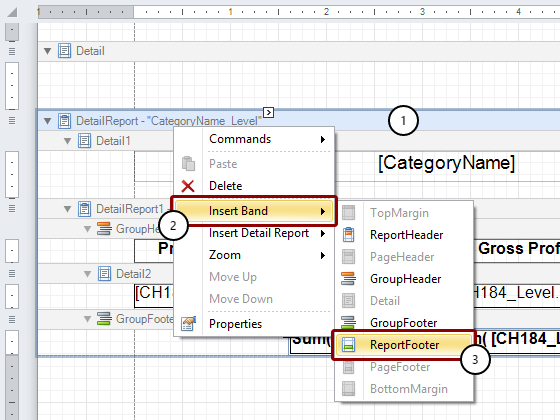
Begin Creating Report Totals
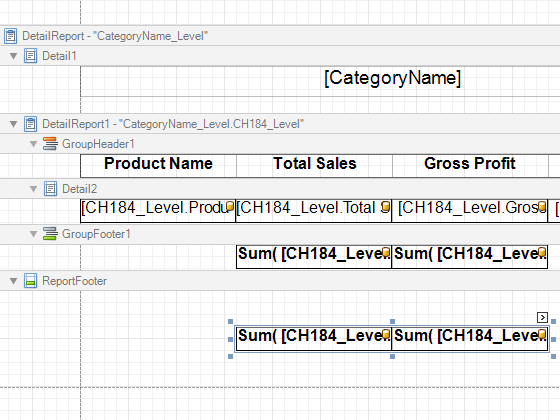
Copy Subtotal Cells
Paste Subtotal Cells in ReportFooter
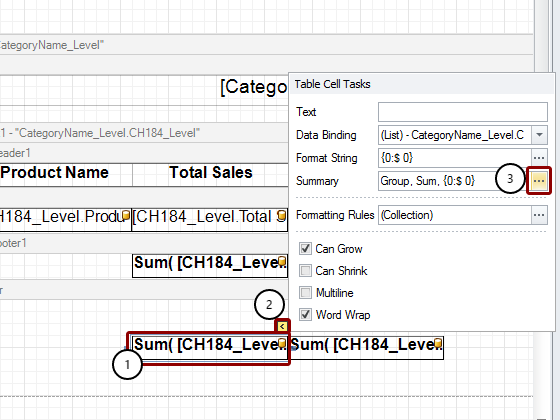
Open Summary Editor
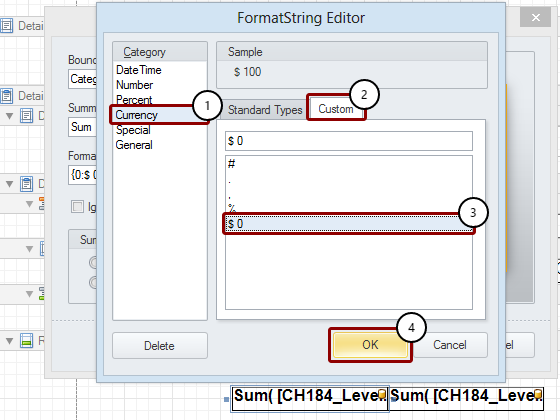
Set Summary Running and Open FormatString Editor
Format Cell Data Content
Close Summary Editor
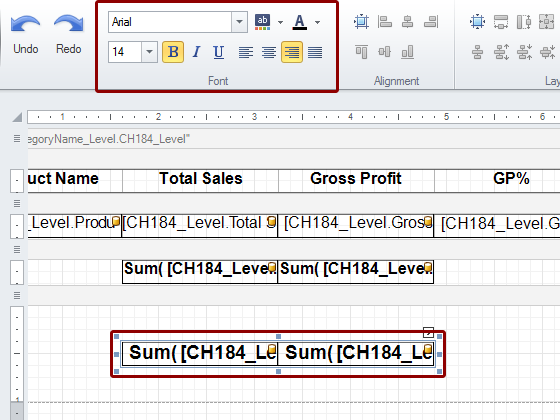
Format Report Total Cell Contents
Format the text as Arial, 14px, Bold, Right justified.
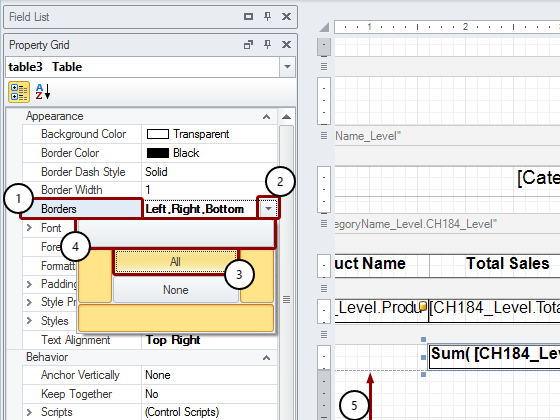
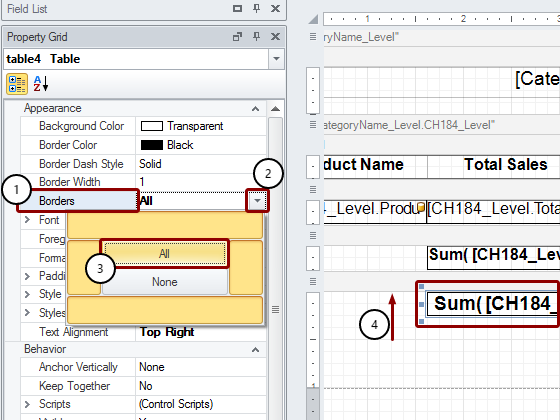
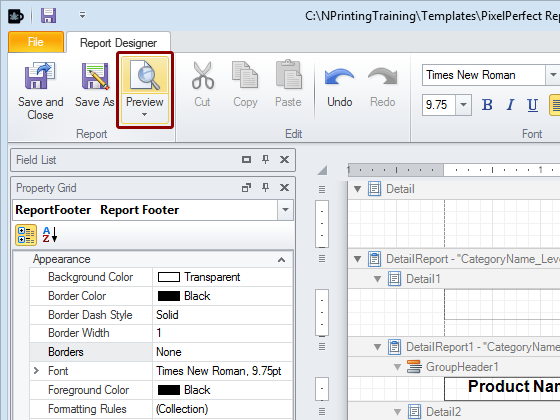
Select theBordersoption inProperty Grid, which is the lower left pane
Open the drop-down menu by clicking on the down-pointing triangle at the extreme right of the field
Click onAllto render all cell borders visible
Drag theReport Totalcell upper border till it coincides with the lower border of theReportFooterbar lower border to eliminate the white space between theCategory Subtotalsand theReport Totalsin the final report