When a block runs in Qlik Application Automation, it will make an API request. After this request, the block will wait for a maximum of 55 seconds to receive an API response. If the API takes longer to send a response, the block will throw the following error: 408 -The request timed out because we did not receive an API response within 55 seconds.
This article explains how the Call URL block can be used to perform API calls that wait longer than 55 seconds for a response.
Please take note of the following:
- The Call URL block won't work for APIs that use OAuth authentication. The Qlik Cloud Services API uses an API key but this is only available to users with the Developer role.
- Many blocks are not only an implementation of an API call but contain additional logic and functionality that is not available in the Call URL block. This means not all blocks can be replicated with the Call URL block.
- Some blocks make multiple API calls in the background and will take longer than 55 seconds to execute. For example, retrieving a list of 10k records with a page size of 100 will take 100 API calls. The 55 seconds time out limitation is applied to each individual API call and not on the block duration.
Call URL block with a longer timeout
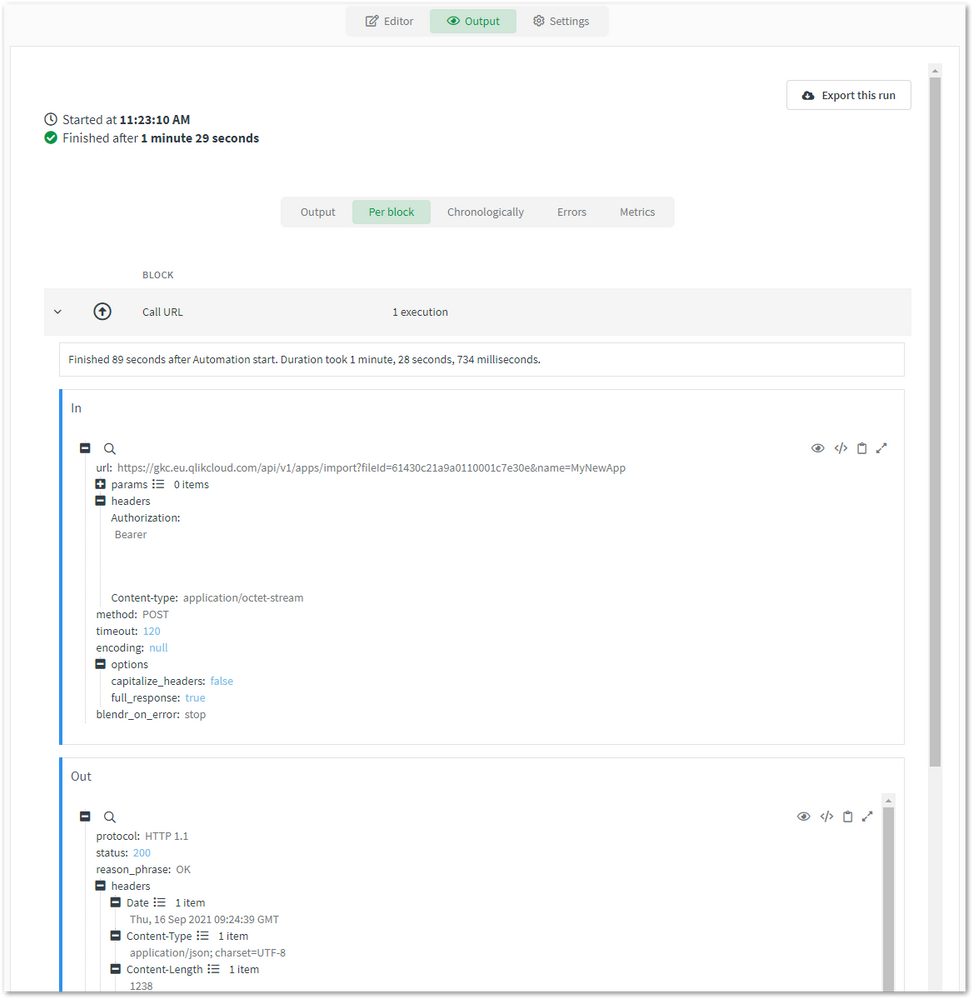
The following steps explain how the Call URL block can be used to replicate a block. The example used is the Import App block from the Qlik Cloud Services connector. This block throws the time out error when it's used on a big app (+1 GB).
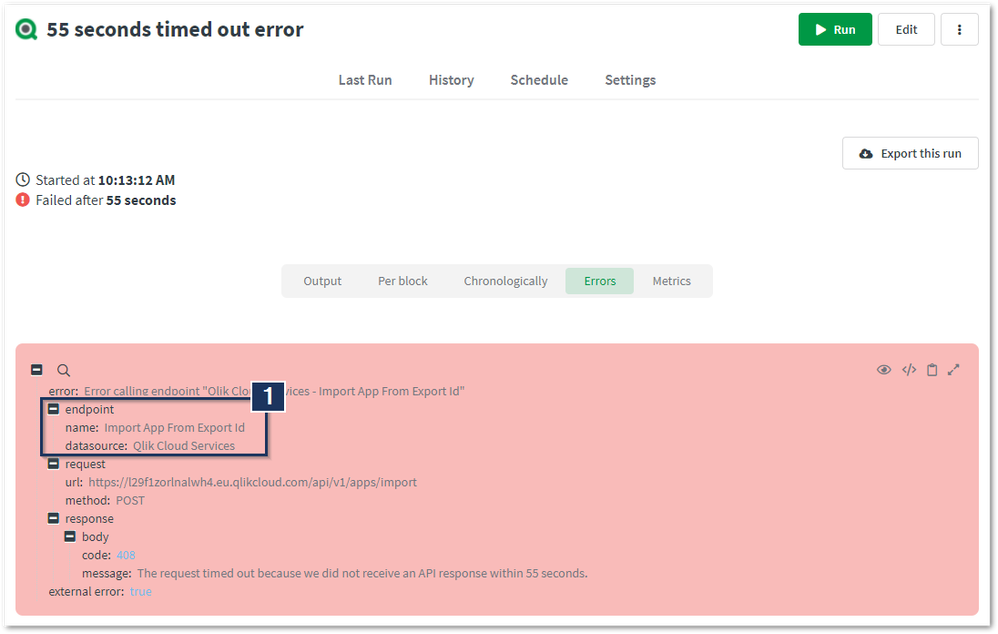
- Identify which block has thrown the error from the automation's output. Do this by opening the Error tab in the run overview and search for the endpoint information.
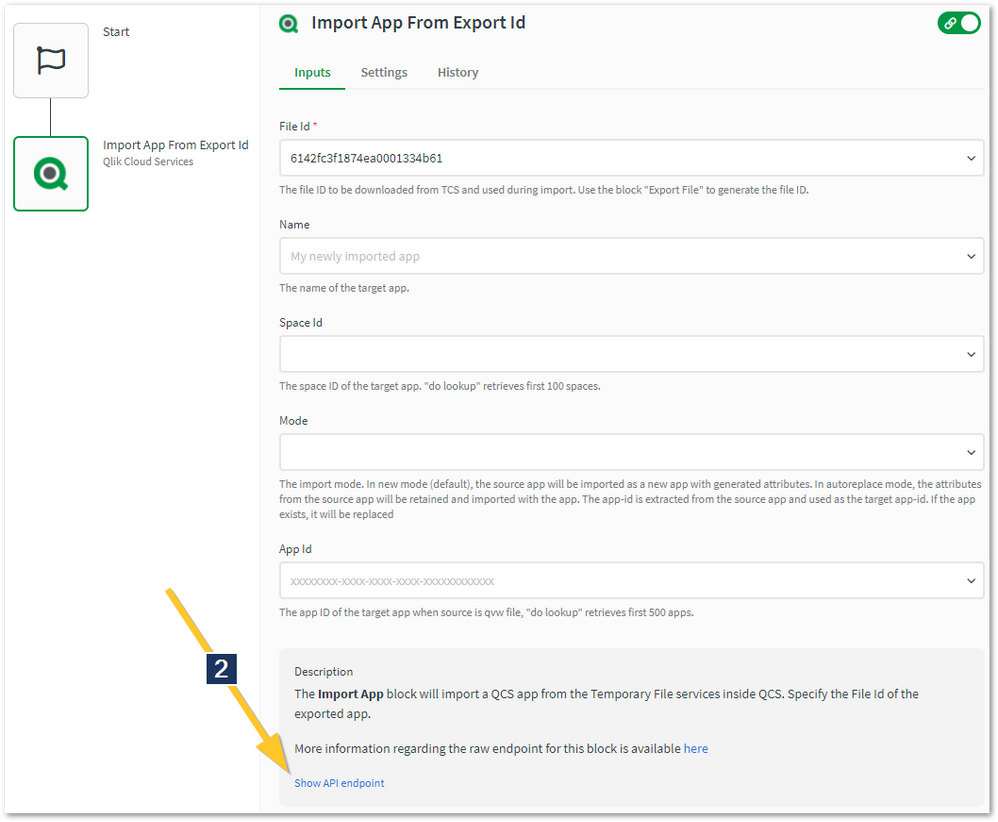
- Edit the failed automation and click the block that caused the error. Get the block's API endpoint by clicking "Show API endpoint" in the block's description.
- Search for the connector's API docs on the internet and find the endpoint from step 2.
- Go inside the editor again, replace the block that's causing the error with the Call URL block. Tip: don't delete the block yet, leave it disconnected in the editor and use it to validate the Call URL block's configuration.
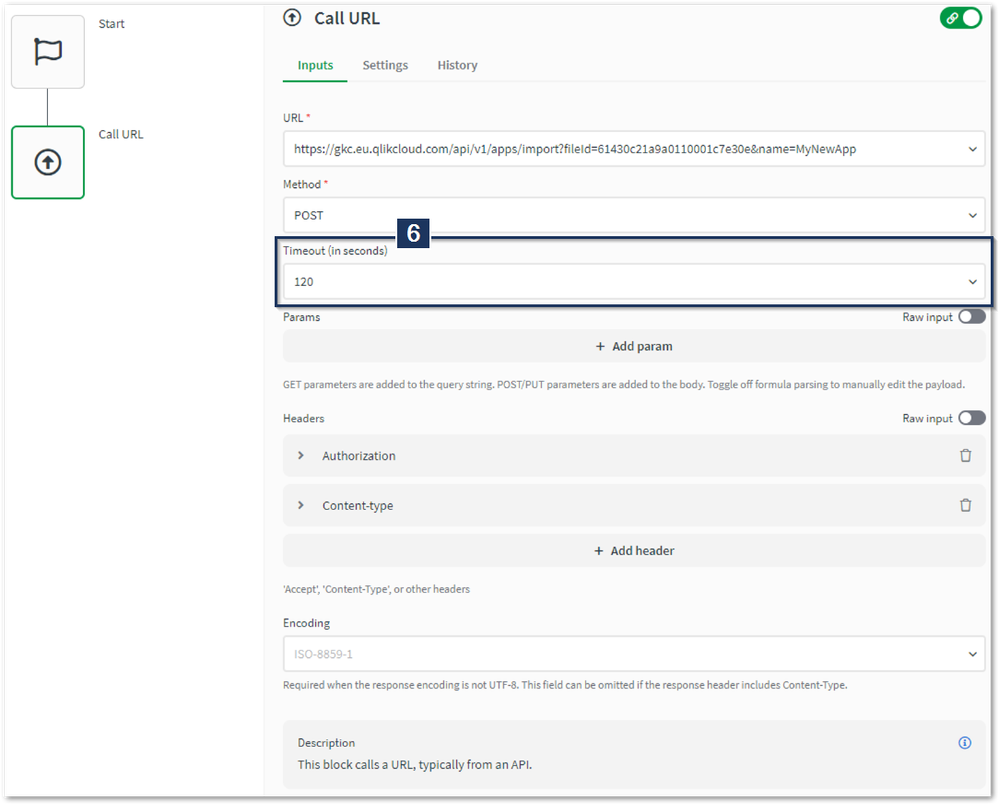
- Use the connector's API docs to configure the Call URL block. You'll also need to provide authentication. For the Qlik Cloud Services connector, this is done by specifying the API key as a header parameter.
- Make sure to set the Call URL block's Timeout parameter to a value higher than 55 seconds.
- Click "Run" to execute the automation.
The information in this article is provided as-is and to be used at own discretion. Depending on tool(s) used, customization(s), and/or other factors ongoing support on the solution below may not be provided by Qlik Support.